
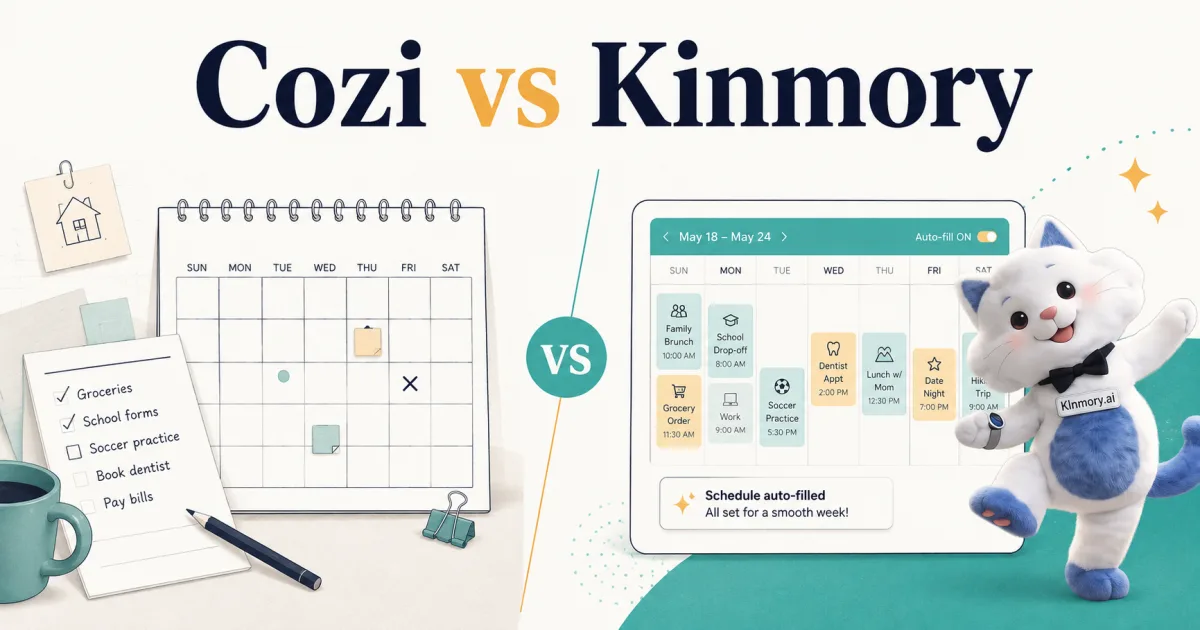
Cozi vs Kinmory (2026): Simple Organizer or AI Butler?
Cozi vs Kinmory, honestly compared: Cozi is the simple, cheaper shared organizer; Kinmory is the proactive AI butler. Which one fits your family?
Cozi vs Kinmory, in one line: Cozi is a simple, low-cost shared family calendar and list app; Kinmory is a proactive AI family butler that also reads your emails onto the calendar, plans meals, and assigns chores. Choose Cozi if you want something simple and cheap; choose Kinmory if you want the app to do the work for you.
These two get compared a lot, but they're really answering two different questions. Cozi asks, "Where can the whole family see our schedule?" Kinmory asks, "What if the schedule mostly filled itself?" This is an honest, side-by-side breakdown — and since Kinmory is our own app, we've been careful to say plainly where Cozi is the better choice.
What each one is
Cozi
The long-running, popular family organizer: a shared color-coded calendar, to-do and grocery lists, a meal planner with a recipe box, and a family journal. Free and Gold remain primarily manual. Cozi Max adds three AI features in the mobile app: AI Event Import, AI Recipe Creator, and AI Meal Planner.
Kinmory
An AI family butler: it does everything a shared organizer does, then goes further by acting on its own — reading school emails onto the calendar, planning meals and building the grocery list, assigning chores with points, and giving a spoken morning briefing. Runs on your phone and any tablet you already own.
Cozi vs Kinmory: head-to-head
| Cozi | Kinmory | |
|---|---|---|
| Price | Free (30-day calendar cap, ads) · Gold $39/yr · Max $79/yr | Free (1 member, no AI) · Plus $6.99/mo · Group $16.99/mo (up to 8) |
| Shared color-coded calendar | Yes | Yes |
| Lists (grocery / to-do) | Yes | Yes |
| Meal planning | Manual on lower tiers; AI Recipe Creator + AI Meal Planner on Max | Yes — AI from a photo/URL/prompt, auto grocery list |
| Chores & tasks | Basic to-dos | Assigned chores with kids' points & rewards |
| AI / proactive (acts on its own) | Max only — three AI tools | Yes — the core of the product |
| Email → calendar | Max — forward email, PDF, or flyer photo | Yes — forward a school email, it adds the event |
| Spoken morning briefing | No | Yes |
| Wall / always-on display | Via a browser | Runs on any tablet you own — no hardware |
| Ads | On the free tier | No |
| Best for | Simple, cheap, familiar shared organizing | Offloading the family's mental load onto a system |
Pricing compared
Cozi is the cheaper option if a manual shared organizer is enough. Its free tier covers a lot (though since 2024 the free calendar only shows about 30 days ahead, plus ads), and Cozi Gold is $39/year. Cozi Max is $79/year and adds AI Event Import, AI Recipe Creator, and AI Meal Planner. The AI features are available in Cozi's mobile app, not its website.
Kinmory has a free tier too, but it's limited to one member with no AI — the point is the paid plans: Plus at $6.99/mo for a household, or Group at $16.99/mo for up to eight people. You're paying more because it's doing more than display: reading email, planning, reminding. Whether that's worth it comes down to one question — do you want to save money, or save your attention?
Who should choose Cozi
- You mainly want one shared calendar the family can see, plus lists and a meal plan.
- You're happy to type things in yourself and don't want AI in the loop.
- You want the cheapest solid option, or a free one, and don't mind ads.
- You already use Cozi and it works — honestly, there's no reason to switch just for the sake of it.
Who should choose Kinmory
- You're the parent holding the whole family's schedule in your head, and that's the part that's exhausting — not the typing.
- You want the app to read school and activity emails onto the calendar instead of you retyping them.
- You want proactive help: planned meals, assigned chores, a morning briefing of what matters today.
- You want an always-on wall display without buying dedicated hardware.
Disclosure: Kinmory is our own app, so weigh this section accordingly. If your honest answer to "do I want the app to do the work, or just show it?" is "just show it," Cozi (or a free option like Google Calendar) is the better, cheaper pick — and we'd rather you land there than pay for features you won't use. See our broader comparison of the best family calendar apps and our honest guide to Cozi alternatives.
Moving from Cozi to Kinmory
If you do decide to switch, there's no one-click Cozi export, so the cleanest path is manual: open both side by side, re-enter the 10–20 events that truly recur (the weekly practices, the standing pickups), point Kinmory at your school-email forwarding so new events start flowing in automatically, then run both for a week before you drop Cozi. If after that week you miss Cozi's simplicity, go back — that's a real answer, not a failure.
Frequently asked questions
Is Kinmory a Cozi alternative?
Yes. They overlap on shared calendars, lists, meal planning, and now some AI automation. Cozi Free and Gold are primarily manual, while Cozi Max adds three AI tools for $79/year. Kinmory is built around a broader assistant-first workflow with chores, spoken briefings, and email-to-event. Choose based on the complete workflow, not the outdated assumption that Cozi has no AI.
Is Cozi free?
Yes, Cozi has a free tier with ads, though since 2024 the free calendar only shows about 30 days ahead. Cozi Gold removes ads and unlocks the full calendar for $39/yr. Kinmory also has a free tier, but it's limited to one member with no AI, so its useful features are on the paid plans.
What does Kinmory do that Cozi doesn't?
Kinmory combines email-to-event, meal and grocery planning, chores with points, and spoken morning briefings in an assistant-first product. Cozi Max now overlaps on email-to-event, AI recipe creation, and AI meal planning. Cozi does not provide Kinmory's spoken morning briefing or the same chores-and-assistant workflow.
Is Cozi better than Kinmory?
For simple, cheap, shared organizing, Cozi is genuinely the better pick — it's simpler and far less expensive. For taking the family's mental load off one parent with proactive AI, Kinmory does more. "Better" depends on whether your problem is seeing the schedule or maintaining it.
Which is cheaper, Cozi or Kinmory?
Cozi, clearly. Cozi has a capable free tier and Gold is $39/yr, while Kinmory's useful plans run $6.99–$16.99/mo. You pay more for Kinmory because it does proactive AI work rather than only displaying your calendar.
Related reading
- TimeTree vs Cozi (2026): Which Family Calendar Wins?
TimeTree vs Cozi in 2026: real prices, free tiers, features, and who each family app is for — plus where an AI option like Kinmory fits.
- The ADHD App Graveyard: Why Productivity Tools Don't Stick
Abandoned planners aren't a discipline problem. A calendar's input box sits after the hard thinking—so it offloads the cheapest part and adds a step.
- Intention Offloading: The Science of External Reminders
External reminders cut forgetting from about 45% to 5%. The surprising part: people already offload more than is optimal — and they know why they do it.
- ADHD and the Mental Load: A Gap in the Research (2026)
Cognitive labor has been studied with gender as the variable — never executive function. We map four literatures and the gap where ADHD households fall.
Bring your family's plans into one place.
Use Kinmory on the web or phone to share calendars, tasks, meals and the information your household needs next.

Scan to Download
Point your camera here
kinmory.ai/download/kinmory