Kinmory mobile app · A day in the life

Your AI family butler, wherever the day takes you.

See today's family schedule, then speak, snap or share whatever comes next. Kinmory turns school newsletters, event flyers, recipe links and voice requests into one living family plan.

Scroll to move through the day
Claire, Greg, Doudou and Lily starting their day with Kinmory
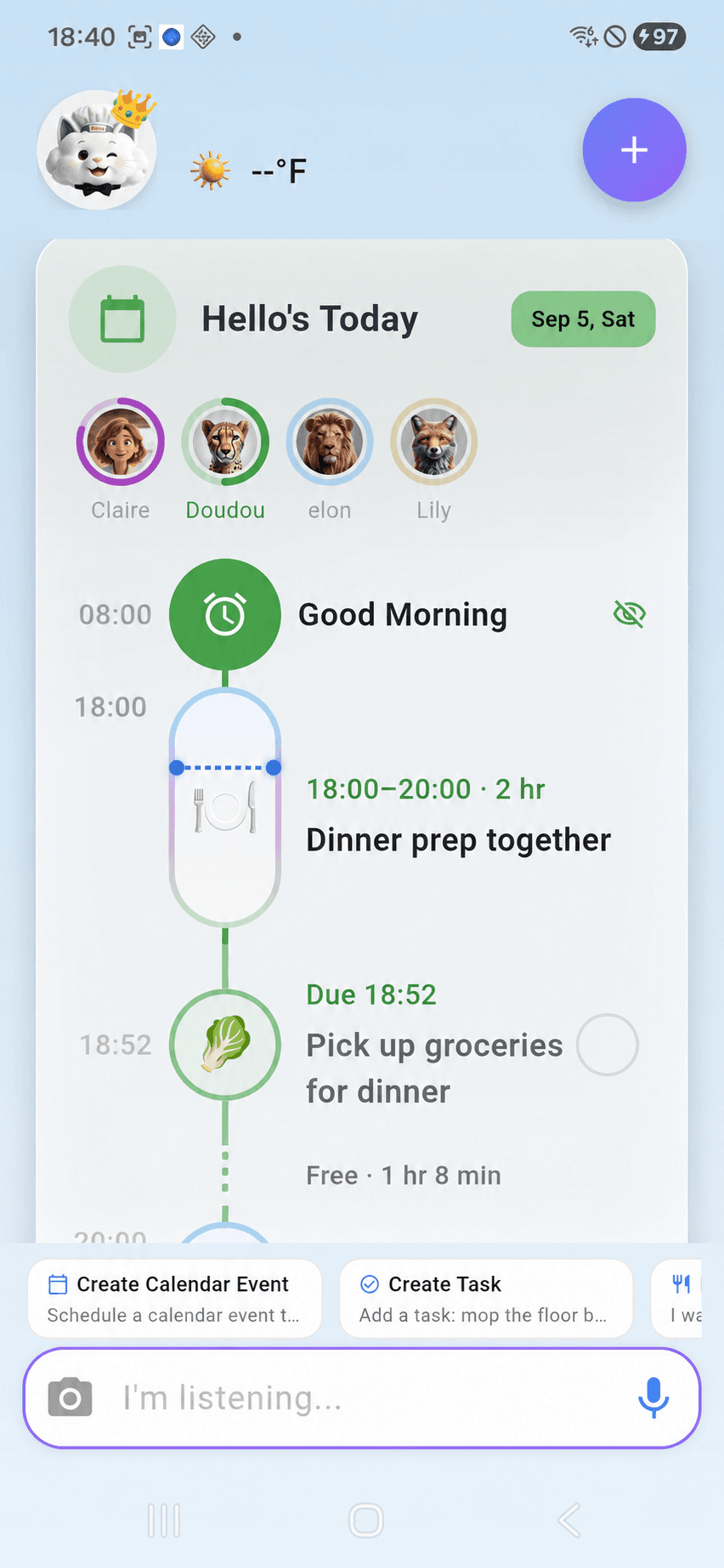
Kinmory AI Today Timeline with family calendar events and tasks

A Tuesday with Kinmory

08:20School drop-off
15:10School pickup
18:00Dinner prep together

One family · one ordinary day

Family life comes from everywhere. Kinmory brings it into one plan.

The schedule changes, a teacher sends an update, and useful things appear when no one has time to organize them. Follow how Kinmory keeps up without turning family life into data entry.

07:10Before breakfast

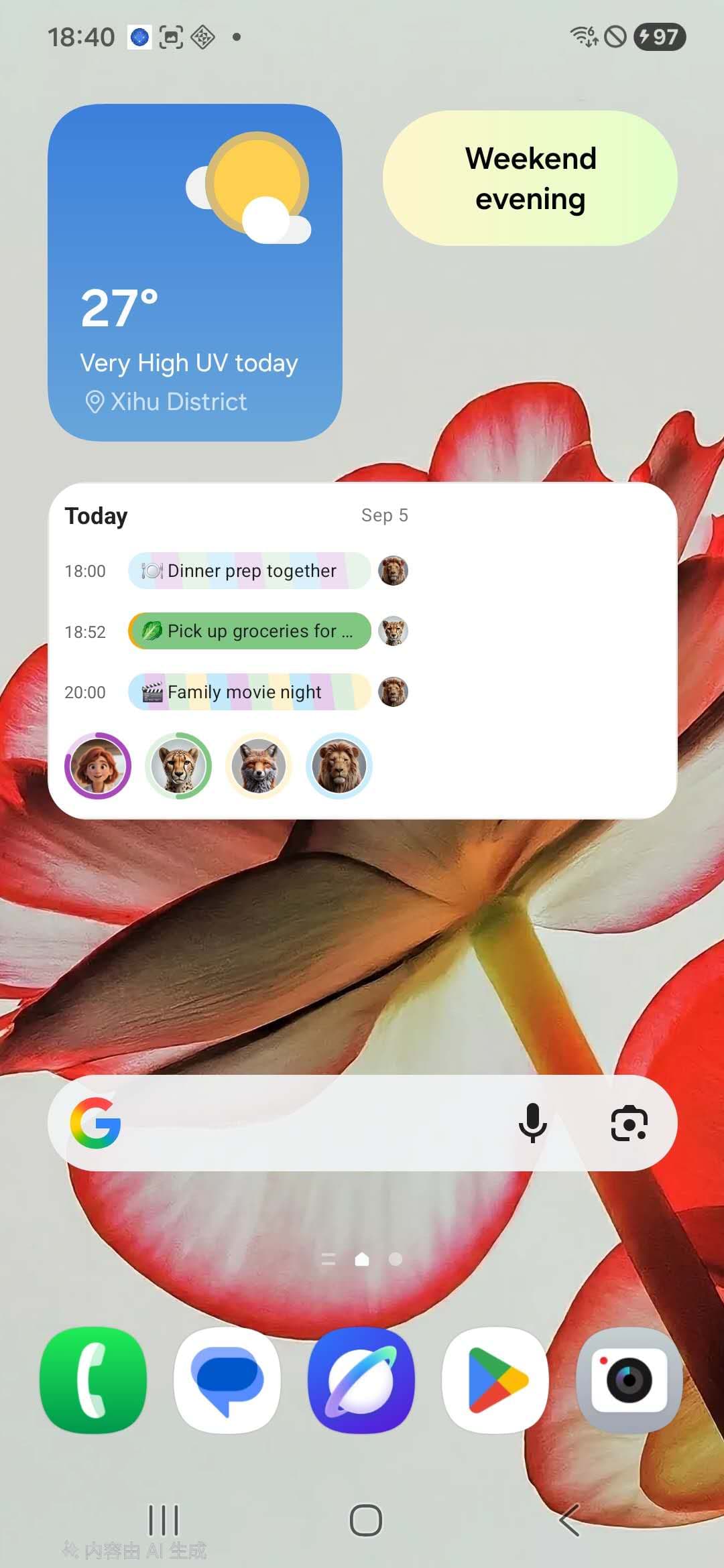
See today's family priorities from your home screen

Before the day gets noisy, Claire checks the Kinmory widget. The family's three current priorities and a rotating family photo are already there. Opening the app reveals calendar events, tasks and free time in one moving Today Timeline.

KINMORYThe home-screen widget surfaces three family priorities, while Today Timeline places events and tasks in chronological order.
Explore the shared family organizer

Claire, Greg, Doudou and Lily preparing for a weekday morning together
Kinmory AI Android widget showing today's three family priorities
07:10

Three priorities. One calm start.

08:20At school drop-off

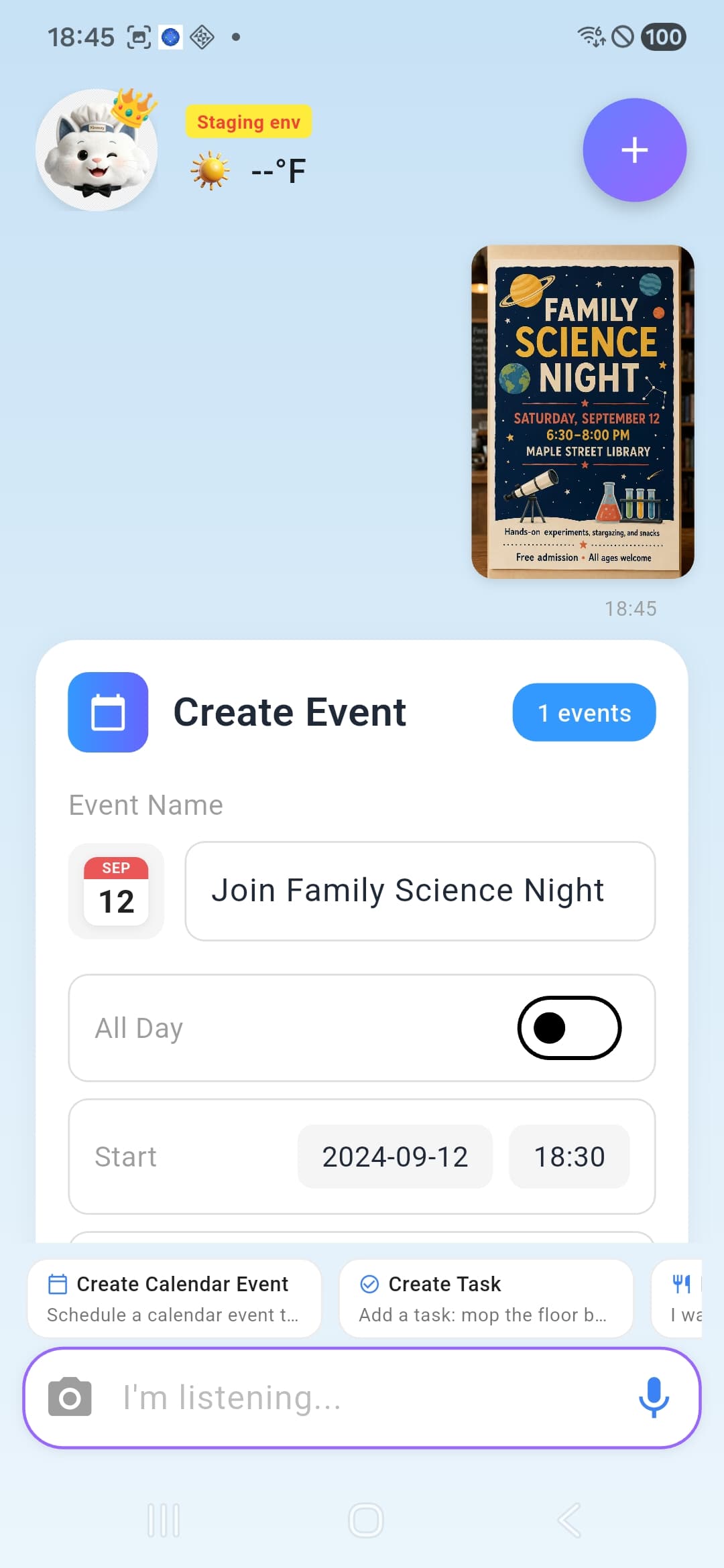
Turn a photo of an event flyer into a family calendar event

A Family Science Night poster is taped to the school wall. Claire photographs it with Kinmory instead of typing every field. Kinmory finds the event name, date, time and location and turns the details into a calendar event.

KINMORYKinmory can extract structured event details from a photographed flyer and add them to the family schedule.
Claire photographs a science event poster while Lily points to it
Snap a flyer
Kinmory AI extracting an event from a photographed Family Science Night flyer
Details found
Family Science Night
Sep 12 · 6:30–8:00 PM
12:30A lunch-break find

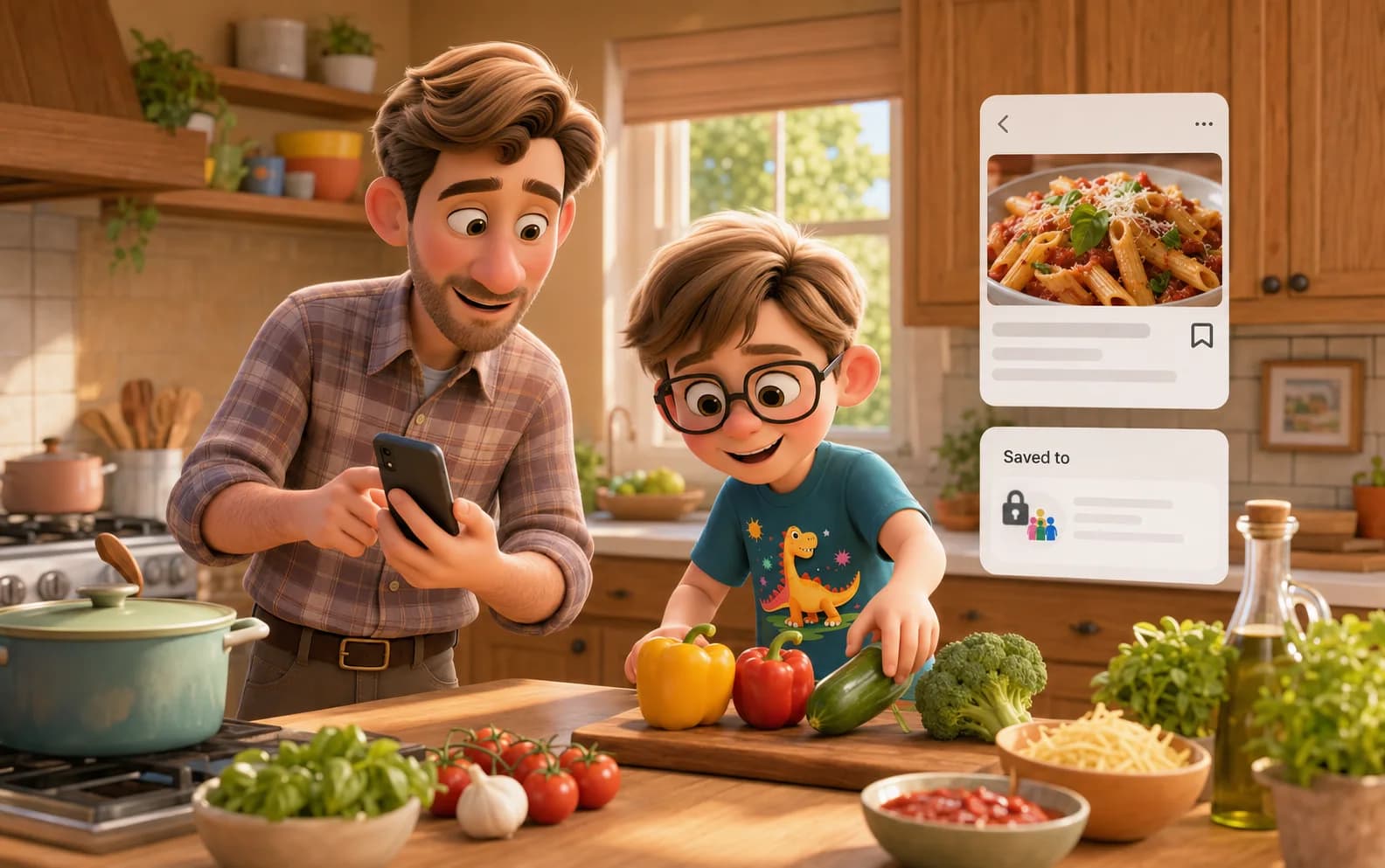
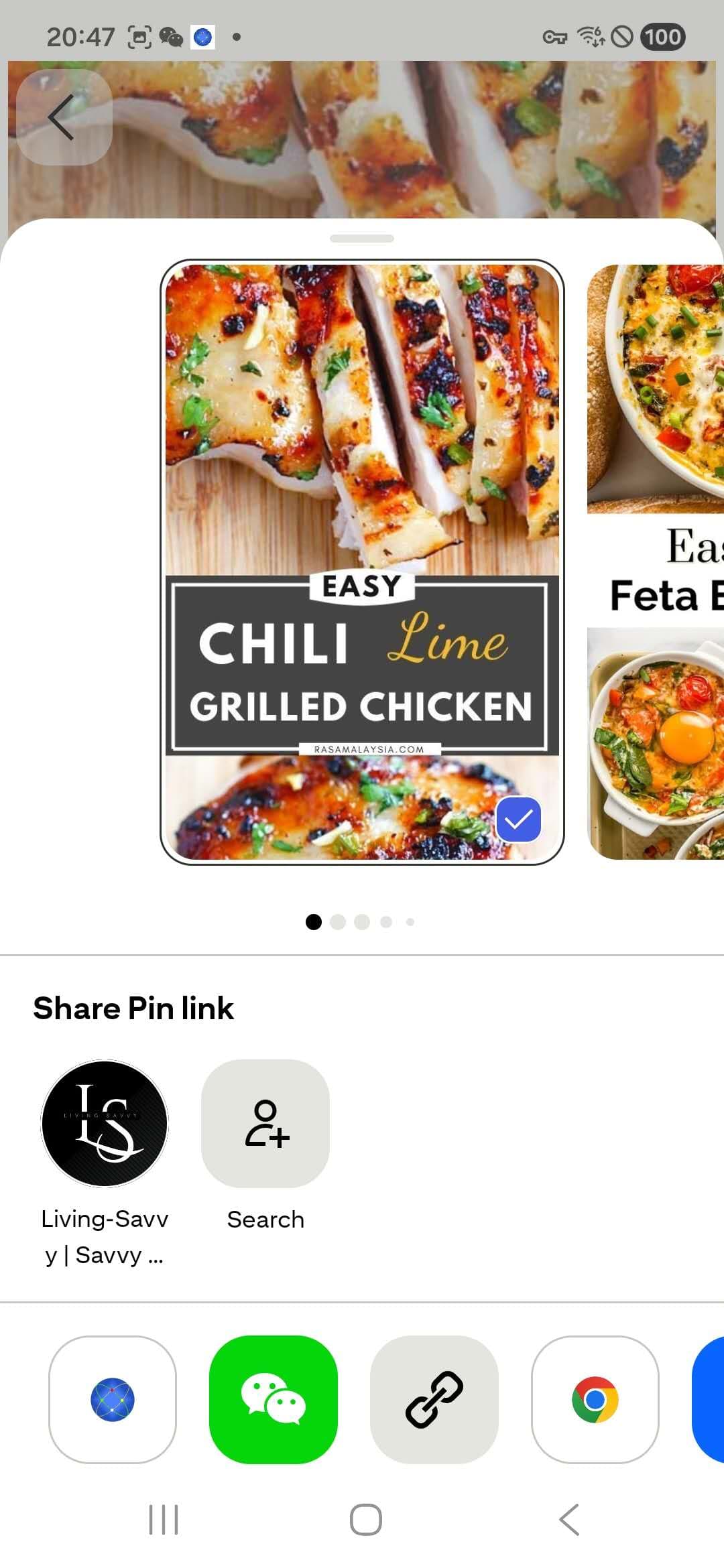
Share a recipe URL to Kinmory and save it for later

Greg finds a dinner idea while browsing on his phone. He shares the page to Kinmory. The recipe is extracted and saved to his private recipe collection instead of disappearing into another bookmarks folder.

KINMORYUsers can share a recipe webpage from another mobile app; Kinmory structures and saves the recipe in their private collection.
See meal planning and shared grocery lists
Greg and Doudou save a recipe while choosing dinner ingredients
Sharing a recipe webpage to Kinmory
15:10The teacher writes

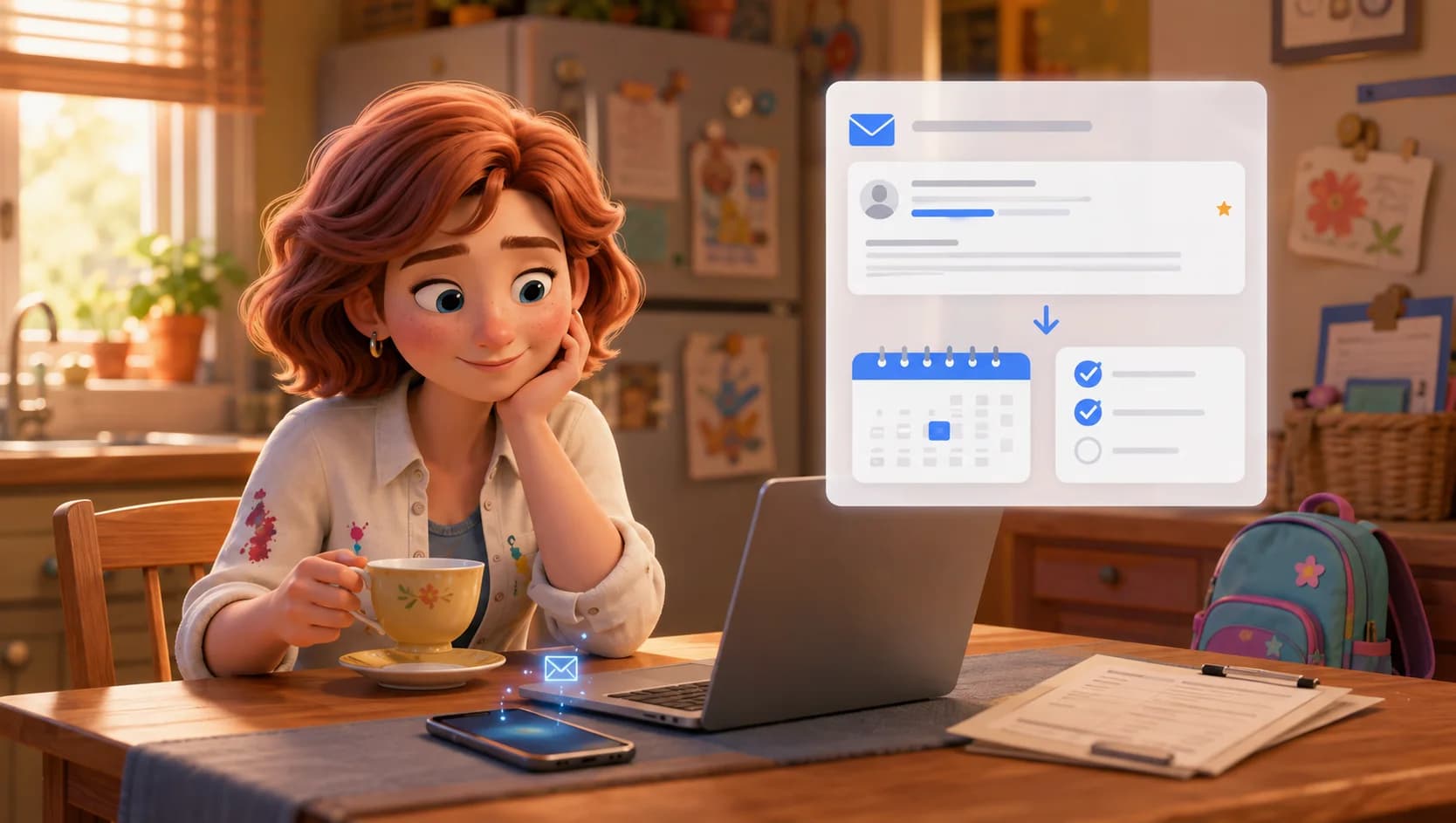
Automatically add school newsletter events to your family calendar

The weekly school newsletter reaches the Kinmory Family Inbox. Kinmory identifies dates, times, locations and action items, adds school events to the shared calendar, and turns the permission-form deadline into a family task.

KINMORYSchool newsletters received by the Kinmory Family Inbox can be organized into family calendar events and actionable tasks.
See the school newsletter workflow
Claire reviews a school newsletter at the kitchen table

Maple Street School

This week at school

Family Science Night · Sep 12 · 6:30 PM

Spirit Day · Friday

Return permission form by Thursday

Kinmory Family Inbox

2 events added

Science Night · Sep 12
Spirit Day · Friday
Permission form · New task
16:30Worth remembering

Save information from a photo and ask about it later

A presentation contains a registration deadline Claire will need later. She photographs the slide and saves it as a Memory Note. Days later, she can ask Kinmory by voice and retrieve the answer with its saved source.

KINMORYText and details captured from a photo can be stored as a Memory Note and retrieved later through a voice question.
Explore Family Memory
Claire saves information from a presentation photo for later recall
Saved from a photo

Registration closes September 18.

Community programs presentation · Page 12

“When does registration close?”

September 18.

From your saved Memory Note

17:40Hands full

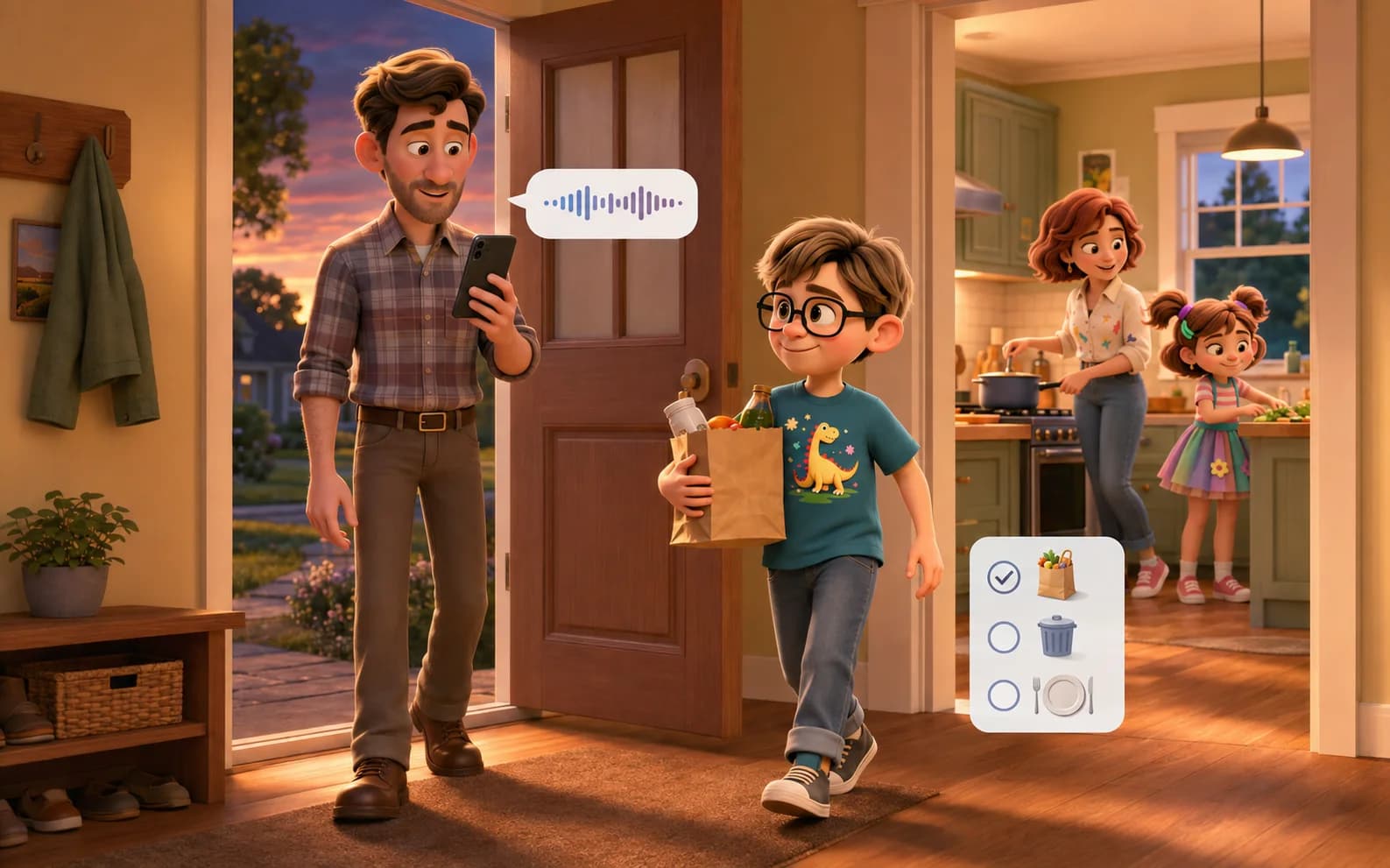
Create family tasks and check schedules by voice

While getting dinner started, Claire asks Kinmory to remind Doudou to pick up groceries. The request becomes an assigned family task. Later, a completed chore appears directly in the timeline with reward points and a small celebration.

KINMORYThe voice assistant can create family events and tasks, save Memory Notes, and answer questions about stored family information.
See the complete family organizer
Greg speaks a family task while Doudou returns with groceries

“Remind Doudou to pick up groceries before dinner.”

Task added to the family plan

Pick up groceriesDoudou · 5:45 PM

After the plan is handled

Some moments are for doing. Others are for keeping.

Keep and reimagine family photos

Upload photos from the phone to the shared family album, then create an AI-edited version such as a new background while keeping the family moment close.

Claire, Greg, Doudou and Lily together at home
The same family on a museum day saved in KinmoryAI edit
Claire, Greg, Doudou and Lily beside their connected KinCals display
Kitchen display connected

Connect the app to KinCals at home

Bind a KinCals device, give it a room name and manage parental controls from the Kinmory app. The family plan follows you during the day and returns to the shared screen at home.

Explore the KinCals family display

Kinmory app capabilities

What goes in—and what Kinmory makes useful

The story is human. These are the product facts behind it, written plainly for families, search engines and AI answers.

Information coming inWhat Kinmory creates
Voice requestsCalendar events, family tasks, Memory Notes and answers
Photos and screenshotsEvents, tasks, recipes and saved information
Shared webpage URLsStructured recipes and saved content
School newslettersShared calendar events and action items
Family photosA shared album and AI-edited versions

Common questions

About the Kinmory app

Can Kinmory create calendar events from photos?+

Yes. Kinmory can read an event flyer or screenshot, extract details such as the event name, date, time and location, and turn them into a family calendar event.

How do school newsletters get into Kinmory?+

A school newsletter can be sent to the Kinmory Family Inbox. Kinmory identifies schedule information and action items, then organizes them into the shared family calendar and task list.

What can I do with the Kinmory voice assistant?+

You can use voice to create events and tasks, save Memory Notes, check the family schedule and ask about information you previously saved.

Is Kinmory available on mobile?+

Kinmory is available for Android and iOS. This page uses Android product visuals to demonstrate the mobile experience.

Carry less. Remember more. Keep the family moving.

Download Kinmory and start with the next event, message, photo or thought your family needs to keep.