
How Kinmory Keeps One Busy Family's Life From Falling Apart
Kinmory is the AI family butler that organizes your calendar from voice, photos, and emails — automatically. See how one busy mom keeps her whole family on track.
A day in the life of Claire, Greg, Oliver, and Lily — and the AI family butler quietly holding it all together.
There's a moment every parent knows well.
You're in the middle of something — a workout, a meeting, a rare ten minutes of quiet — and the creeping feeling hits: Did I forget something? Is someone supposed to be somewhere? When was that appointment?
Claire knows that feeling intimately. With two kids, a husband who travels for work, and a life that runs on a thousand small moving pieces, the family calendar used to feel like an unsolvable puzzle. Things fell through the cracks. Reminders got missed. Someone always ended up scrambling.
Then came Kinmory.
This is a Tuesday in Claire's life — and how Kinmory turned what used to be chaos into something that just... works.
1. "Hey Kinmory, I'm Playing Tennis at 3"
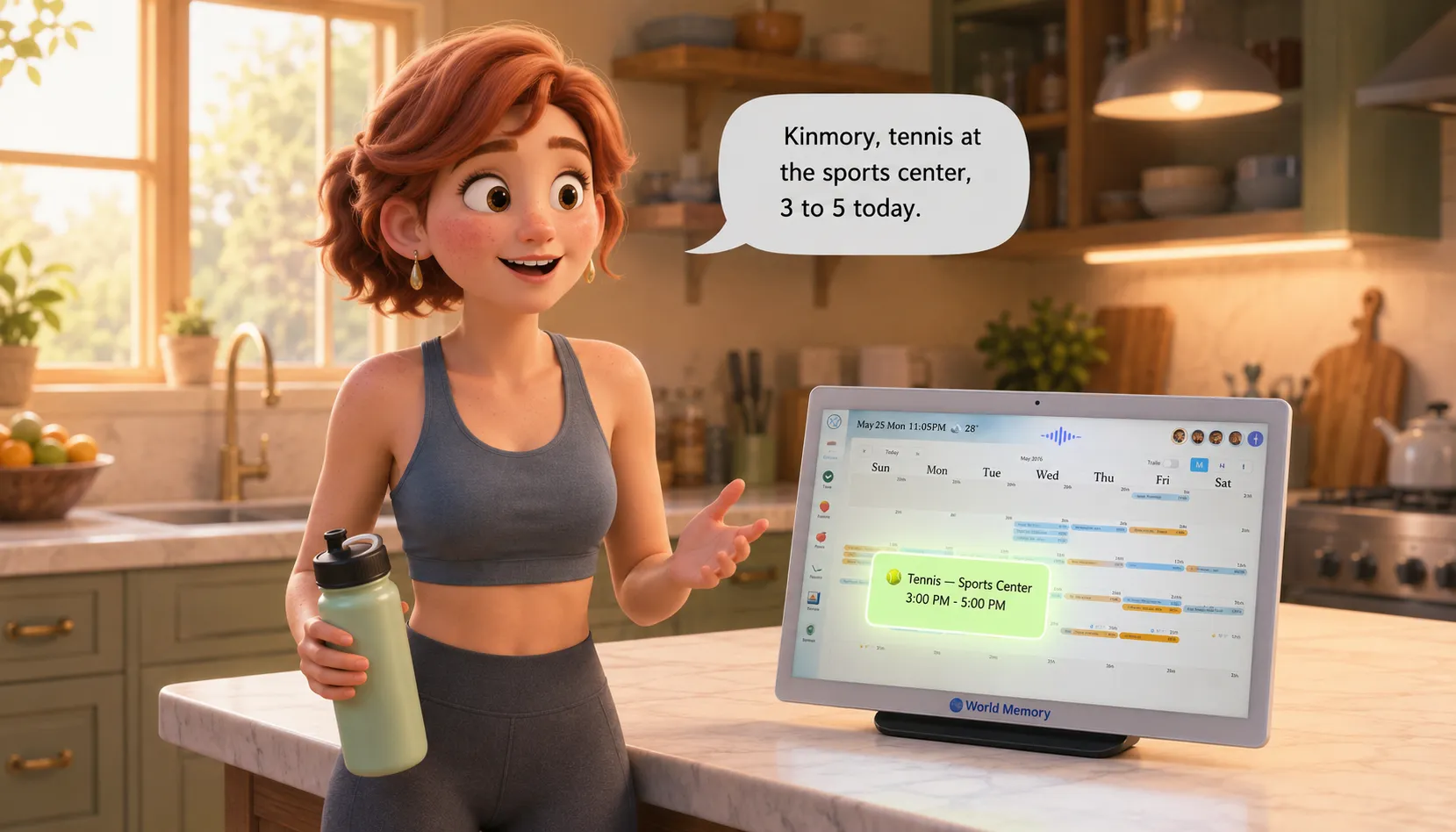
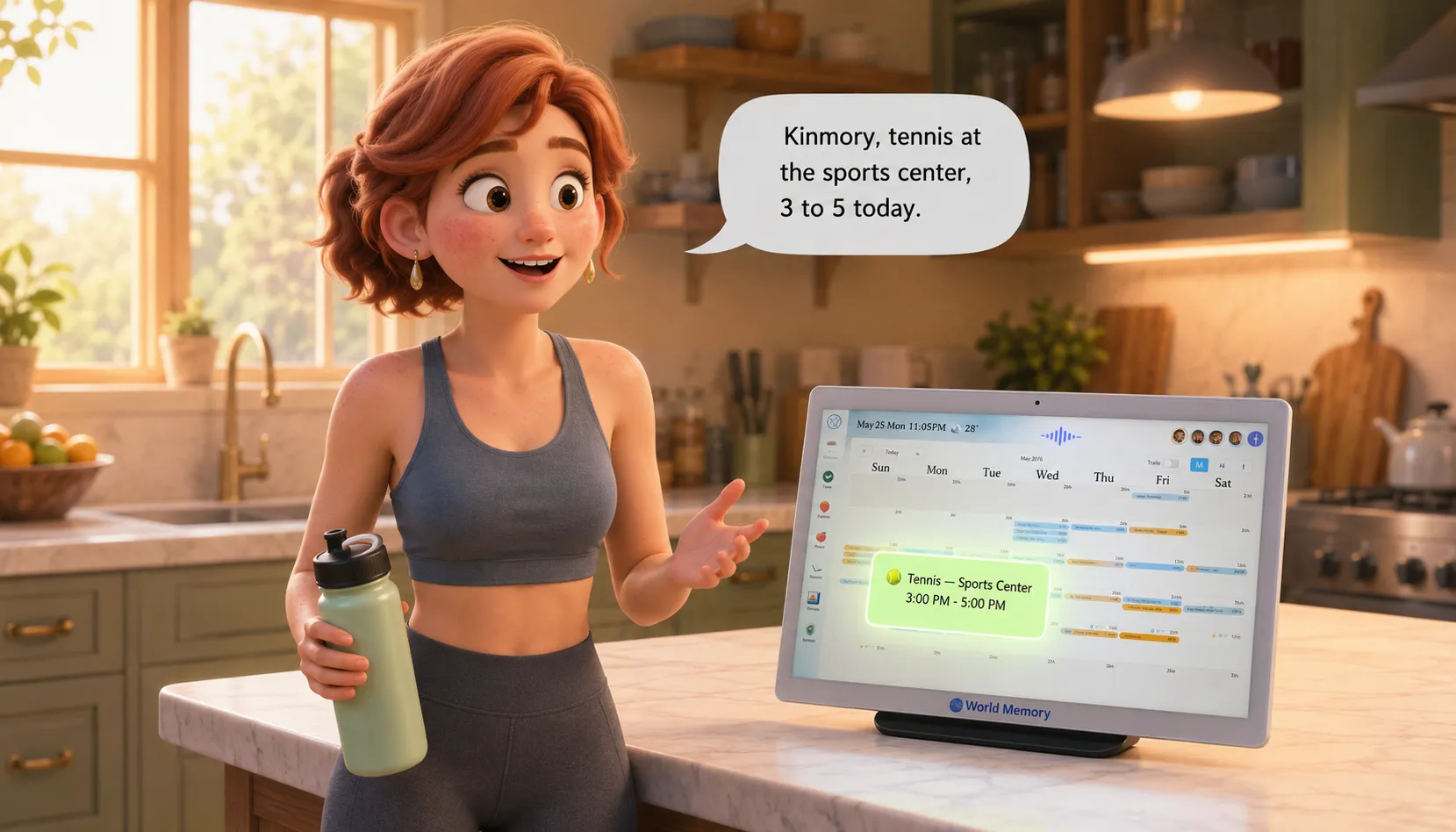
3:15 PM — The kitchen counter
Before heading out, Claire sets her water bottle on the counter next to the Kinmory screen and says out loud, almost like she's talking to a friend:
"Kinmory, today I'm going to the sports center from 3 to 5 PM for tennis."
That's it. No tapping, no typing, no opening an app.
On the Kinmory calendar display, a new event appears instantly:
🎾 Tennis — Sports Center
3:00 PM – 5:00 PM
It's on the family calendar. Greg can see it. The kids can see it. Everyone knows where Mom is this afternoon.
This is how most of Claire's schedule gets built — not by sitting down to manage a calendar, but by simply talking. Kinmory listens, understands, and places every event exactly where it belongs.
✏️ Illustration Concept — Scene 1
>
Setting: Warm, bright family kitchen. Morning light. Kinmory display screen glowing on the counter.
>
Claire stands relaxed in athletic wear (ready to head out), water bottle in one hand, speaking naturally toward the Kinmory screen. Her expression is casual, unhurried — like talking to someone she trusts.
>
On the Kinmory screen: a calendar view with a new green event block appearing — "Tennis 3–5PM" — with a small animated sparkle effect showing it just appeared.
>
Mood: Effortless. Modern home. Warm tones.
>
Characters needed: Claire portrait reference
2. A Poster on the Wall. A Reminder That Won't Be Forgotten.
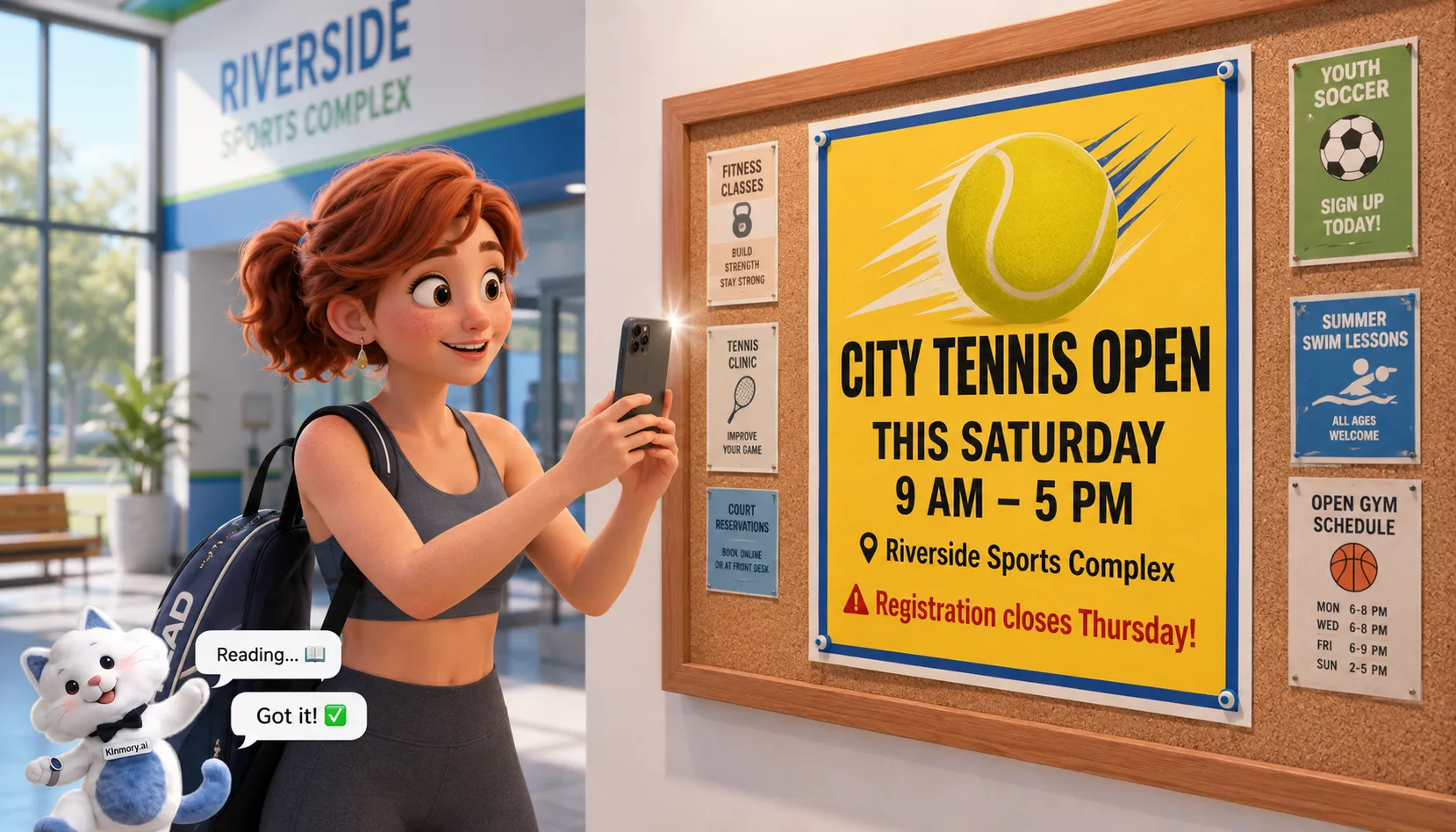
4:10 PM — Sports center lobby
Claire arrives at the sports center and spots something on the notice board near the entrance: a colorful poster for a city-wide tennis tournament this weekend. She'd love to enter — but she knows herself. She'll mean to register, forget by the time she gets home, and miss the deadline entirely.
Not this time.
She pulls out her phone, opens Kinmory, and snaps a photo of the poster.
Within seconds, Kinmory reads the poster — date, time, location, registration deadline — and a new calendar event appears:
🏆 City Tennis Tournament
Saturday, 9:00 AM – 5:00 PM
Deadline to register: Thursday
No typing. No copy-pasting. Just a photo.
This is what Kinmory calls Photo Chat — the ability to turn anything you see in the real world into something your family calendar actually remembers.
✏️ Illustration Concept — Scene 2
>
Setting: Sports center lobby. Bright, athletic environment. A colorful tennis tournament poster visible on a notice board.
>
Claire holds her phone up, photographing the poster. The phone screen shows the Kinmory app camera view with a subtle scanning overlay on the poster. A small Kinmory mascot icon at the bottom of the screen with a "reading..." animation.
>
Inset panel (or split screen): The Kinmory home calendar display showing the new tournament event appearing, with a small camera icon indicating it was added via photo.
>
Mood: Spontaneous, clever, satisfying.
>
Characters needed: Claire portrait reference
3. It's Raining. Oliver Needs a Ride. Kinmory Already Knows.
4:45 PM — On the tennis court
Claire is mid-match, focused, having the kind of afternoon she rarely gets. Her phone buzzes. She almost ignores it — but it's Kinmory, so she glances at the notification:
🌧️ Weather Alert — Kinmory
Unexpected rain starting at 4:30 PM.
Oliver finishes school at 5:15 PM.
He'll need a pickup today.
Add pickup to your schedule?
Kinmory had checked the weather forecast. It saw the rain. It knew Oliver's school schedule. It connected the dots — and rather than letting Claire find out too late, it surfaced the problem and offered a solution, all in one notification.
Claire taps Confirm.
A new event appears on the family calendar:
🚗 Pick up Oliver — School
5:30 PM – 6:00 PM
This is Kinmory at its most powerful — not just recording what you tell it, but thinking ahead. Anticipating the ripple effects of the world around your family. Acting like a home agent, not just a calendar app.
Claire finishes her match, changes quickly, and heads out the door — on time, unbothered, already knowing exactly what comes next.
✏️ Illustration Concept — Scene 3
>
Setting: Indoor tennis court. Claire pauses mid-game, holding her racket, looking at her phone. Through the high windows behind her, dark rain clouds and rain streaks are visible.
>
Her phone screen shows the Kinmory notification card — weather icon, Oliver's name, the suggested pickup event, and a "Confirm" button. Claire's expression shifts from focused to relieved.
>
Small visual element: Kinmory mascot on the phone screen with a gentle concerned-but-helpful expression, one paw pointing at the notification.
>
Mood: That moment of "thank goodness someone was paying attention."
>
Characters needed: Claire portrait reference, Oliver portrait reference (in notification card only)
4. The Dentist Email. The Calendar Updated Itself.
6:30 PM — Home
Claire and Oliver walk through the front door, slightly damp from the rain, takeout bags in hand. Oliver drops his backpack. Claire kicks off her shoes.
She glances at the Kinmory screen in the hallway — the family calendar at a glance — and notices something new:
🦷 Lily — Dentist Appointment
Wednesday, 10:00 AM – 11:00 AM
Dr. Patterson's Office
She didn't add this.
Kinmory did.
Earlier that afternoon, Dr. Patterson's office had sent an email confirming Lily's appointment. Kinmory read the email, recognized it as a calendar event, and added it to the family schedule automatically — no action required from anyone.
Claire didn't have to remember to check her email. She didn't have to copy the date into a calendar. It was just... there. Waiting for her when she got home.
One less thing to forget. One more thing handled.
✏️ Illustration Concept — Scene 4
>
Setting: Warm hallway/entryway of the family home. Evening light. Claire and Oliver have just walked in — shoes half-off, bags still in hand.
>
Both look at the Kinmory calendar display on a small hallway table or wall-mounted screen. The dentist appointment is highlighted on the calendar with a tooth icon. A small email icon badge shows where it came from.
>
Claire's expression: pleasant surprise — "oh, Kinmory got that already."
Oliver's expression: already distracted, glancing toward the kitchen.
>
Mood: Coming home to order. Warmth. Quiet efficiency.
>
Characters needed: Claire portrait reference, Oliver portrait reference
5. Oliver's Homework. On the Calendar. Before He Even Knew.
7:00 PM — Living room
After dinner, Oliver sits down at the coffee table with his backpack. He opens the Kinmory task panel on the family tablet — and sees his homework list already populated.
His teacher had emailed the week's assignments earlier that day. Kinmory had read the email, extracted each task, and placed them on Oliver's task list with due dates.
Oliver works through his assignments one by one. As he completes each one, he taps the checkbox on Kinmory's task panel. The progress bar fills. Green checkmarks accumulate.
At the bottom of his list, two more tasks remain — ones Kinmory didn't add from any email, but that are part of his regular family responsibilities:
- ☐ Pack your school bag for tomorrow
- ☐ Wash the dishes
He handles both. Taps both checkboxes. The panel shows: All tasks complete. ✅
Oliver grins and closes the tablet.
✏️ Illustration Concept — Scene 5
>
Setting: Cozy living room, evening. Oliver sits cross-legged on the floor or at the coffee table, tablet in front of him showing the Kinmory task panel.
>
Task list visible on screen with a mix of checked (green) and unchecked items. Oliver is in the process of tapping the final checkbox — "Wash dishes." His expression is focused but pleased, that satisfying end-of-the-day feeling.
>
Small detail: backpack visible in the background, neatly packed and zipped — visual confirmation he did it.
>
Mood: Accomplishment. Kid-sized satisfaction. Warm home evening light.
>
Characters needed: Oliver portrait reference
6. The Brushing Habit. And the Points That Made It Happen.
8:15 PM — Lily's bedroom doorway
Lily comes bounding down the hallway in her pajamas, pink rabbit slippers slapping the floor.
"Mommy, I'm ready for bed!"
Claire smiles — but she knows what's coming. Getting Lily to brush her teeth has been a nightly negotiation for months. Tonight, Claire has a new approach.
She picks up the Kinmory display and says:
"Kinmory, add a daily task for Lily — brush teeth every night before bed. Reward: 3 points."
Kinmory creates the recurring task immediately. On the family calendar and task panel, a new daily habit appears under Lily's name:
🪥 Brush teeth — Lily
Every day at 8:00 PM
Reward: ⭐ 3 points
Claire turns to Lily and shows her the screen.
Lily's eyes go wide.
"Three points?! Every night?!"
She turns and sprints toward the bathroom.
This is one of Kinmory's quieter superpowers — the reward points system that turns everyday tasks into something kids actually want to do. Points accumulate. Points can be redeemed for prizes — a small toy, a movie night, an extra story before bed. Whatever Claire has set up as the reward catalog.
Lily doesn't need to be convinced to brush her teeth anymore. Kinmory gave her a reason that makes sense in her world.
✏️ Illustration Concept — Scene 6
>
Setting: Hallway between living room and bathroom. Warm evening light.
>
Claire kneels down slightly to show Lily the Kinmory screen. Lily leans in, eyes wide with excitement at the "3 points" reward showing on screen. The recurring task is visible: "Brush teeth — every day — ⭐ 3 points."
>
A second micro-moment (can be inset panel): Lily sprinting happily toward the bathroom, rabbit slippers mid-air, toothbrush already in hand.
>
Mood: Playful, clever parenting. The moment a kid decides to cooperate.
>
Characters needed: Claire portrait reference, Lily portrait reference
7. The End-of-Day Briefing. Everything Accounted For.
10:30 PM — Bedroom
The kids are asleep. The house is quiet. Claire is finally horizontal.
Her phone buzzes softly on the nightstand. It's Kinmory's end-of-day summary:
🌙 Good evening, Claire
>
Here's how today went:
>
✅ Oliver — all homework completed
✅ Lily — brushed teeth (3 points earned! Total: 47 pts)
✅ Tennis session — done
✅ Oliver pickup — handled
>
For tomorrow:
🦷 Lily's dentist appointment — 10:00 AM
⚠️ Heads up: You have an oil painting session scheduled at 10:30 AM tomorrow. This overlaps with Lily's dentist appointment.
Reschedule the painting session?
Claire reads through the summary slowly. Everything done. Both kids taken care of. A whole day, managed.
She taps the painting session and moves it to Thursday at 2 PM.
Updated. Thursday 2:00 PM — Oil Painting ✅
She sets her phone face-down and closes her eyes.
For the first time in a long time, the last thought before sleep isn't did I forget something?
It's: we're good.
✏️ Illustration Concept — Scene 7
>
Setting: Bedroom. Dark, quiet, peaceful. Soft lamp glow. Claire lies in bed, phone in hand, reading the Kinmory end-of-day summary.
>
Phone screen clearly shows the summary card — green checkmarks, the conflict warning in amber, and the reschedule option. Claire's expression is calm, relaxed, relieved — the look of someone who doesn't have to worry.
>
Small visual detail: through the bedroom door (slightly ajar), a soft nightlight glow suggests the kids are peacefully asleep.
>
Optional: Kinmory mascot on the phone screen in a gentle "goodnight" pose — one paw wave, soft sleepy expression.
>
Mood: Peace of mind. Quiet accomplishment. The exhale at the end of a full day.
>
Characters needed: Claire portrait reference
Kinmory Isn't Just a Calendar. It's a Home Agent.
What Claire experienced today isn't a collection of features. It's a system that thinks about her family the way she does — just without forgetting, without fatigue, and without needing to be reminded.
What Kinmory handled today, without being asked:
- Turned a spoken sentence into a calendar event
- Read a poster photo and extracted event details
- Checked the weather, connected it to Oliver's schedule, and proactively suggested a pickup
- Read a dentist confirmation email and added it to the calendar
- Pulled Oliver's homework from a teacher's email and put it on his task list
- Created a recurring habit for Lily with a reward structure
- Reviewed the whole day, summarized it, and caught a scheduling conflict before tomorrow
Not one of these required Claire to sit down, open an app, and "manage" anything.
That's the difference between a calendar app and a home agent.
Kinmory is the second brain your family never knew it needed.
Ready to give your family a Kinmory?
[Download Kinmory →]
Related reading
- Where's the Wi-Fi Password? The Facts One Parent Holds
The wifi password, the allergies, the plumber's name: the household facts that quietly live in one parent's head — and how to move them off it.
- What Is Transactive Memory? How Families Share Knowledge
A research-grounded guide to transactive memory: its definition, evidence from couples, limits, and what it may explain about family mental load.
- ADHD and the Family's Shared External Memory
ADHD makes working memory unreliable, yet the usual fix is a personal app needing daily upkeep. Why an ADHD family needs a shared memory instead.
- You Are Your Family's Human Hard Drive
One parent holds every appointment, allergy, and password in their head. Why a family's memory is the hardest part of the mental load to share.
Ready to take your family somewhere extraordinary?
Download Kinmory, open your family album, and ask Kini to take you somewhere you've never been. More is a good place to start.

Scan to Download
Point your camera here
kinmory.ai/download/kinmory