
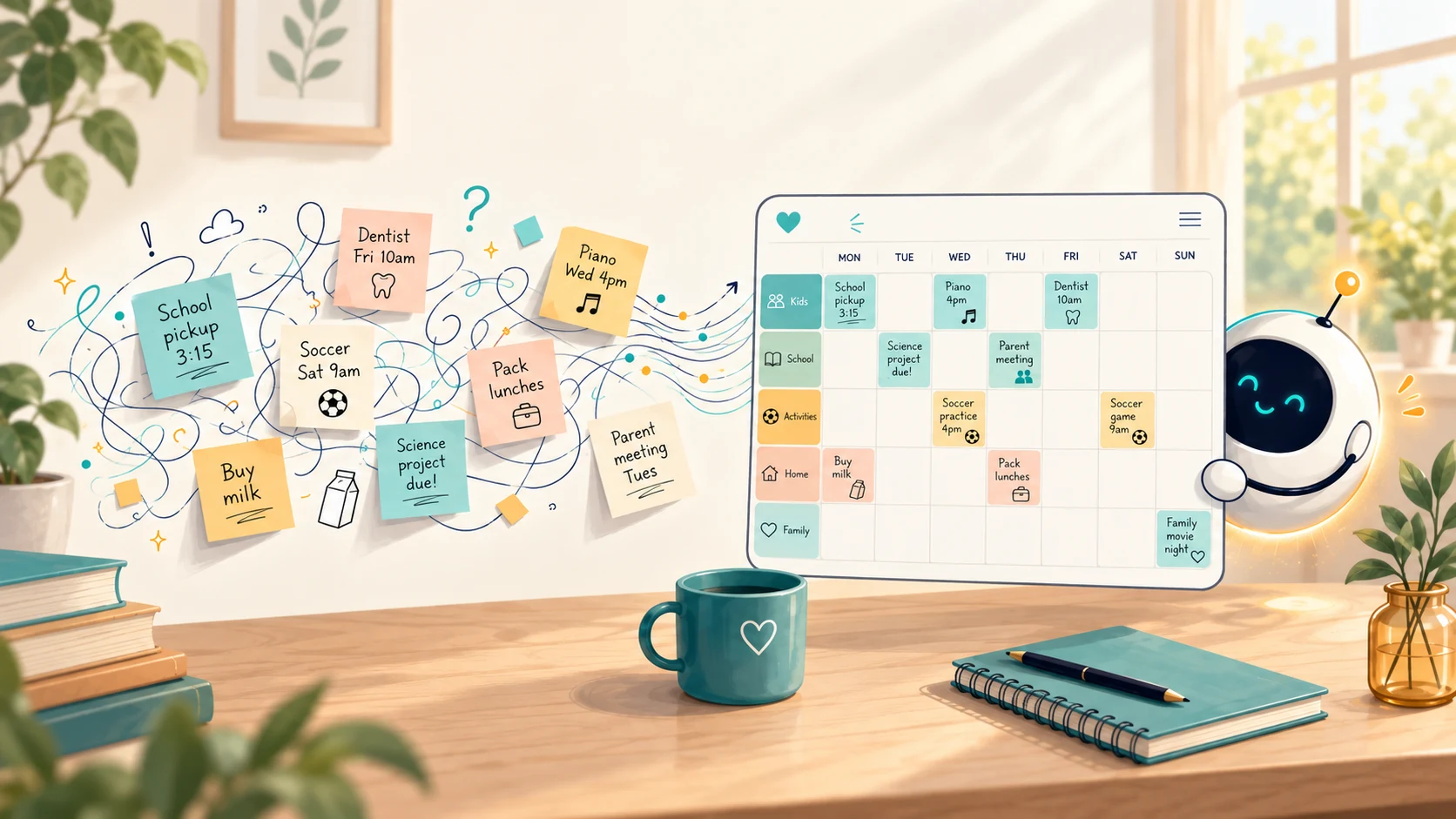
ADHD Calendar Apps for Parents: 7 Best in 2026
The best ADHD calendar apps for parents in 2026, honestly compared — which reduce executive-function load and run the whole family, not just tasks.
If you have ADHD and you're also the parent who remembers everyone else's dentist appointments, a calendar app isn't a nice-to-have — it's the external brain that stops things from falling through the cracks. The trouble is that most "ADHD calendar apps" are built for one person's tasks, not for running a whole household.
There's a real difference between a calendar that helps you focus and a system that carries the invisible mental load of a family. If you're a parent, you need both — and almost no single app does both well. We ranked these apps for that parenting job first: how quickly a commitment gets captured, whether it reaches the right family member, and whether it stays visible after it enters the calendar.
Why ADHD brains need a different kind of calendar
ADHD can make three things harder: time blindness (a 3pm event and a 6pm event feel equally "later"), capture friction (if adding a task takes several steps, it may never get added), and working memory (out of sight can quickly become out of mind). That creates two separate failure points:
An ADHD-friendly calendar has to solve both: capture the commitment before it disappears, then bring it back before it is missed. The apps that work share a few traits:
- Visual time — a timeline you can see, not a grid of empty boxes, so time feels concrete.
- Low-friction capture — voice, photo, or forwarding an email, so a thought becomes an event before you lose it.
- Reminders that reach the right person — not just a buzz you swipe away.
- An external system that acts on its own — the less it depends on you remembering to check it, the better.
That last point is the one most lists miss, and it's the whole game for a parent. A calendar that only shows what you manually typed still leaves all the noticing, structuring and checking to you. The real relief comes when the system does some of the remembering for the family.
The 7 best ADHD calendar apps for parents (2026)
We evaluated the apps for family coordination, capture by voice/photo/email, visual time, reminders, cross-device visibility, price and whether the product is designed for one person or a household. A different app may be the better choice if you only need a personal focus planner.
| App | Best for | Price |
|---|---|---|
| Kinmory | Best overall for an ADHD parent coordinating a whole family | Free · Plus $6.99/mo · Group $16.99/mo |
| Tiimo | Best visual, neurodivergent-first daily planner for one person | $12/mo · $54/yr |
| Structured | Best free way to see a personal day as a visual timeline | Free · low-cost Pro |
| Nori | Best capture-first alternative for a family | Free core + pay-as-you-go AI |
| Sunsama | Best calm, deliberate work-day planner | ~$20/mo (billed yearly) |
| Cozi | A simple shared family calendar, manual entry | Free · Gold $39/yr |
| Google Calendar | Free, universal, if everyone's already on Google | Free |
Disclosure and ranking method: Kinmory is our own app. We rank it first specifically for an ADHD parent coordinating a household, based on family capture, assignment and visibility—not as the best personal ADHD planner for everyone. We recommend Tiimo or Structured first when the job is individual planning. Prices checked July 2026; they change often, so confirm the current rate before you subscribe.
1. Kinmory — best overall for an ADHD parent coordinating a family
Kinmory is our top pick for an ADHD parent coordinating a household — not because it adds more alarms, but because it reduces the work both before and after an event enters the calendar. It is not a clinical ADHD treatment or a single-person focus timer. It is an AI family assistant built to stop one parent from carrying every appointment, school date, task and reminder in their head.
Capture before it disappears. Say an appointment out loud, photograph a school flyer, share a screenshot or webpage, or connect an inbox so Kinmory can analyze incoming family and school email. Kinmory extracts dates, times, locations and actions, then proposes the appropriate calendar events, family tasks or Memory Notes. You can also forward only the messages you choose; sender controls let each connected mailbox limit what is analyzed.
Bring it back before it is missed. Events and tasks appear on the family's visual Today timeline and reach the right people through reminders. The same plan can stay visible in the mobile app, a phone home-screen widget, the web app, an iPad or Android tablet running KinCals, and supported smart-screen or Smart TV setups. The family does not have to remember to check one hidden calendar.
What low-friction capture and everyday visibility look like
These are real Kinmory mobile interfaces—not conceptual mockups. Open any image to see the full Kinmory mobile app experience.
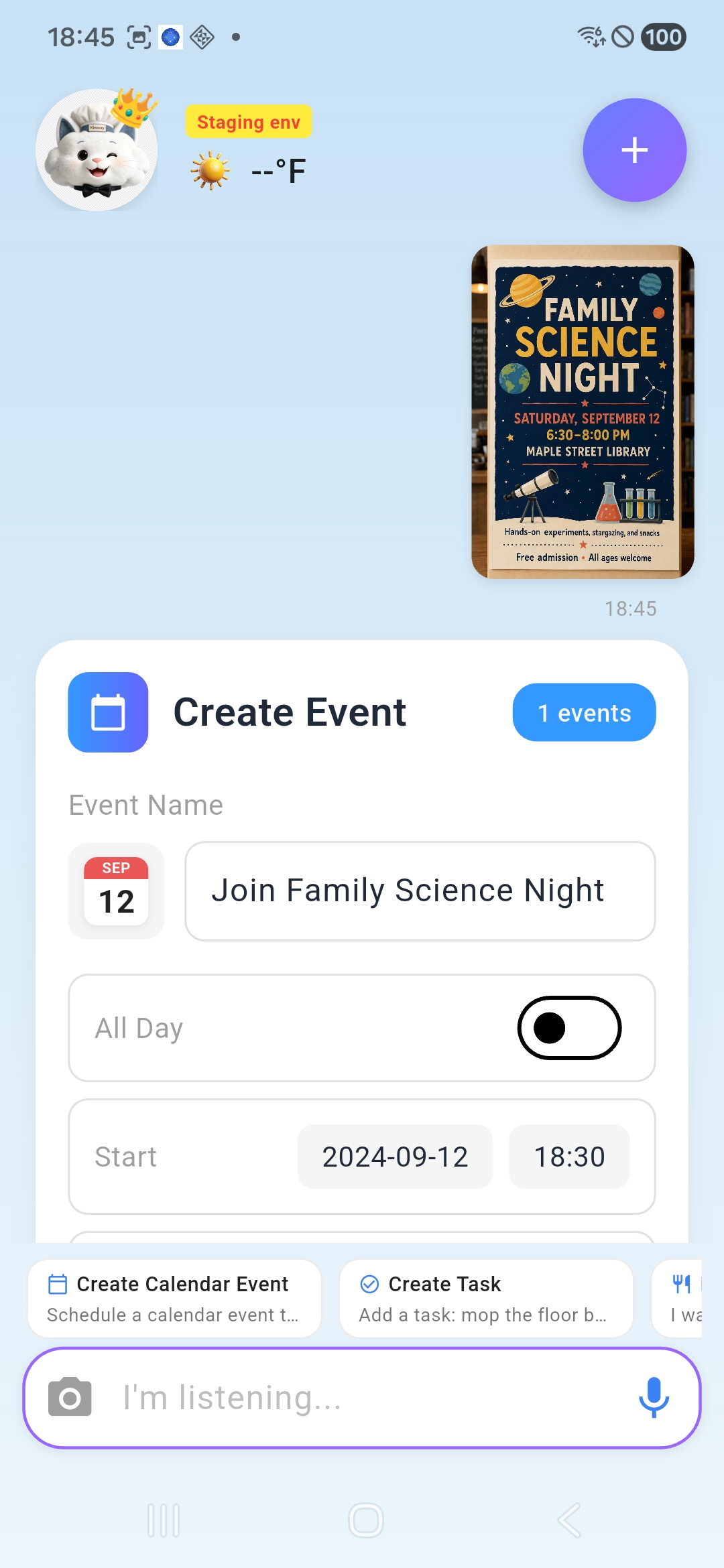
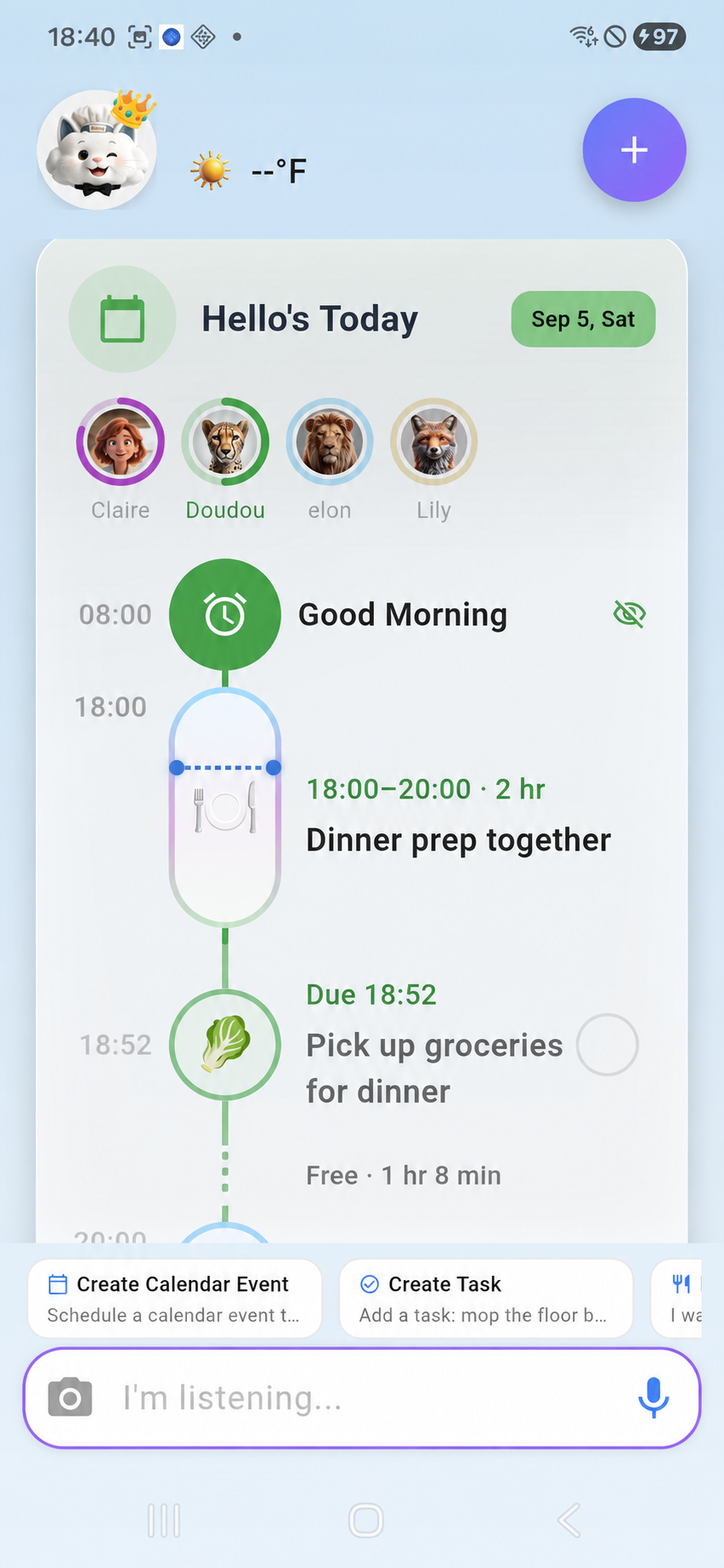
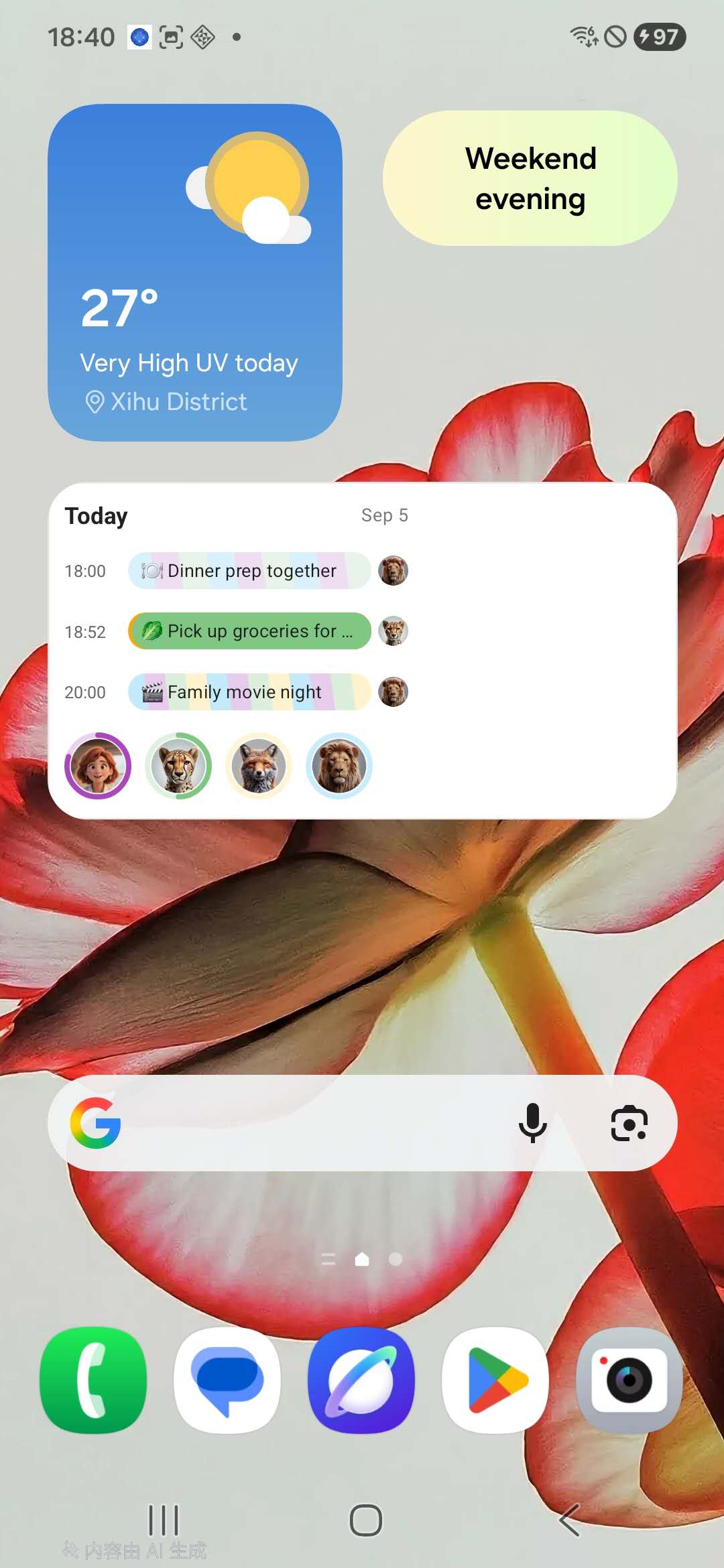
Kinmory also assigns chores, plans meals and turns recipes into grocery lists, while its morning briefing summarizes what matters today. That closes the loop ordinary calendars leave open: capture anywhere → organize automatically → see it everywhere → act at the right time.
- Voice, photo, shared-link and email-to-calendar capture
- Runs a household, not only one person's tasks
- Visible across app, widget, web, tablet, KinCals and Smart TV
- No dedicated hardware required
- Not a clinical ADHD treatment or personal focus timer
- AI features require a paid plan (the free tier has one member and no AI)
- Connected-email automation involves a privacy trade-off; forwarding is the more selective option
Who should skip it: if you want a personal Pomodoro timer or only need to plan your own workday, Tiimo, Structured or Sunsama is a cleaner fit. If the problem is coordinating a spouse, children, school information and household work, see how Kinmory follows a family through the day.
2. Tiimo — best visual planner if the calendar is for you
Tiimo was built by and for neurodivergent people, and it shows: visual schedules, timers, and gentle, body-doubling-style focus support. It won Apple's iPhone App of the Year in 2025. If what you need is a personal planner that respects how an ADHD brain experiences time, Tiimo is the one we'd hand you first.
- Genuinely ADHD-informed design
- Beautiful visual timeline
- Built for one person, not a whole family
- No family chores/meal layer
Who should skip it: parents who need the app to coordinate a spouse and kids, not just themselves.
3. Structured — best free way to make time visible
Structured lays your day out as a vertical timeline with colored blocks. For time blindness, seeing that your afternoon is one solid wall of commitments (or surprisingly empty) is worth more than any reminder. Free to start, cheap to upgrade.
- Excellent, low-cost visual timeline
- Fast to learn
- Personal, not a shared family system
- You still do all the entry
4. Nori — best capture-first alternative for a family
We'll be fair: Nori plays in the same lane as Kinmory — an AI family assistant with quick voice, photo, and email capture, and it markets to ADHD parents specifically. Its core family tools are free, with AI features billed by usage after a handful of free interactions. If instant capture is your single biggest pain, it is worth comparing directly with Kinmory; check whether you also need proactive household features and an always-visible family display.
- Very low-friction capture
- Free core; family-shared, not single-user
- Usage-based AI pricing can be harder to predict
- Fewer proactive/household-run features than a full butler
5. Sunsama — best calm, deliberate day planner
Sunsama slows you down on purpose: you plan each day intentionally and it discourages overcommitting — a real antidote to ADHD "I'll just add one more thing." It's aimed at knowledge workers, not families, and at ~$20/mo the price reflects that.
- Reduces overwhelm by design
- Great for work focus
- Pricey for a personal planner
- No family/household features
6. Cozi — best if you want dead-simple and shared
Cozi is the old reliable: a color-coded shared calendar, lists, and meal planning that any family member can open. There's no AI and nothing proactive — you type it, it shows it — but for some ADHD brains, "simple and shared" beats "clever and complicated." Note that since 2024 Cozi's free tier only shows 30 days of calendar history; seeing further ahead needs Gold ($39/yr).
- Simple, familiar, shared
- Generous features on free
- Fully manual — no capture help
- Ads on the free tier
7. Google Calendar — best free baseline
If your family already lives in Gmail, a shared Google Calendar with color-coding costs nothing and works everywhere. It even auto-adds some events from Gmail. It won't help you capture, plan, or remember — but it's the honest free floor everything else has to beat.
- Free and universal
- Syncs with almost everything
- No ADHD-specific help at all
- Grid view hides time blindness
How to choose (a 30-second decision)
- You're the parent holding the whole family in your head → Kinmory; compare Nori if fast capture is the only feature you need.
- The calendar is for you alone → Tiimo (visual, ADHD-designed) or Structured (free timeline).
- You plan a demanding work day → Sunsama.
- You want simple and shared, no AI → Cozi or Google Calendar.
Rule of thumb: if your ADHD pain is your own focus, buy a personal planner. If your pain is carrying everyone else's life, buy a system that runs the household for you.
Frequently asked questions
What is the best calendar app for ADHD adults?
For a single person, Tiimo and Structured are the strongest picks because they make time visual and were designed with how ADHD brains experience time. For an ADHD parent coordinating a household, Kinmory is our top pick because it captures family information by voice, photo and email, assigns it, and keeps it visible across shared screens.
Why do normal calendar apps fail for ADHD?
They can fail at two points: the event never gets entered, or it gets entered but is not seen again in time. ADHD-friendly tools reduce capture steps with voice, photos or email analysis, make time visual, and surface the plan through widgets, shared displays and reminders aimed at the right person.
Can an ADHD calendar app create events from voice, photos or email?
Yes. Kinmory can turn a spoken request, photographed flyer, screenshot, shared webpage or analyzed email into a proposed calendar event, task or Memory Note. The user reviews the extracted date, time, location and family member instead of retyping every field.
Is there an ADHD app that manages the whole family, not just me?
Yes. Kinmory and Nori are AI family assistants built to hold a household's schedule, not just one person's tasks. Kinmory combines low-friction capture with a shared calendar, task assignment, meals, grocery lists, morning briefings and visibility on phones, widgets, the web, tablets, KinCals and Smart TV.
Do I need to buy special hardware for an ADHD family calendar?
No. Kinmory runs on phones and the web, and you can reuse an iPad or Android tablet as an always-on family calendar. KinCals adds tablet-oriented controls, and supported smart-screen or Smart TV setups can make the schedule visible in shared rooms. See our five-minute tablet setup guide.
Are free ADHD calendar apps good enough?
Free apps like Google Calendar and Structured's free tier are a solid baseline and worth trying first. The paid step up is worth it when you need low-friction capture, proactive reminders, or a system that manages a whole family — features that free, manual calendars don't offer.
Related reading
- TimeTree vs Cozi (2026): Which Family Calendar Wins?
TimeTree vs Cozi in 2026: real prices, free tiers, features, and who each family app is for — plus where an AI option like Kinmory fits.
- The ADHD App Graveyard: Why Productivity Tools Don't Stick
Abandoned planners aren't a discipline problem. A calendar's input box sits after the hard thinking—so it offloads the cheapest part and adds a step.
- Intention Offloading: The Science of External Reminders
External reminders cut forgetting from about 45% to 5%. The surprising part: people already offload more than is optimal — and they know why they do it.
- ADHD and the Mental Load: A Gap in the Research (2026)
Cognitive labor has been studied with gender as the variable — never executive function. We map four literatures and the gap where ADHD households fall.
Bring your family's plans into one place.
Use Kinmory on the web or phone to share calendars, tasks, meals and the information your household needs next.

Scan to Download
Point your camera here
kinmory.ai/download/kinmory