
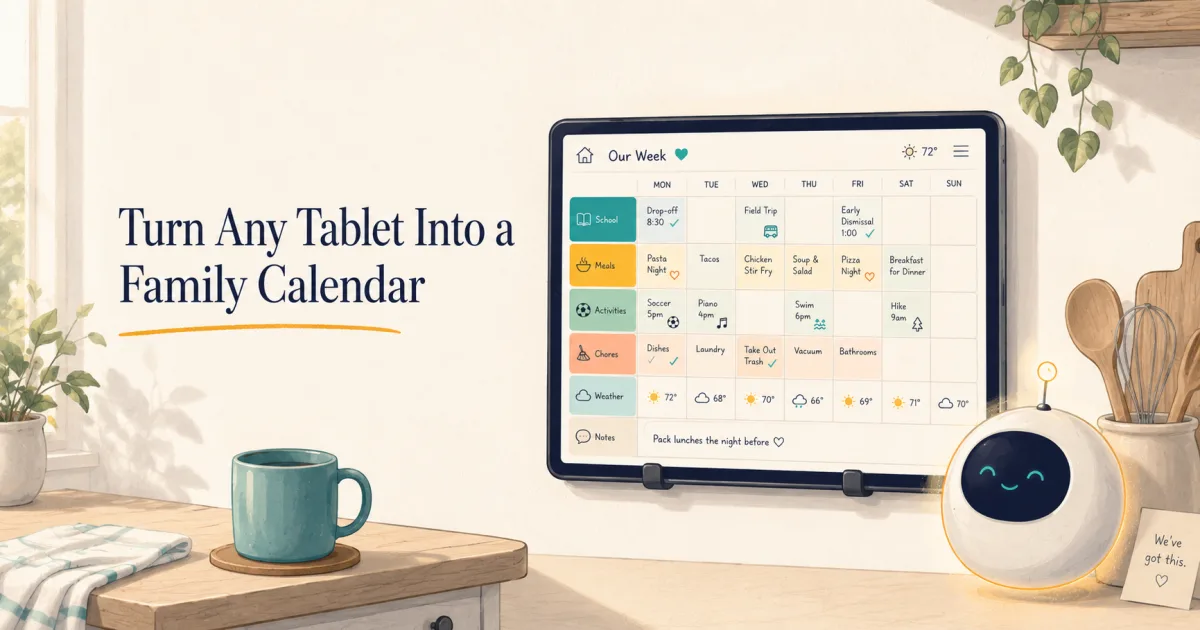
How to Turn Any Tablet Into a Family Calendar (2026)
Reuse any iPad or Android tablet as a family calendar. Use Kinmory free in the browser or install KinCals for a dedicated family display.
You don't need a $200–$700 wall display to get a big, always-on family calendar in the kitchen. That old iPad or Android tablet in a drawer can do the job; the optional wall mount is the part that costs about $15.
Skylight, Hearth, and their peers sell beautiful wall screens. But the screen isn't the magic — the always-visible shared schedule is. And you can get that on hardware you already own in about 30 minutes. Here's exactly how to turn any tablet into a family calendar — from the free 5-minute version to a full AI family command center.
The 60-second version
- Grab any tablet (iPad or Android, even an old one).
- Stick it to the wall with a ~$15 adhesive tablet mount (no drilling).
- Open your family calendar full-screen and lock the tablet to that one app.
- Keep it plugged in and set the screen to stay on.
That's the whole idea. The rest of this guide is about doing each step well — and choosing the app that makes the wall calendar genuinely useful.
What you need
| Item | Cost | Notes |
|---|---|---|
| A tablet | $0 (reuse) | Any iPad or Android tablet from the last several years. A cracked screen is fine. |
| Wall mount | ~$12–$17 | Adhesive tablet wall mount (e.g. a Koala-style mount, ~$17) — no holes. A ~$12 stand on a shelf works too. |
| Charging cable | $0–$10 | A wall calendar should stay plugged in. Route a cable to a nearby outlet. |
| A family calendar app | Free–$16.99/mo | See the picks below — from free Google Calendar to an AI family butler. |
Step 1 — Put the tablet on the wall
An adhesive tablet mount sticks to the wall with a strong pad and holds the tablet magnetically or in a cradle, so you can lift it off when you need it. No drill, no landlord problems. Mount it at eye level near where the family gathers — kitchen, entryway, or by the back door where everyone checks the schedule on the way out.
Step 2 — Get your calendar on screen, full-screen
The free way (5 minutes)
You don't even need an app. Open the browser and go to your calendar on the web:
- Google Calendar: open calendar.google.com in Safari/Chrome, switch to Week view, and add it to the Home Screen for a full-screen look.
- Apple / iCloud: open icloud.com/calendar in Safari.
Free, instant, and it shows a real shared calendar. The catch: it's only a calendar — no chores, no meals, no reminders that reach the right person, and it won't do anything you didn't type in.
Two ways to run Kinmory on your tablet
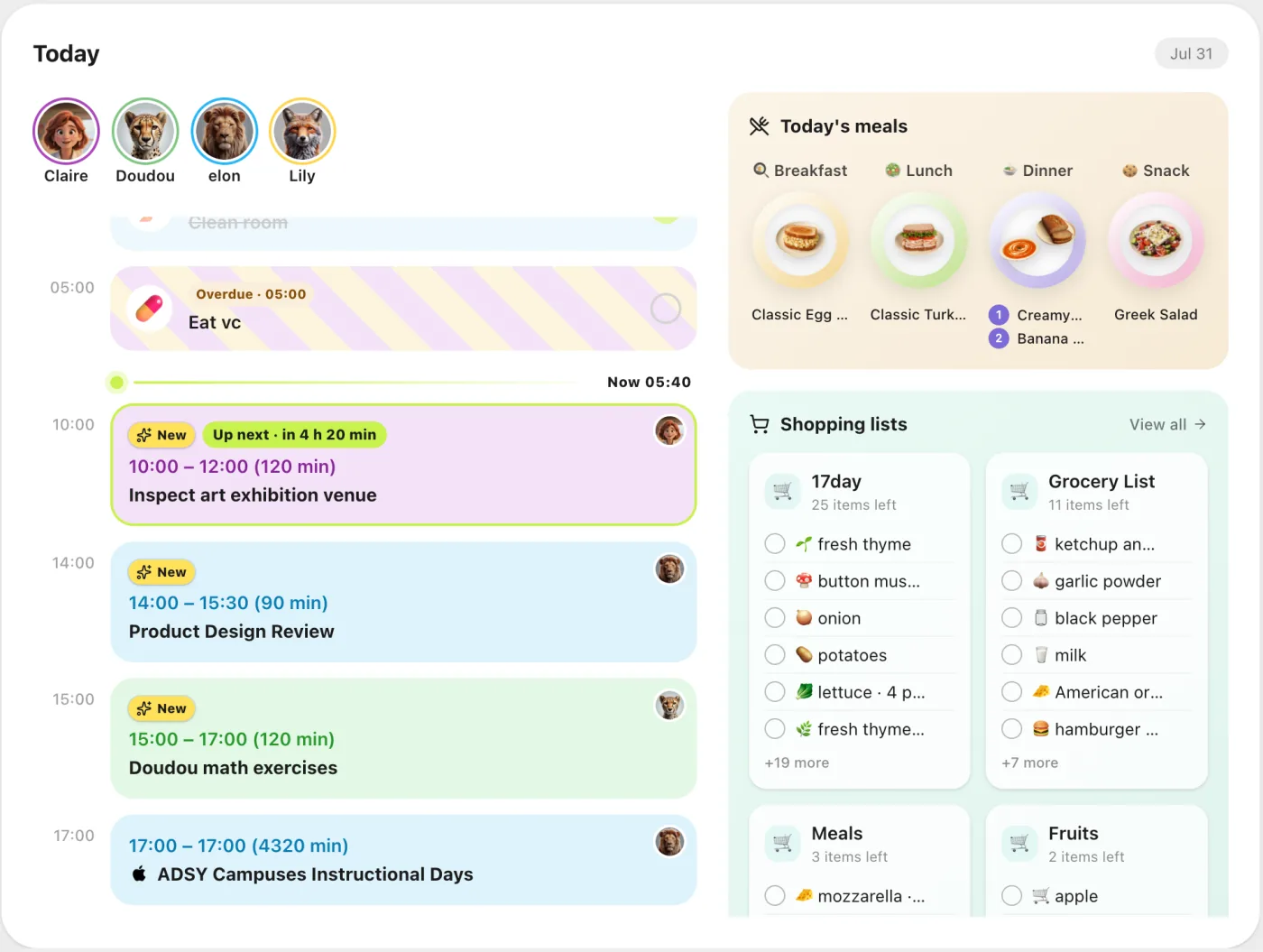
A calendar-only screen still leaves all the planning to you. Kinmory turns the tablet into a shared family command center for schedules, tasks and chores, meal plans, shopping lists, weather, family memories, and school events extracted from newsletters. Choose the setup that fits how your family will use the tablet.
Option 1: Kinmory in the browser
FreeUse all of Kinmory's family-organizer features without installing another app.
- Open kinmory.ai in Safari or Chrome.
- Create an account or sign in to your family.
- Open the family dashboard and tap Kinmory's full-screen control.
- Keep the tablet charged and use the operating system's screen lock if needed.
Option 2: the KinCals tablet app
$6.90/monthChoose the dedicated iPad or Android app when this will be a permanent shared family display.
- Download KinCals from the App Store or Google Play.
- Sign in with the same Kinmory family account.
- Name the tablet and configure its display.
- Use device-only features including parental lock and tablet widgets.
Both routes use the same family data. The browser route is free; the KinCals app is included with a regular Kinmory membership. Kinmory is our own product, and a calendar-only service may be enough if your family does not need the additional organizer features.
Whichever Kinmory route you choose, the household sees a color-coded schedule, today's tasks, planned meals and shared lists in one place. School and teacher newsletters can become calendar events instead of another message a parent has to retype. See how an AI family calendar reduces the mental load, or compare Kinmory with Cozi, Skylight and other family calendar apps.
Best apps for a tablet family display (honest picks)
| App | Best for | Price |
|---|---|---|
| Google Calendar (web) | Free, dead-simple, just events | Free |
| Kinmory web | Full family organizer in a tablet browser, with a built-in full-screen view | Free |
| KinCals app | Dedicated iPad/Android family display with parental lock and tablet widgets | Kinmory membership · $6.90/mo |
| FamDisplay / Dashpadd | Dedicated tablet-dashboard apps (calendar, routines, to-dos) | Free tier + paid |
| Mango Display / DAKboard | A display layer over an existing calendar (+ photos, weather) | Free · from ~$6/mo |
Rule of thumb: want a free, glanceable calendar and nothing more → Google Calendar. Want the wall to actually take work off your plate → Kinmory. Want a photo-frame-plus-calendar aesthetic over a calendar you already keep → a display tool like Mango Display or DAKboard.
Step 3 — Lock it down and keep it on
- Lock to one app: with the free browser route, iPad can use Guided Access (Settings → Accessibility) and Android can use Screen Pinning. The KinCals app also provides its own parental lock for a shared family device.
- Keep the screen awake: iPad → set Auto-Lock to Never while charging (or use Guided Access). Android → Developer Options → "Stay awake while charging," or the app's own always-on mode.
- Keep it charged: mount near an outlet; a wall calendar earns its keep only if it's always on.
- Auto-brightness so it dims at night.
Frequently asked questions
Can I really use an old iPad as a family calendar?
Yes. Any iPad or Android tablet from the last several years works — even one with a cracked screen. Mount it, run a calendar full-screen, keep it charged, and you have the same always-on wall calendar that dedicated $300–$700 displays sell.
Do I need to buy a special wall calendar display like Skylight?
No. Skylight (about $300–$600, plus a $79/yr Plus subscription for its best features) and Hearth (about $699) sell the hardware, but a tablet you already own plus a ~$15 wall mount gives you the same wall display. Pair it with an app like Kinmory and you get more than most of those devices do, without the hardware cost.
What's the best free way to put a calendar on a wall tablet?
For a calendar-only display, open calendar.google.com or icloud.com/calendar in the browser and add it to the Home Screen. For a complete family organizer, sign in to Kinmory in the tablet browser and use its built-in full-screen mode for free.
Is Kinmory free on an iPad or Android tablet?
Yes. You can use Kinmory's full family-organizer experience free in the tablet browser. Open kinmory.ai, sign in, then use the built-in full-screen control. No tablet app is required.
What is the difference between Kinmory and the KinCals tablet app?
Kinmory in the browser is free and includes the complete family organizer. KinCals is the dedicated iPad and Android tablet experience included with a $6.90/month Kinmory membership; it adds device-specific features such as parental lock and tablet widgets. Both use the same family account and data.
How do I keep the tablet from turning off or leaving the calendar?
Lock it to one app (Guided Access on iPad, Screen Pinning on Android), set auto-lock to Never while it's charging, and keep it plugged in. Auto-brightness dims it at night.
What makes a tablet calendar better than a paper one?
It syncs automatically for everyone, updates in real time, and — with an AI app like Kinmory — can plan meals, assign chores, and remind the right family member instead of just showing static boxes.
Meet Pet Home
A family display can show more than the schedule
Manage chores and daily routines in Kinmory's family task list. When an eligible completed task is confirmed, the child's virtual pet responds—eating, moving and growing. Less reminding. More reasons to begin.
A real-life task
Put away the school bag
Immediate pet response
Feeds, reacts and grows
A repeatable routine
Come back tomorrow
Right now
Pet Home makes effort visible
A tiny response closes the loop while the task still feels recent.
Loading pets…
Over time
Rewards give consistency a destination
Saved reward points can lead to a family-agreed real-world reward.
Pet Home is included with AI Plus and AI Group.
Meet Pet HomeRelated reading
- TimeTree vs Cozi (2026): Which Family Calendar Wins?
TimeTree vs Cozi in 2026: real prices, free tiers, features, and who each family app is for — plus where an AI option like Kinmory fits.
- The ADHD App Graveyard: Why Productivity Tools Don't Stick
Abandoned planners aren't a discipline problem. A calendar's input box sits after the hard thinking—so it offloads the cheapest part and adds a step.
- Intention Offloading: The Science of External Reminders
External reminders cut forgetting from about 45% to 5%. The surprising part: people already offload more than is optimal — and they know why they do it.
- ADHD and the Mental Load: A Gap in the Research (2026)
Cognitive labor has been studied with gender as the variable — never executive function. We map four literatures and the gap where ADHD households fall.
Two ways to start
Use the tablet you already own.
Run Kinmory free in your tablet browser, or install KinCals for a dedicated family display with device-only controls.
Kinmory in your browser
FreeSign in at kinmory.ai and use the full family organizer without installing another app.
- Calendar, tasks, meals and family tools
- Built-in full-screen display
KinCals tablet app
$6.90/monthThe dedicated iPad and Android experience included with a regular Kinmory membership.
- Parental lock for a shared device
- Tablet-specific widgets and controls
Both options use the same Kinmory family account. External calendars are accessed only after you authorize them.