
KinCals' User Manual
KinCals is your family's dashboard.
Login
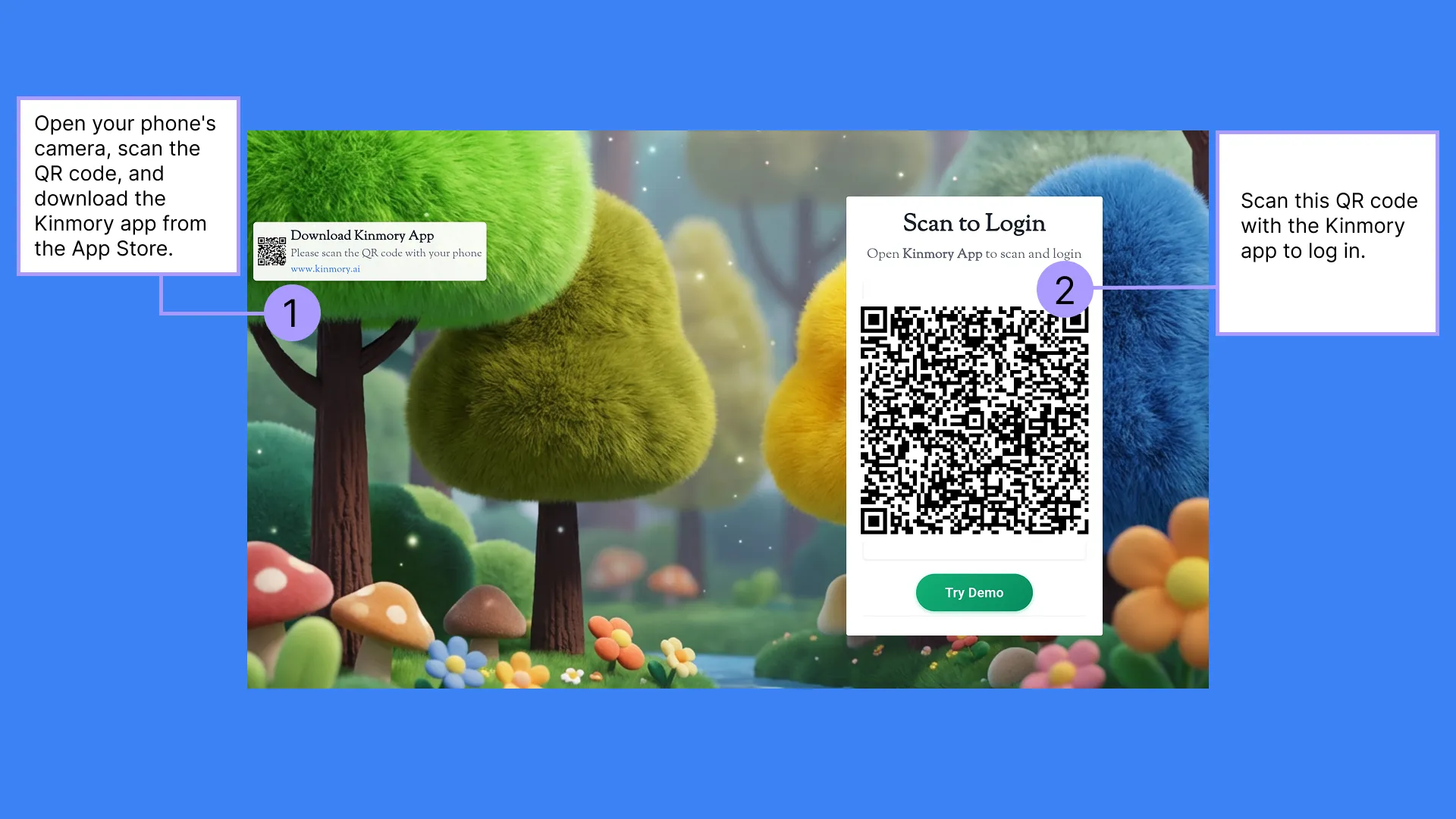
Please download the Kinmory app from the App Store (Apple Store or Google Play) and complete the registration.
Open Scan QR in the Kinmory sidebar and scan the QR code on KinCals to log in.
Your mobile phone is now linked with the Smart TV, and you can view family schedules and other information at any time.
Calendar
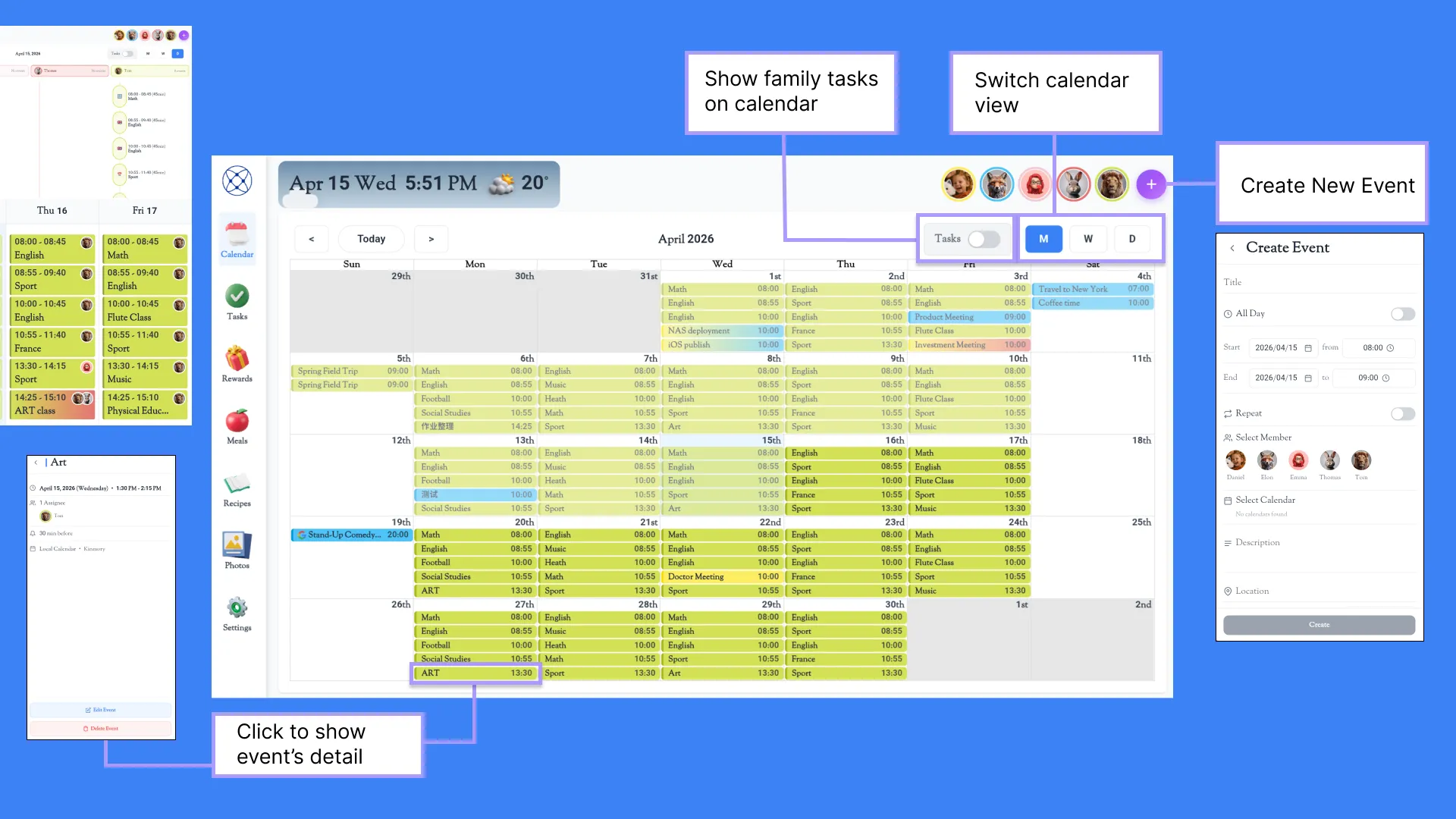
We offer monthly, weekly, and daily calendar views that you can switch between using the “M/W/D” buttons.
You can create events directly in KinCals, use voice input via Kinmory, or link external calendar sources including Gmail, Outlook, Apple, Yahoo, Cozi, and TeamSnap — Kinmory will automatically sync them for you.
Tap any event to open its details, or edit and delete the event as needed.
Tasks
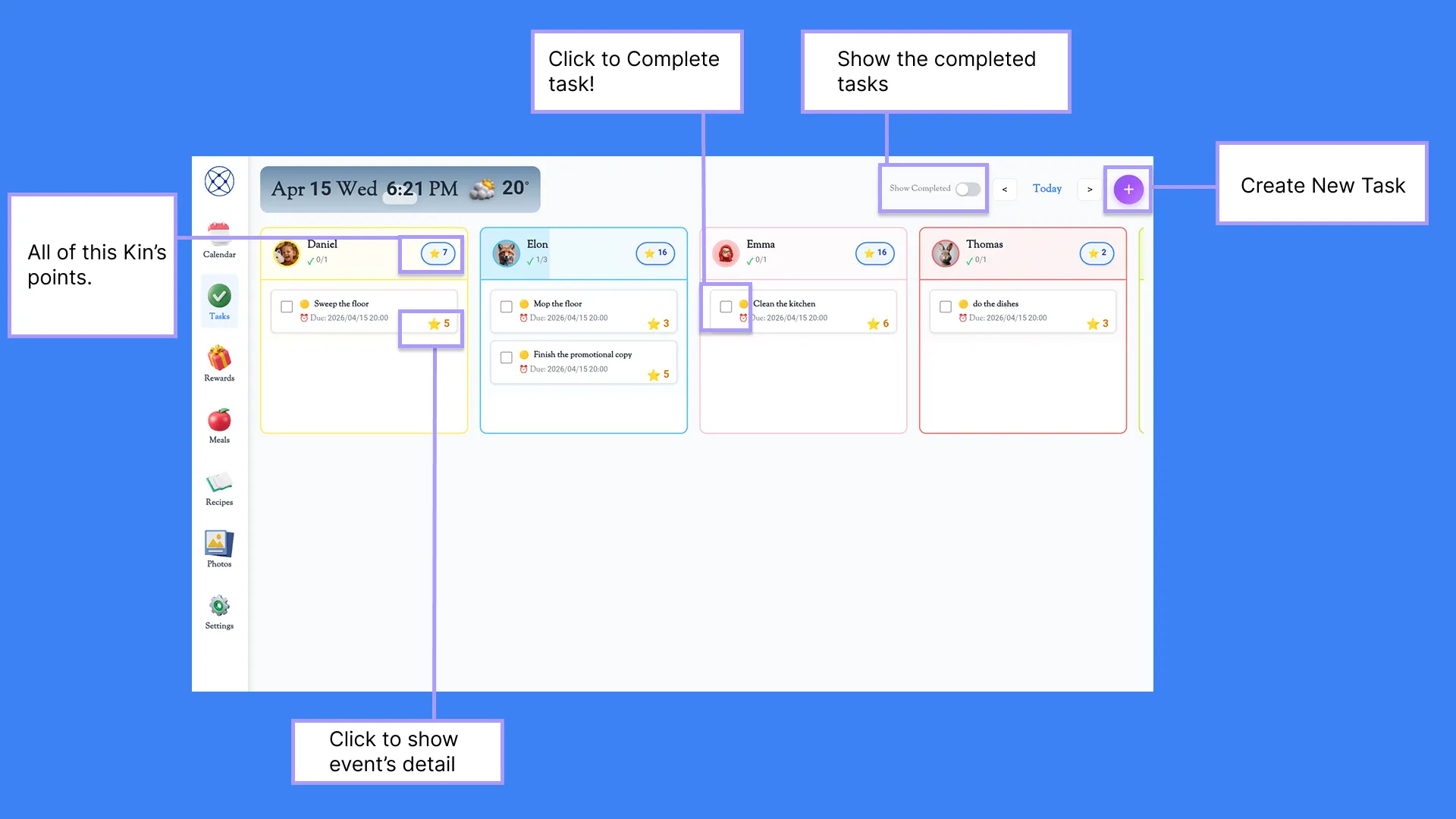
You can assign tasks to all Kins on the Task panel. Points can be set for each task, and once marked as complete, the kin will earn those points.
You can create tasks directly here, or create them by voice through the Kinmory app.
Rewards
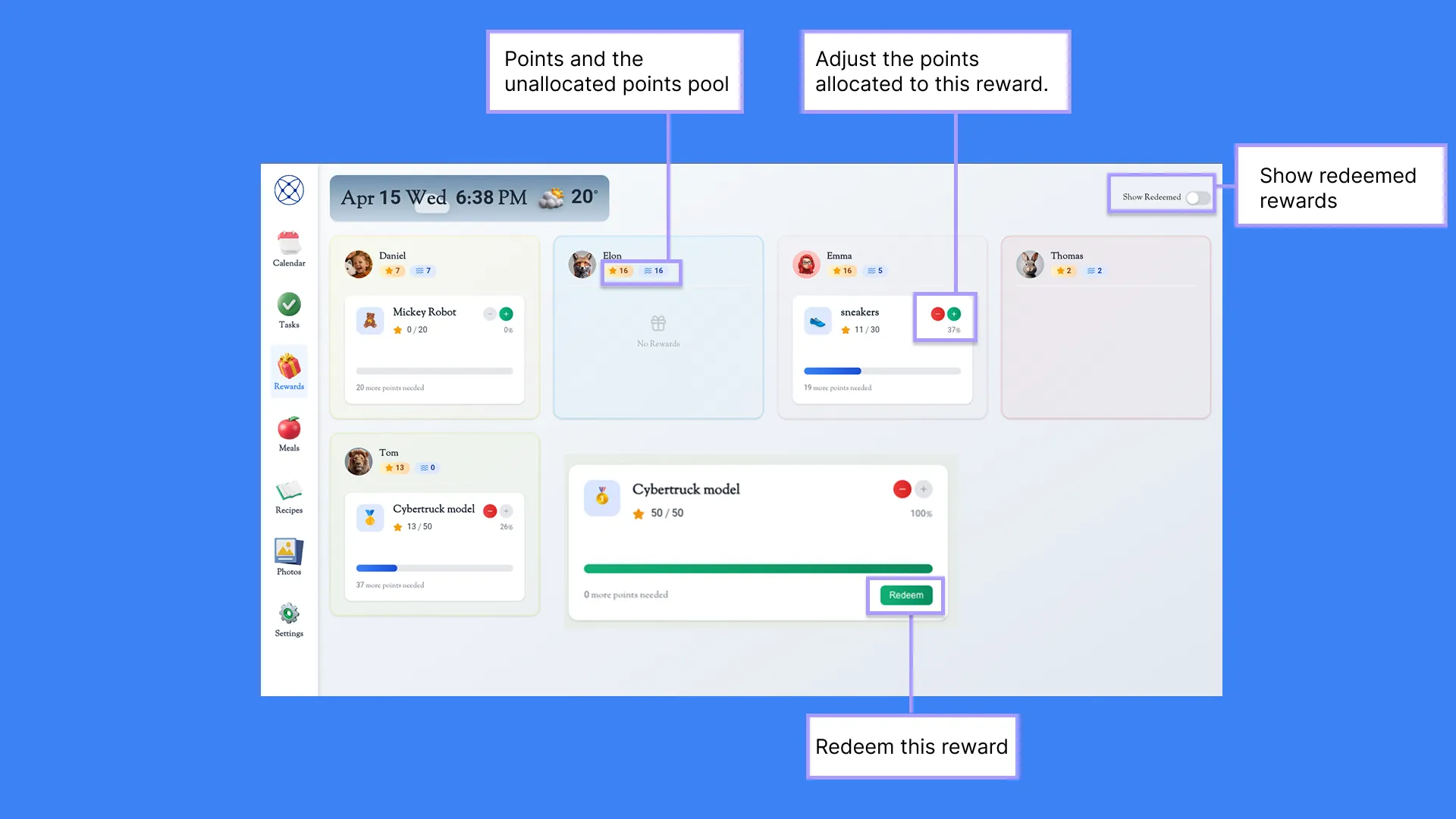
On the Rewards page, you can view all rewards for family members.
Using the Kinmory app, you can set up rewards for kids and specify the points required to unlock each reward.
Kids earn points by completing tasks, which they can then use to redeem rewards.
They can allocate their points across different rewards on their own.
Tapping Redeem means you will grant them the corresponding reward.
Meals
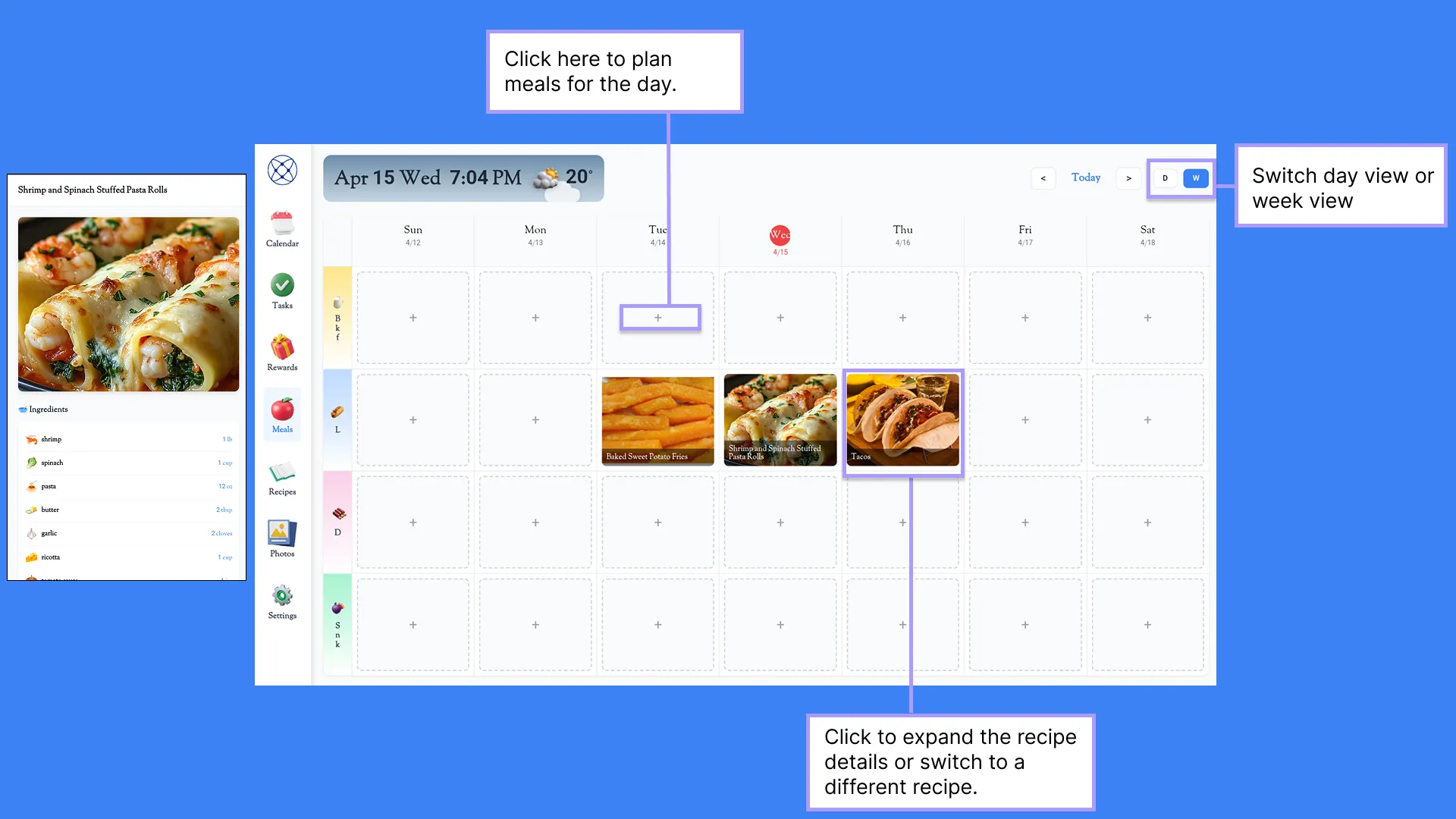
You can plan your weekly meals here. Tap the plus icon to open the recipe list and choose one you like. You can tap any scheduled recipe to modify it or view its details, then follow the details to prepare your meals.
You can also schedule meals by voice using the Kinmory app.
Recipes
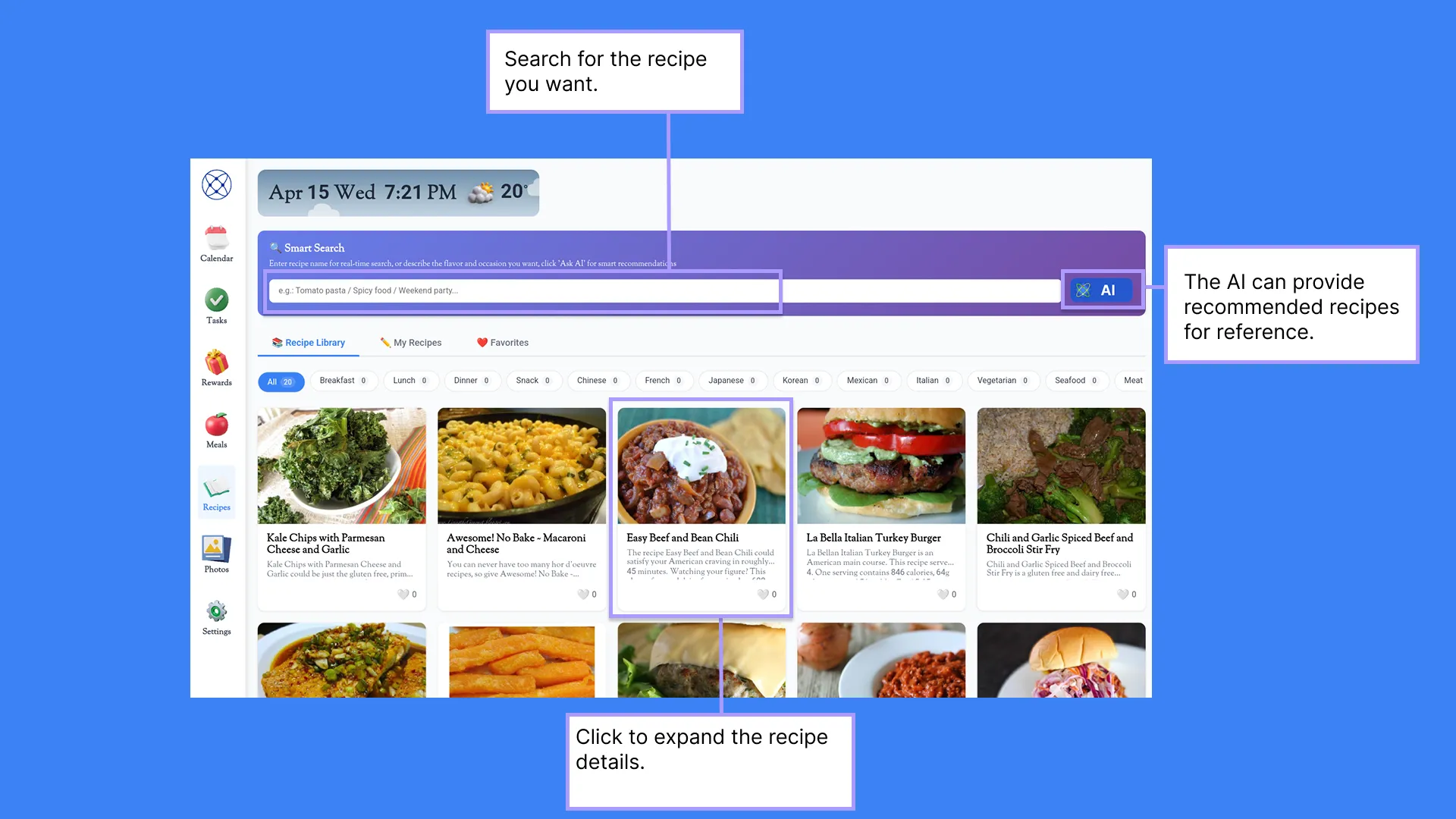
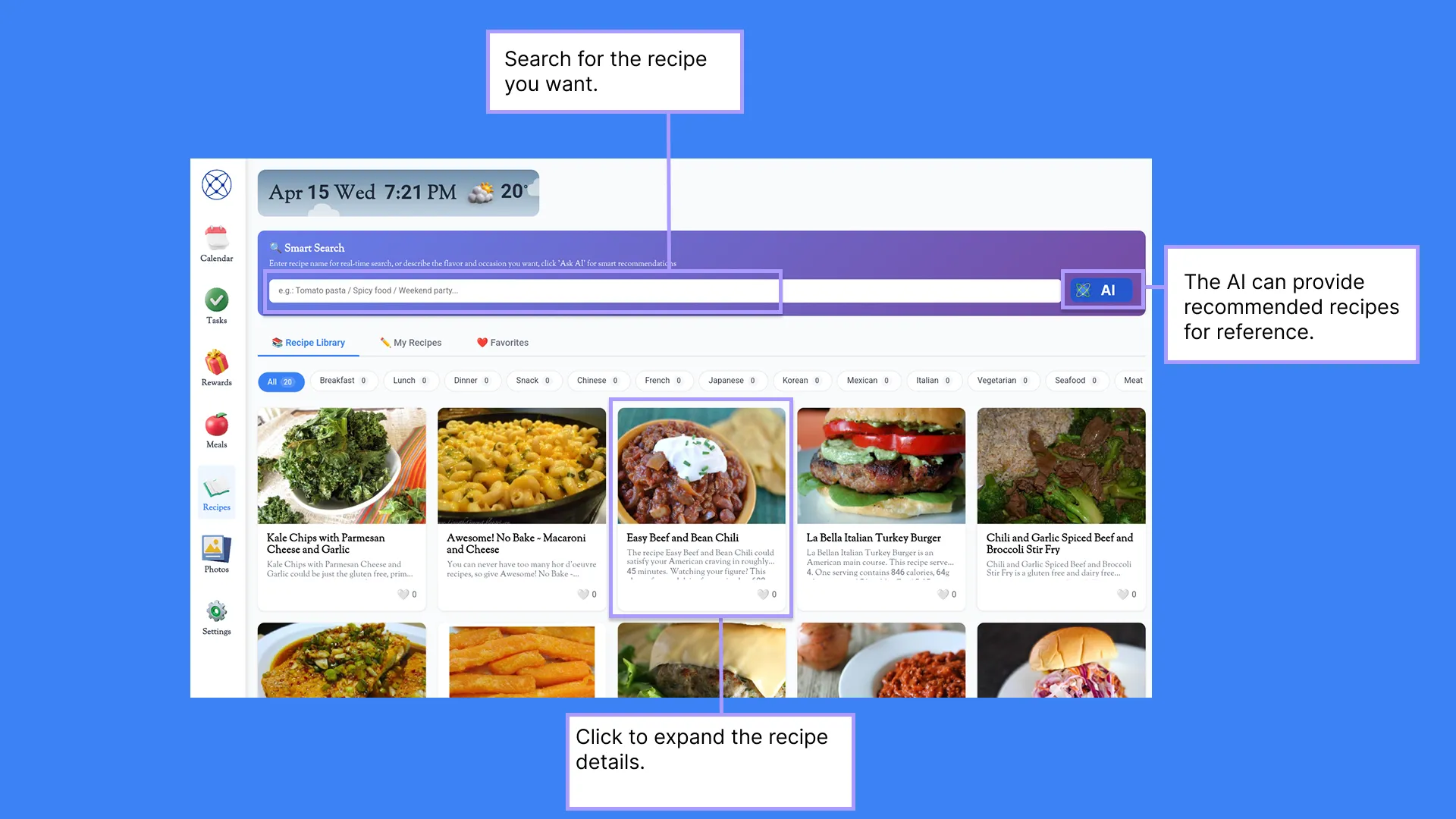
This section collects all your saved recipes, where you can easily search or view them.
If you’d like to make a certain dish, you can ask the AI to generate a reference recipe for you. The AI can also help you find recipe videos on YouTube.
Through the Kinmory app, you can save your favorite recipes using photos or URL links.
Via the Kinmory app, you can also import the required ingredients into your shopping cart, and further send them to Instacart to complete your purchase.
Photos
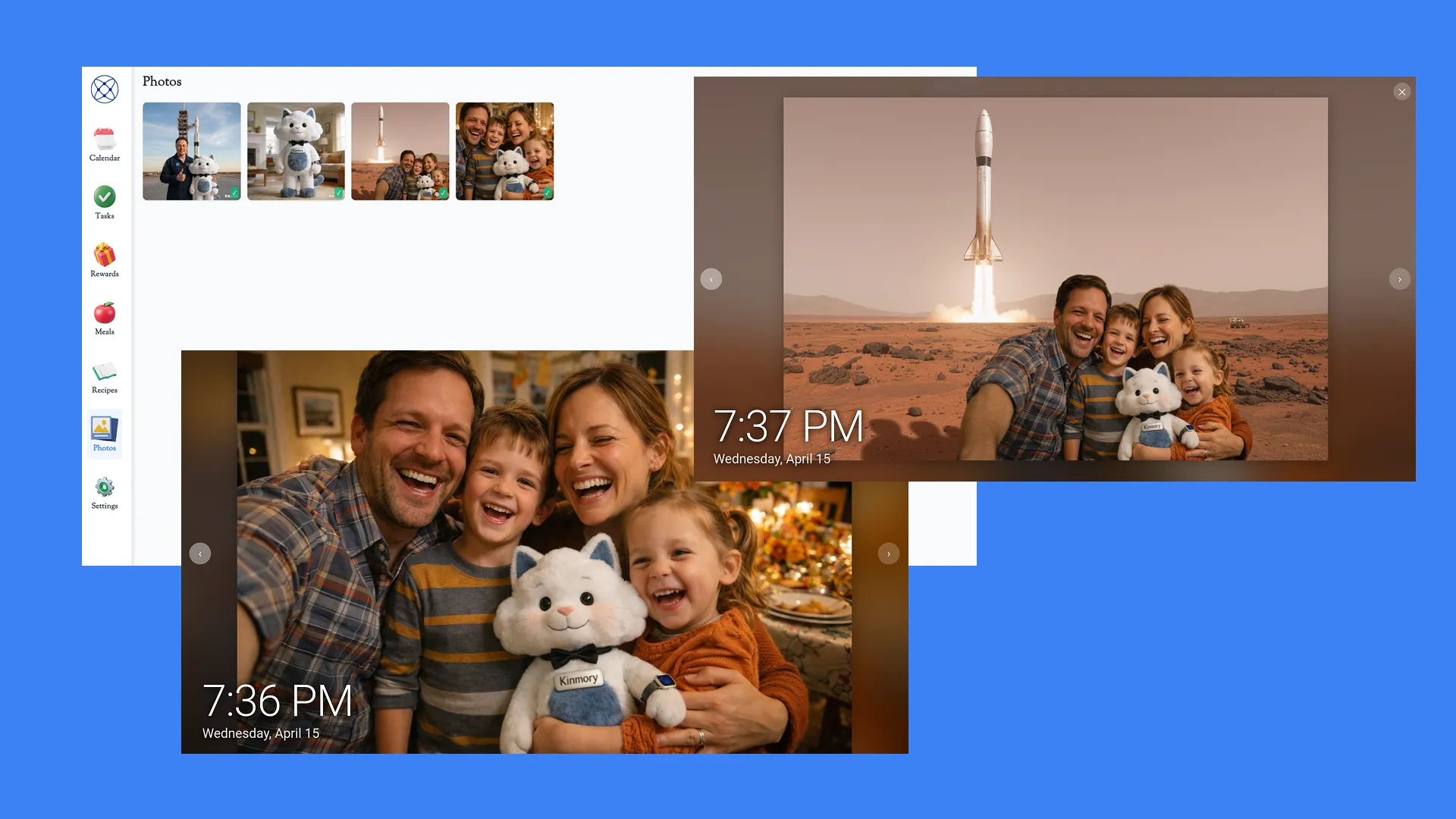
This section displays the family photo album. All family members can upload photos via the Kinmory app.
Photos can be viewed, managed, and set as the device’s screensaver.
Through the Kinmory app, family members can comment on photos, like their favorite ones,
and even use AI to re-create photos and share the results with the family.
Settings
On the Settings page, we provide widgets such as a timer and world clock.
You can also set or change the time zone, weather city, screensaver duration and sleep timeout here.
In addition, you can assign personalized reminder sounds for each family member.
Related reading
- TimeTree vs Cozi (2026): Which Family Calendar Wins?
TimeTree vs Cozi in 2026: real prices, free tiers, features, and who each family app is for — plus where an AI option like Kinmory fits.
- The ADHD App Graveyard: Why Productivity Tools Don't Stick
Abandoned planners aren't a discipline problem. A calendar's input box sits after the hard thinking—so it offloads the cheapest part and adds a step.
- Intention Offloading: The Science of External Reminders
External reminders cut forgetting from about 45% to 5%. The surprising part: people already offload more than is optimal — and they know why they do it.
- ADHD and the Mental Load: A Gap in the Research (2026)
Cognitive labor has been studied with gender as the variable — never executive function. We map four literatures and the gap where ADHD households fall.
Ready to take your family somewhere extraordinary?
Download Kinmory, open your family album, and ask Kini to take you somewhere you've never been. More is a good place to start.

Scan to Download
Point your camera here
kinmory.ai/download/kinmory