
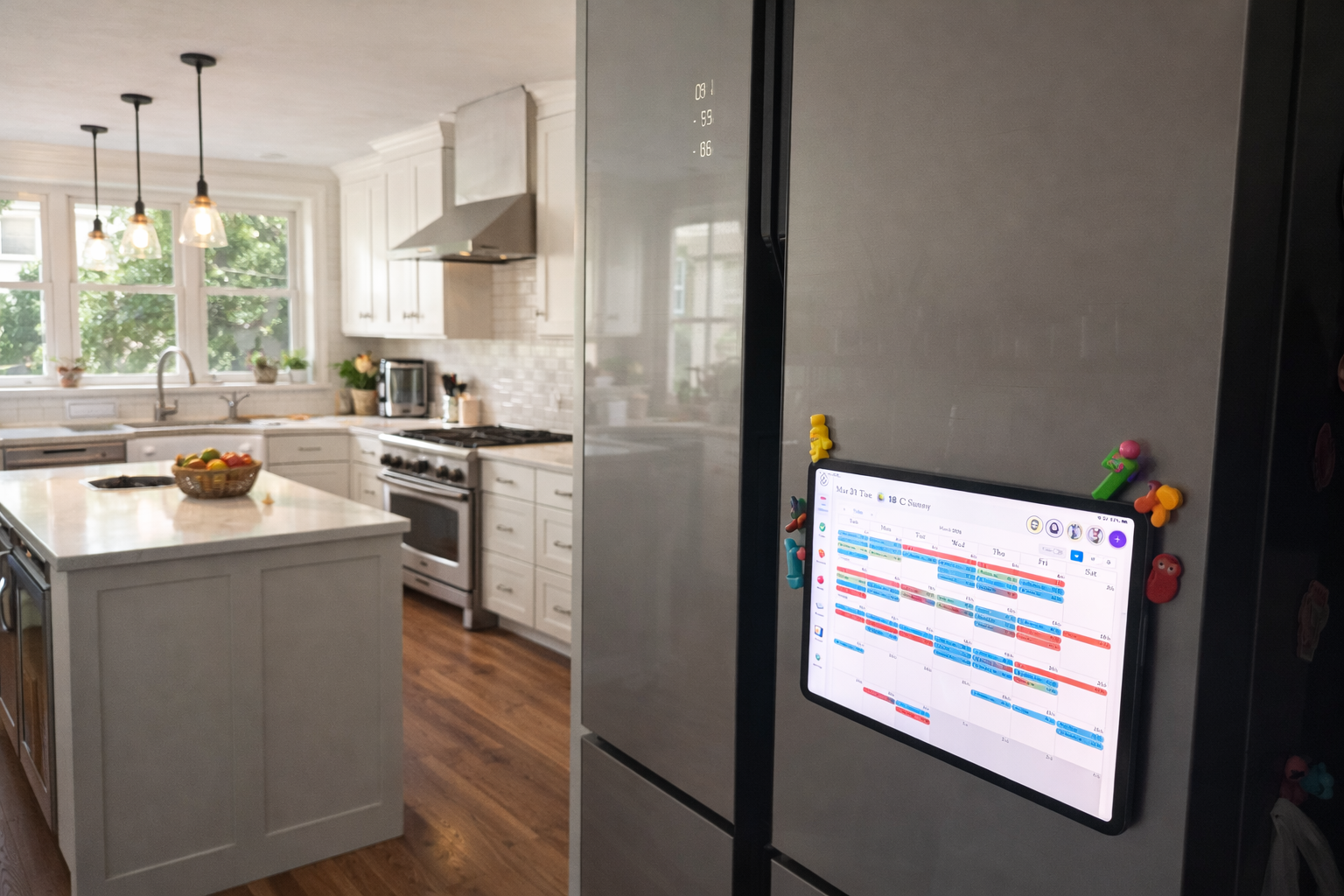
Your Fridge Deserves a Smart Screen? Here's the $20 Fix.
No new fridge. No contractor. Just a tablet, a magnetic ring, and five minutes — and your kitchen gets the upgrade you've always wanted.
Your Fridge Deserves a
Smart Screen.
Here's the $20 Fix.
No new fridge. No contractor. Just a tablet, a magnetic ring, and five minutes — and your kitchen gets the upgrade you've always wanted.
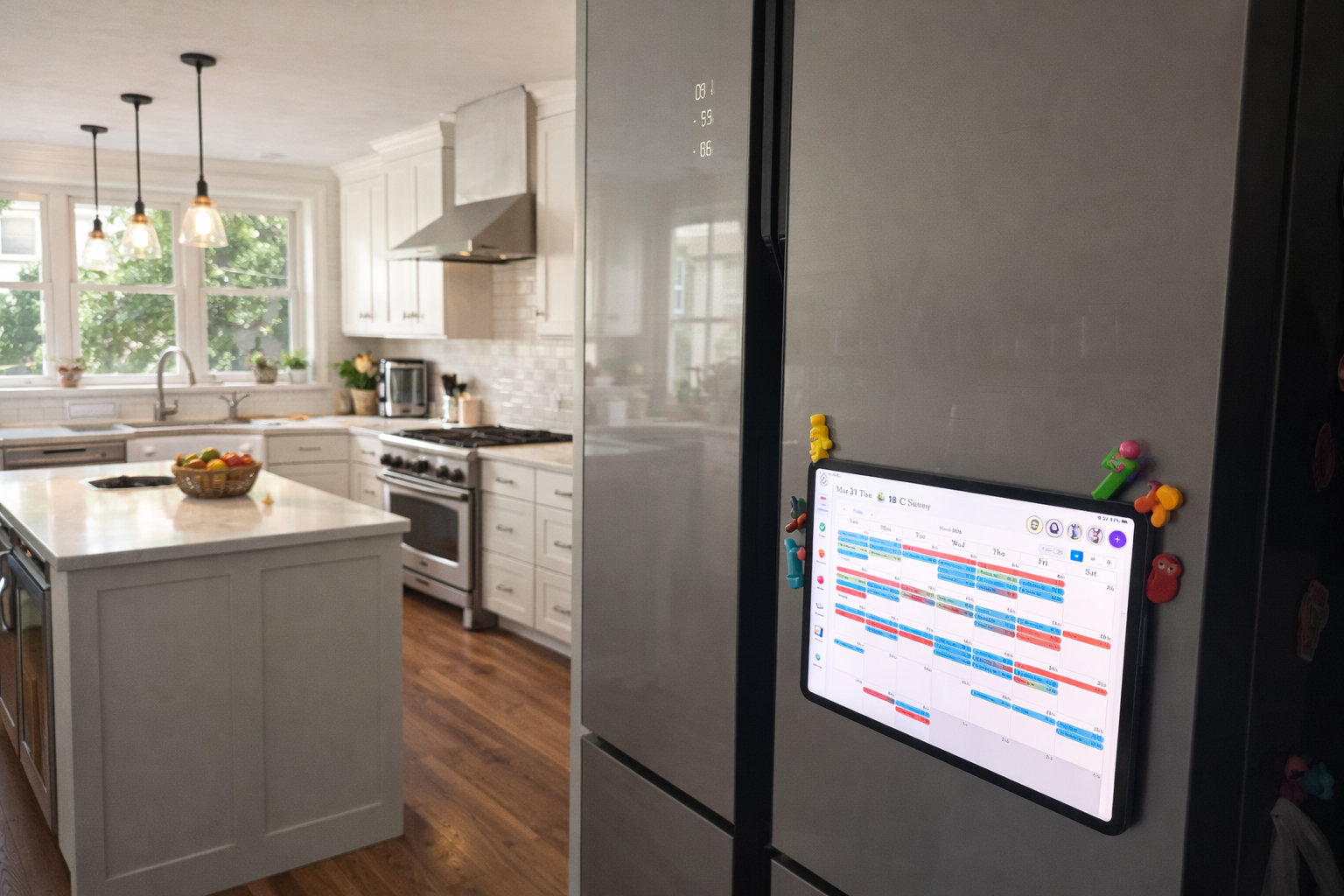
Where Does a Kitchen Screen Actually Belong?
If you've ever stood at the stove wishing you had a screen nearby — for a recipe, a timer, a quick grocery note — you're not alone. The dream setup? A display right on the kitchen island, front and center.
But not every kitchen has an island. And for the rest of us, the refrigerator door is the next best thing. It's at eye level, in the middle of the action, and — let's be honest — it's already the family's unofficial command center. Schedules, reminders, kids' drawings, takeout menus. It's all there already.
The fridge door is just waiting for an upgrade.
The Setup: Three Things You Might Already Own
This whole solution comes down to three components. Chances are you already have one of them.
Any Tablet — iPad, Android, Whatever You Have
This isn't an iPad-only solution. Any tablet works. The one gathering dust on your nightstand? That one. Mount it in the kitchen, and pull it down whenever you need it elsewhere. It stays useful everywhere.
A Magnetic Mount Ring (~$15–25 on Amazon)
Search "tablet magnetic mount ring" on Amazon and you'll find plenty of options. The ring sticks to the back of your tablet case — it's ultra-thin and barely noticeable. The metal plate goes on your fridge (or wall, or cabinet). One tap and it holds firm; one pull and it's free. Most kits include multiple plates, so you can set up spots in the kitchen, bedroom, and home office all at once.
KinCals — The Family Hub App
Download KinCals from the App Store. Install Kinmory on your phone, create a family account, and scan the QR code to link everything up. Every family member's calendar, tasks, and meal plans stay in sync — no more "did you see my text?" moments.
Get Set Up in Five Steps
-
1Download KinCals Search "KinCals" in the App Store on your tablet and install the app.
-
2Set Up Your Family on Kinmory Install the Kinmory app on your phone, create a family account, then scan the QR code inside KinCals to link them. Invite your partner or kids — everyone stays on the same page.
-
3Order a Magnetic Mount Ring Search Amazon for "tablet magnetic mount ring" and pick one that fits your tablet size. Kits with multiple metal plates are great — you can set up spots in the kitchen, bedroom, and living room all at once.
-
4Stick the Plate on Your Fridge Choose a comfortable height on the fridge door and press the metal plate firmly in place. Attach the magnetic ring to the back of your tablet case. That's the hard part — and it took about 30 seconds.
-
5Snap It On and You're Done Press your tablet to the fridge. It holds. Open KinCals. Your family's smart kitchen screen is live.
Three Ways It Changes Your Daily Routine
"What Can I Even Make With This Stuff?"
Open the fridge, stare at a random assortment of leftovers and half-used vegetables — and instead of giving up and ordering pizza, type what you have into KinCals. The AI turns that chaos into actual recipe suggestions with step-by-step instructions.
Dinner's Already Planned. Just Follow Along.
Walk into the kitchen and glance at the fridge door. Tonight's meal is already there — chosen earlier in the week. Tap the recipe, follow along at your own pace, and optionally pull up a cooking video. Like having a sous-chef on the door.
Ditch the Paper Chaos — Finally
Permission slips, soccer practice schedules, grocery lists, "don't forget!" sticky notes — most families have an entire collage on the fridge door. KinCals replaces all of it: one clean screen with everyone's calendar, to-dos, and what's already been checked off.
Why This Works Better Than a "Smart Fridge"
Built-in fridge screens are locked to one appliance. When the fridge is old, the screen is old. When the software stops getting updates, you're stuck. And they're expensive to begin with.
This setup is different. Your tablet is already yours — it gets updated, it travels with you, and it does a hundred other things. The magnetic mount just gives it a home in the kitchen. When you need the tablet for something else, you take it. When you come back to the kitchen, you snap it back on.
It's flexible in a way that a $3,000 smart fridge never can be — and it fits in any kitchen, in any home, at any budget.
Related reading
- TimeTree vs Cozi (2026): Which Family Calendar Wins?
TimeTree vs Cozi in 2026: real prices, free tiers, features, and who each family app is for — plus where an AI option like Kinmory fits.
- The ADHD App Graveyard: Why Productivity Tools Don't Stick
Abandoned planners aren't a discipline problem. A calendar's input box sits after the hard thinking—so it offloads the cheapest part and adds a step.
- Intention Offloading: The Science of External Reminders
External reminders cut forgetting from about 45% to 5%. The surprising part: people already offload more than is optimal — and they know why they do it.
- ADHD and the Mental Load: A Gap in the Research (2026)
Cognitive labor has been studied with gender as the variable — never executive function. We map four literatures and the gap where ADHD households fall.
Bring your family's plans into one place.
Use Kinmory on the web or phone to share calendars, tasks, meals and the information your household needs next.

Scan to Download
Point your camera here
kinmory.ai/download/kinmory