
Calendar event
For a dated activity or deadline, such as a school closure, concert, meeting, screening or registration deadline.
School email to calendar
Kinmory can analyze a school email or newsletter you forward—or a new message collected under your sender rules—and suggest calendar events, family tasks and source-linked information for you to review.
Creating an account is free. Feature availability can vary by plan, platform and source.
A clear input-to-output path
School newsletter
Maple Grove Elementary
October family update
Conferences run October 12–14, 4–7 PM. Please send family feedback before conference week. The school-parent compact is attached for reference.
Kinmory suggestions
Conference dates → calendar event
Send feedback → family task
School compact → Family Memory
Illustrative data. Review the date, wording, destination and source before saving.
Kinmory proposes a destination based on what the information helps your family do next. You decide what to edit, approve or ignore.
For a dated activity or deadline, such as a school closure, concert, meeting, screening or registration deadline.
For something a parent or student needs to do, such as submit a form, pay a fee, pack materials or contact the school.
For useful information you may need later, such as an attendance number, policy, location or program detail, kept with its source.
See it work
This demonstration keeps the original source separate from the resulting calendar items so the family can return to the context later.
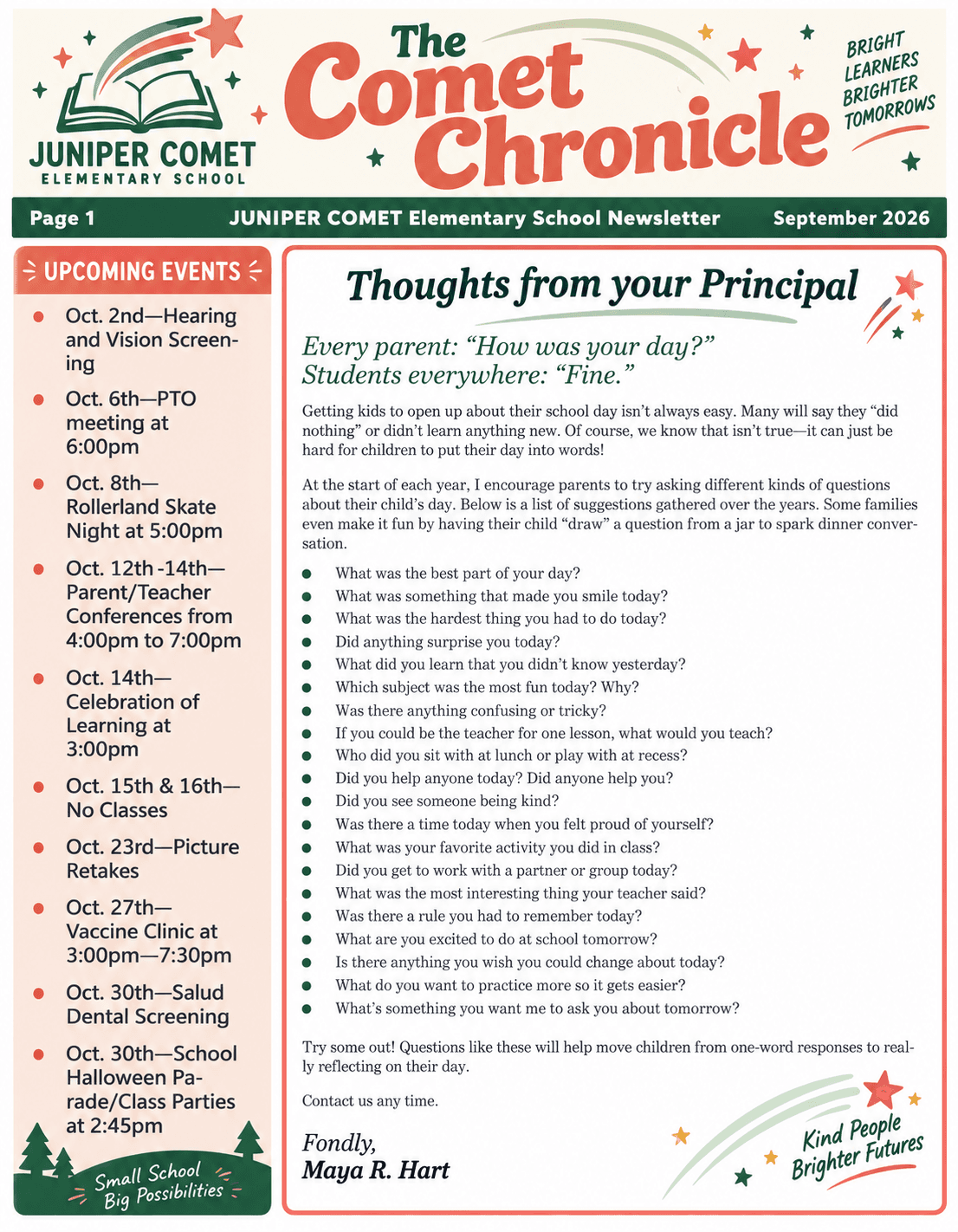
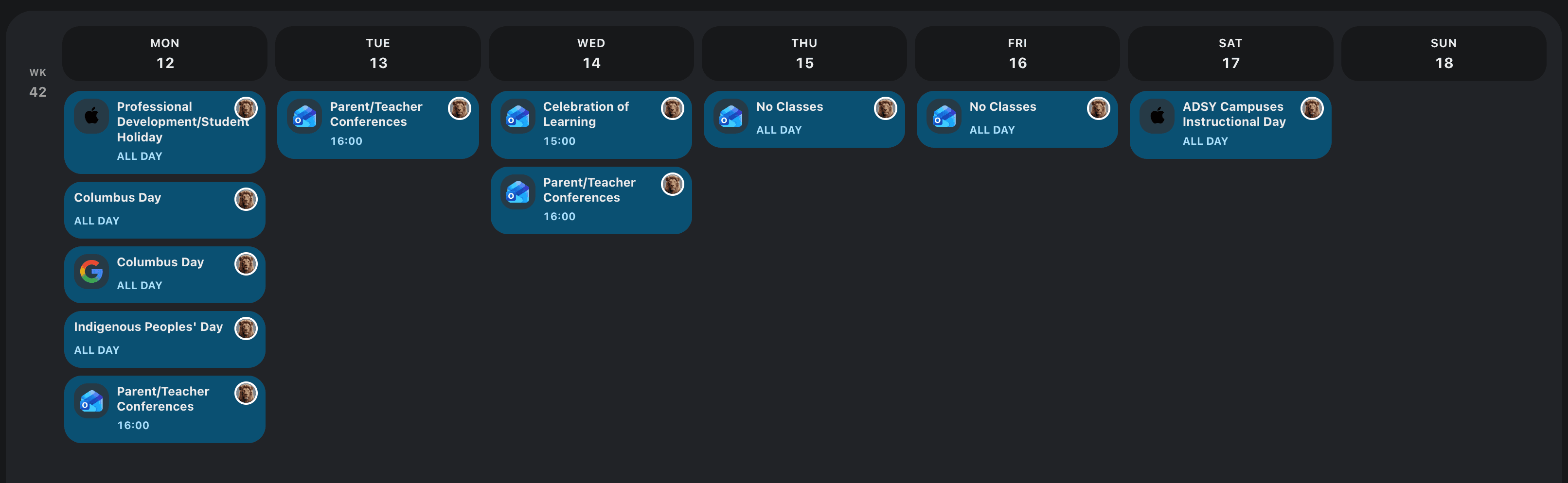
This is a fictional demonstration source and an interface reconstruction, not an extraction-accuracy benchmark or a promise that every newsletter will be interpreted perfectly.
How it works
Forward a message deliberately, or configure automatic collection for new email using all-mail, whitelist or blacklist sender rules.
Check the extracted date, time, place, action, destination and original source. Edit or ignore anything that does not apply.
Keep the event, task or reference information you want. A suggestion is not the same as a confirmed family plan.
A live calendar feed is usually best for a schedule that changes. Email and image capture help when the school publishes dates inside prose or graphics.
| What the school sends | What you do | What Kinmory can suggest |
|---|---|---|
| Email newsletter | Forward it or allow a new message under your sender rules. | Reviewable event, task or Family Memory suggestions. |
| PDF attachment | Provide the supported newsletter or attached document for analysis. | Dates, actions and reference details found in the document. |
| Screenshot or paper flyer | Share a screenshot or photograph the printed notice. | Suggestions based on visible text and details in the image. |
| Official calendar feed | Subscribe using iCal or a supported calendar source. | Schedule items and later updates from the source feed. |
School information can be sensitive and time-critical. Kinmory keeps message collection and the decision to save a result as separate controls.
Questions, answered
For new mail, you can enable automatic collection and choose all-mail, whitelist or blacklist sender rules. You can also forward a particular email deliberately. Availability depends on the connected source and current plan.
No. Kinmory creates suggestions for review. You can edit, approve or ignore a result before it becomes part of the family plan.
Kinmory can analyze supported documents, screenshots and flyer photos. Results depend on image quality, document layout and whether the relevant information is visible.
An action can become a family task. Useful reference information can be kept in Family Memory with its available source instead of cluttering the calendar.
You choose a supported storage option. The source can be kept in Kinmory or saved to a configured supported external location such as Dropbox or OneDrive.
No. This page does not claim universal school-portal integration. Email, documents, images and supported calendar feeds provide separate capture paths.