
Choose Which Emails Kinmory Can Analyze
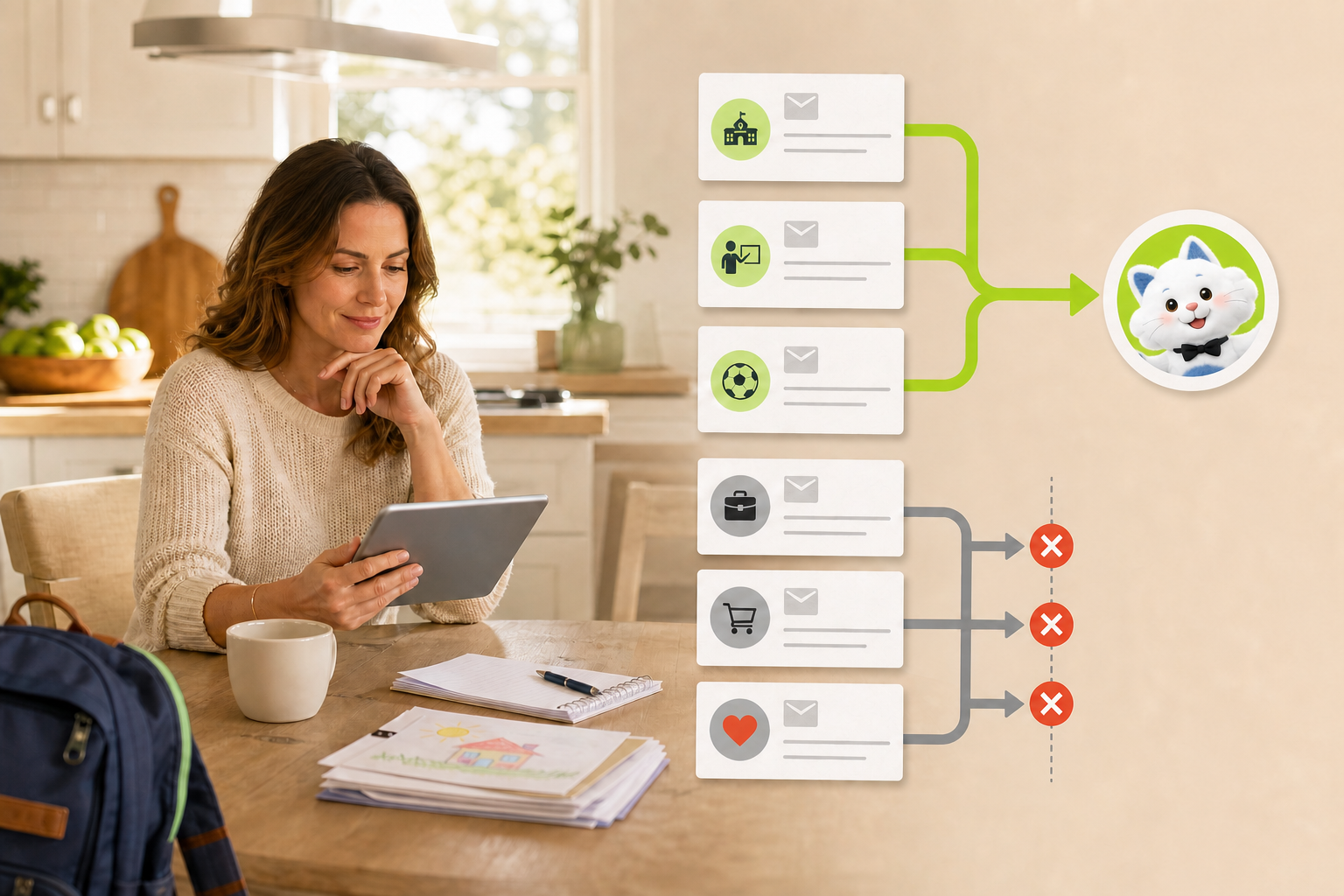
Control automatic email analysis with a whitelist, blacklist, and sender patterns such as *@outlook.com—before excluded messages are read.
Email privacy controls
Automatic email help—without making inbox access all-or-nothing
A family assistant can save parents from noticing and forwarding every school message. But convenience should not require analyzing every new email. Kinmory now lets each connected mailbox use one of three analysis modes: all email, whitelist, or blacklist.
The privacy question behind automatic email collection
School information often arrives when a parent is busy: a weekly Newsletter during breakfast, a coach update during work, or a deadline buried in a district message. Automatic collection can remove the “notice this and forward it” step. The reasonable next question is: which messages can the assistant analyze?
Kinmory answers that question at the sender boundary. The family selects one mode for the connected mailbox and can test a sender before saving.
Choose one analysis mode
Analyze all
New automatically collected email can continue through the normal analysis workflow.
Whitelist
Only matching senders are analyzed. Other new collected messages stop before their content is read.
Blacklist
Matching senders are skipped. Other new collected messages can continue through the workflow.
Use exact senders or broader patterns
A rule can be an exact email address, a domain, *@domain, or a suffix pattern such as *.edu. For example, *@outlook.com matches senders using that domain. Wildcards in the middle of a rule are not supported.
Broad rules deserve care. Before saving, “Test a sender” shows whether the current draft would analyze or skip an address. That makes it easier to catch a rule that is wider than intended.
What these settings do not do
- They affect new automatically collected email only; they do not change historical results.
- They are analysis-range controls, not spam filters or mailbox-security settings.
- They do not promise support for every inbox provider, attachment, school portal, or Newsletter format.
- They do not bypass user review before suggested calendar events or tasks are created.
- They do not apply to messages a user actively forwards to Kinmory; deliberate forwarding always requests analysis.
How this fits the family workflow
When an eligible school Newsletter is analyzed, Kinmory can suggest three different outcomes: dates and activities can become calendar suggestions, actions can become task suggestions, and reference information can become searchable Family Memory. Users review what to keep. Learn more in the school Newsletter workflow and the guide to finding Newsletter information later.
This separation matters: the sender rule controls whether an automatically collected email may be read; the event, task, and memory controls determine what the family chooses to keep afterward.
Frequently asked questions
Can Kinmory analyze only school emails?
Whitelist mode can limit new automatic analysis to the exact school, district, teacher, or activity senders and sender patterns the user adds.
What happens to a blacklisted email?
A matching new automatically collected email is skipped before its subject, body, MIME data, or attachments are read by Kinmory.
Does *@outlook.com work?
Yes. Kinmory supports *@domain rules, along with exact email addresses, domain entries, and suffix patterns such as *.edu.
Do the rules affect old email?
No. They affect new automatically collected email after the setting is saved; they do not rewrite previous analysis history.
What if I forward an excluded sender manually?
Emails deliberately forwarded to Kinmory are always analyzed because the forwarding action is an explicit request from the user.
Related reading
- A Family Organization System Should Survive a Busy Week
A resilient family organization system favors quick capture, visible next actions and easy recovery over perfect routines and constant maintenance.
- The Family Information Handoff Problem
A practical way to stop school notices, appointments and family tasks from getting lost between inboxes, conversations and calendars.
- Muse for Families? Meet Kinmory.AI
Muse is a personal AI agent. Kinmory.AI is the family-facing counterpart: an AI assistant built around shared information, memory, and follow-through.
- Why Busy Families Need an AI Assistant, Not Another Calendar
Kinmory.AI is an AI assistant for families that helps households understand scattered information, remember context, and take the next step.
Bring your family's plans into one place.
Use Kinmory on the web or phone to share calendars, tasks, meals and the information your household needs next.

Scan to Download
Point your camera here
kinmory.ai/download/kinmory