
Meet Kinmory AI Recipes: Create, Import, Personalize, and Share
Discover AI Recipes in Kinmory, the family organization and planning app. Create recipes with AI, import from the web, personalize, and share.
Recipes have a habit of ending up everywhere.
One is saved on Pinterest. Another is still open in a browser tab. A friend sent one in a group chat. The version your family actually likes lives partly in your memory: less salt, more garlic, and twice the sauce.
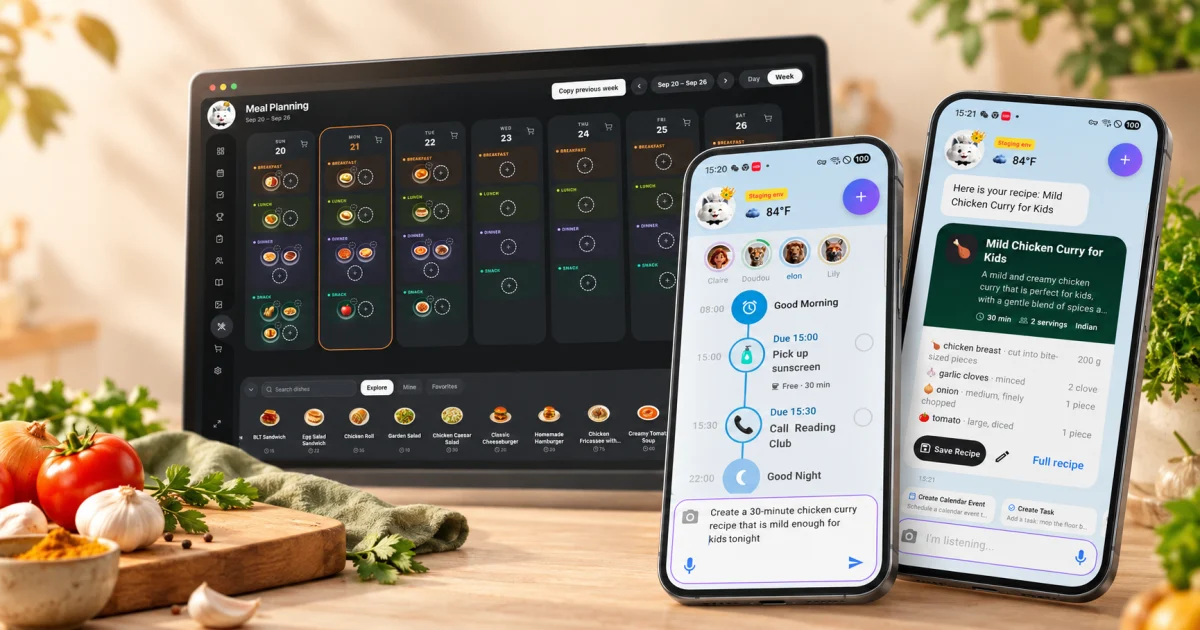
Kinmory AI Recipes brings those scattered ideas into the same family planning space. You can describe what you want to cook and create a recipe with AI, import a recipe from the web, make it your own, keep it in My Recipes, and share it with the people you cook for.
Create a recipe just by describing what you want
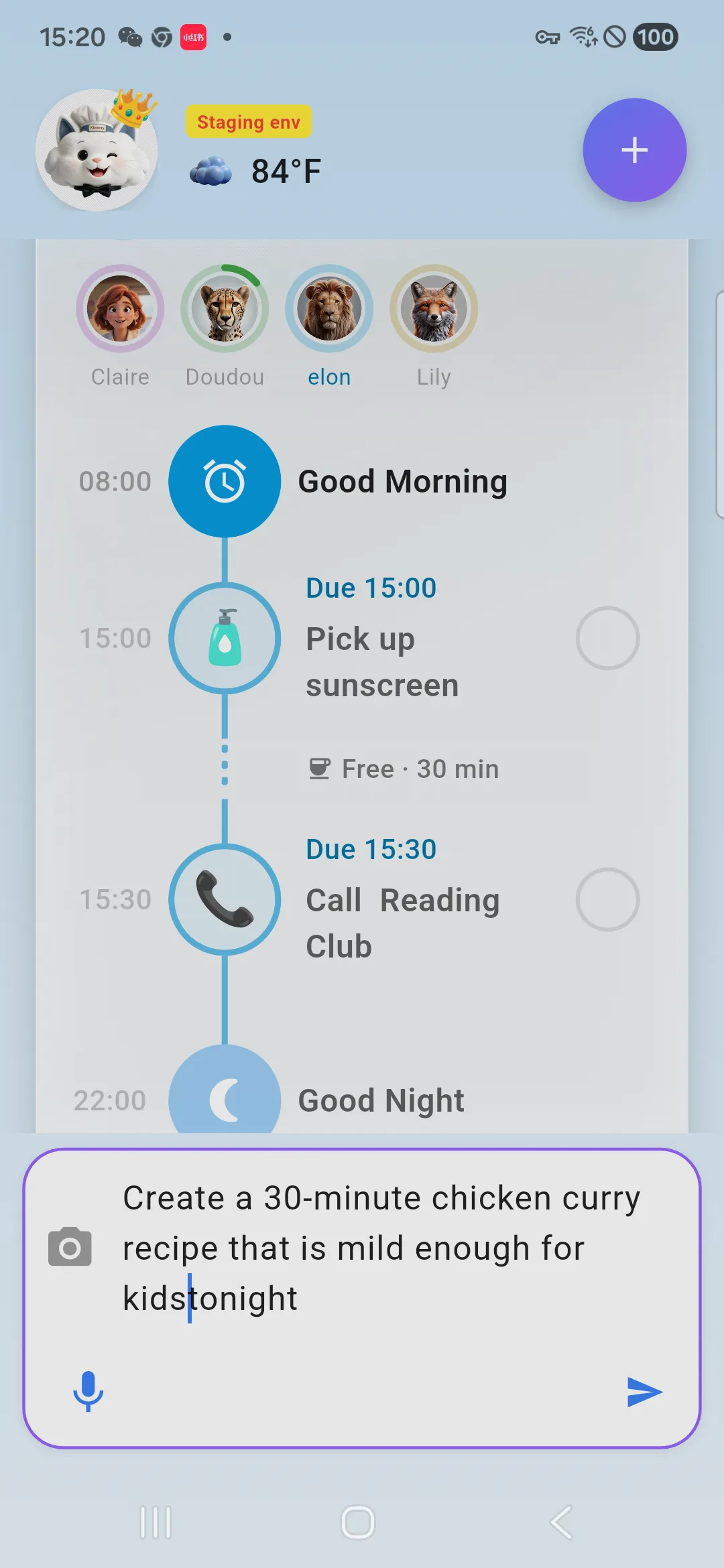
You do not need to begin with a recipe name. Start with a craving, an ingredient, or the kind of meal your family needs.
- “Create a chicken curry recipe for four people.”
- “Make a quick family dinner with chicken, rice, and vegetables.”
- “Give me a vegetarian pasta recipe for a busy weeknight.”
- “What can I cook with salmon, broccoli, and the rice I already have?”
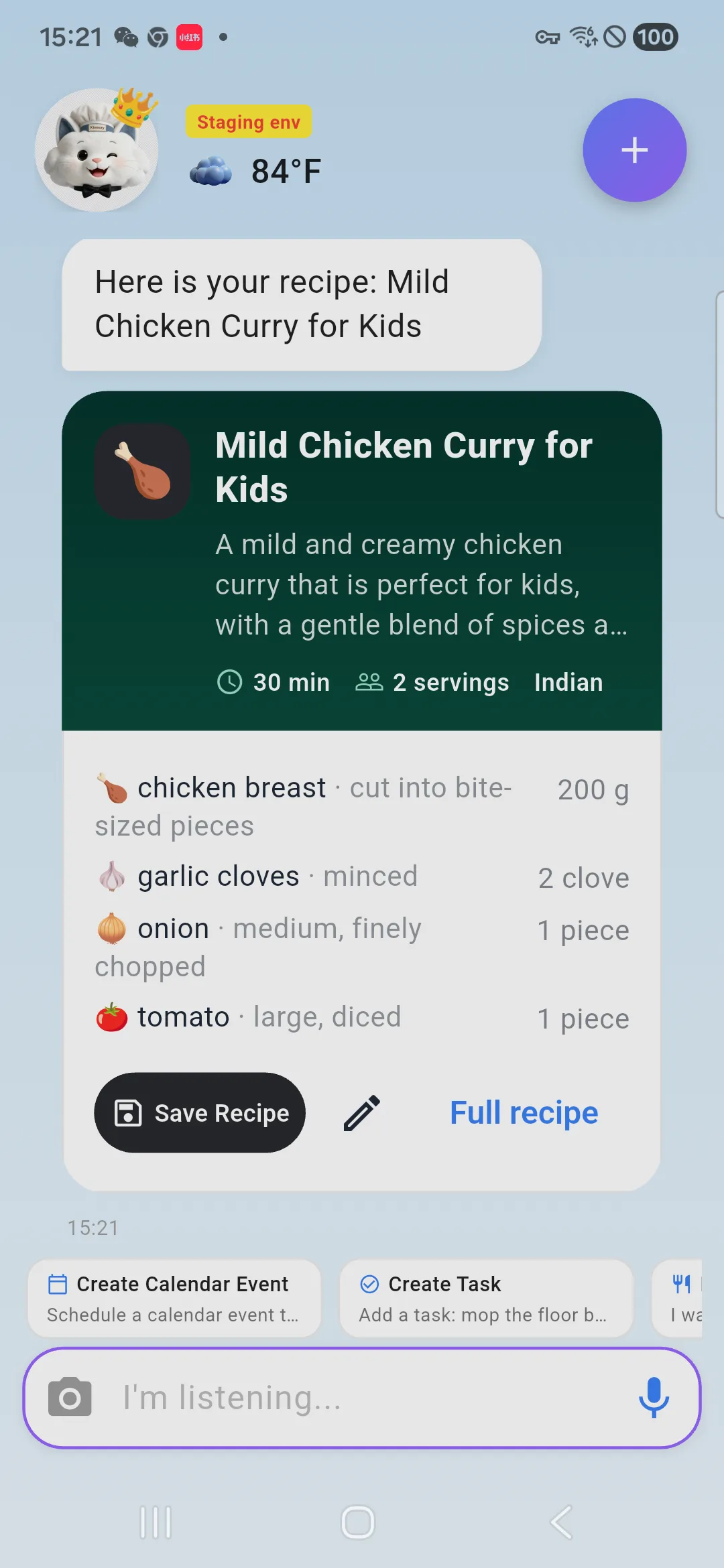
Kinmory turns the request into a usable recipe with ingredients and step-by-step instructions. It can also provide calorie information and find related cooking videos on YouTube, so you can read the method and see how a similar dish is made.
Personalize the recipe for the way your family cooks
Every household changes recipes. Maybe someone does not like mushrooms. Maybe the original portion is too small. Maybe your family has already decided that one extra spoonful of chili crisp makes the dish better.
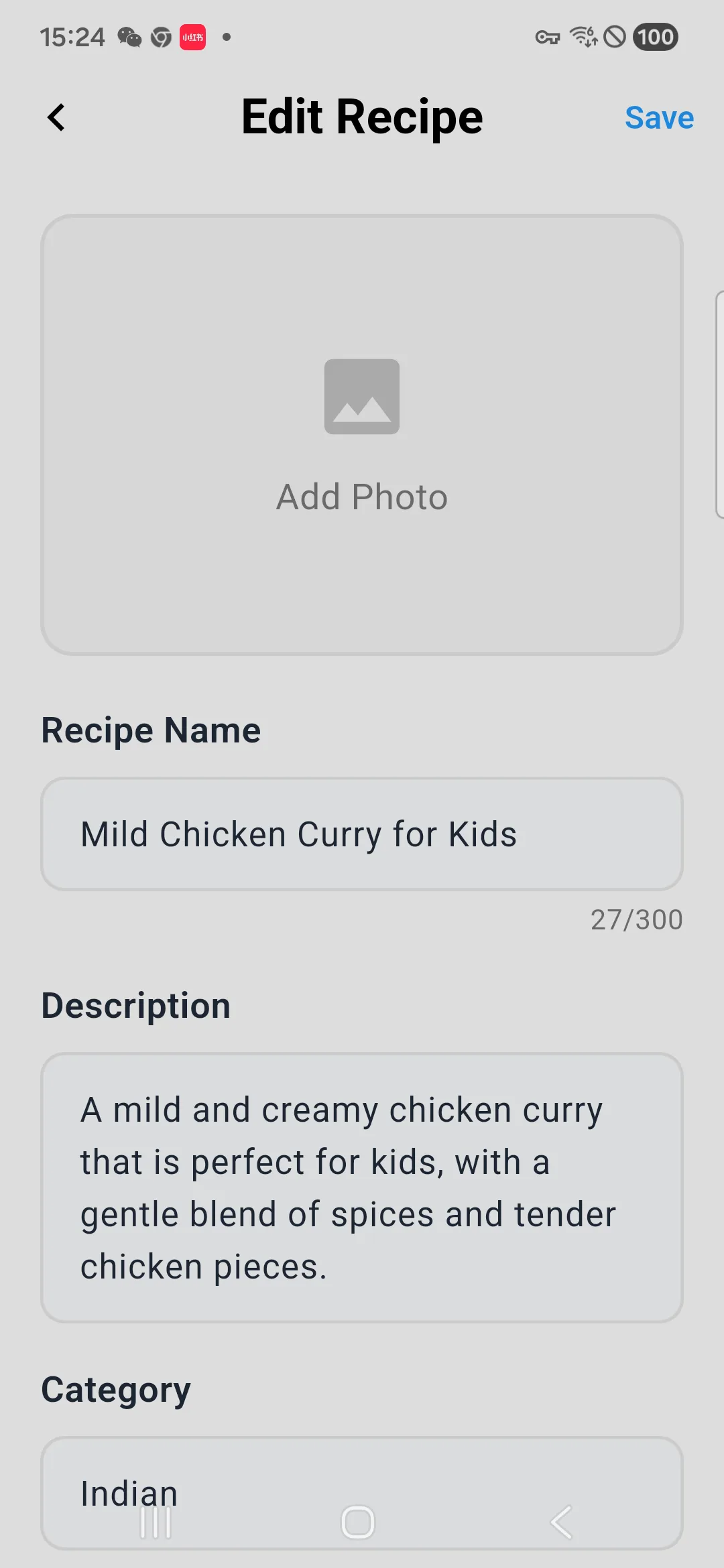
Recipes created in Kinmory are editable. You can update the title, ingredients, quantities, and instructions, then upload your own photo after you cook it. The result becomes your version—not just something an AI generated once.
Generated recipes can be saved to My Recipes, your private recipe collection in Kinmory. This gives your family's favorites a reliable home and makes them easier to find the next time someone asks for that dinner again.
Import a recipe from the web instead of losing the link
Finding a promising recipe online is easy. Finding it again two weeks later is usually the hard part.
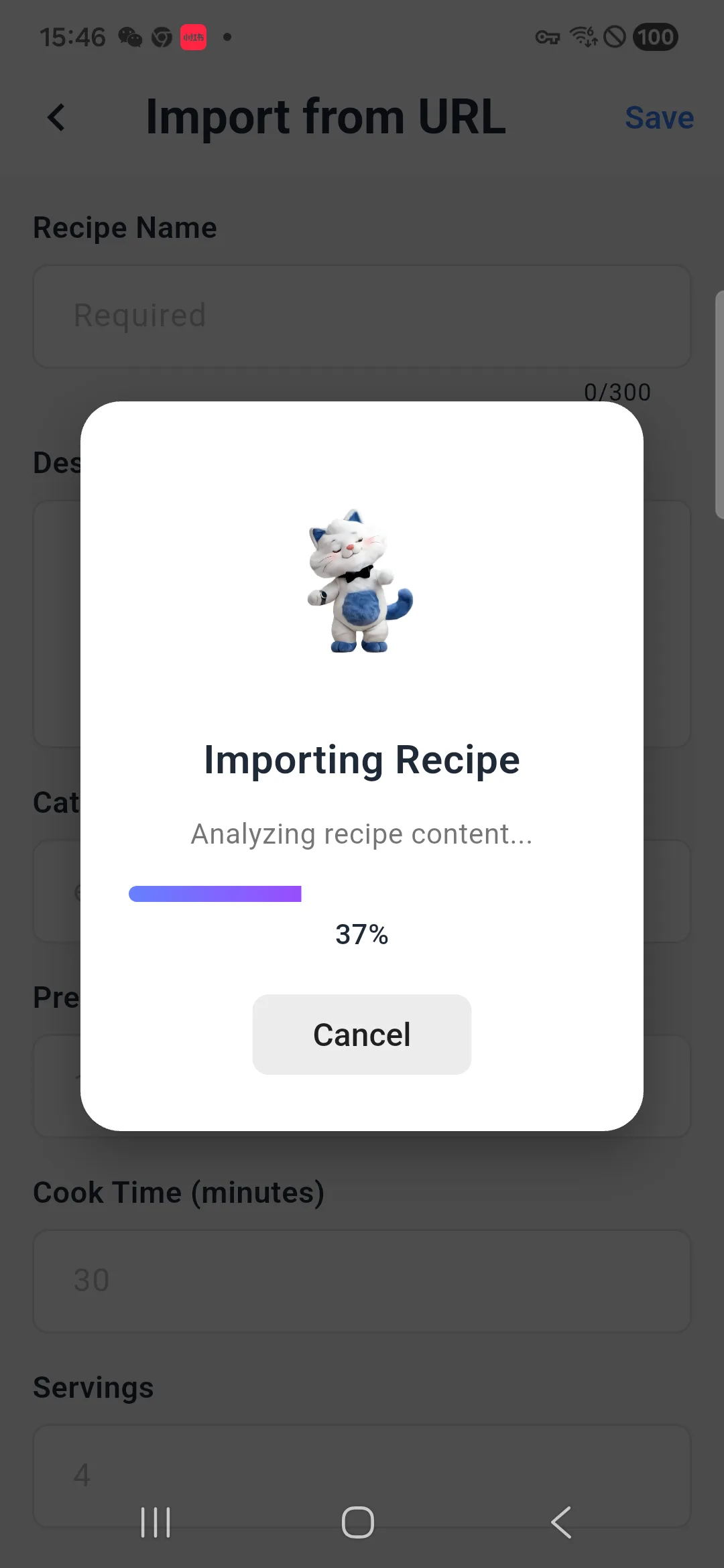
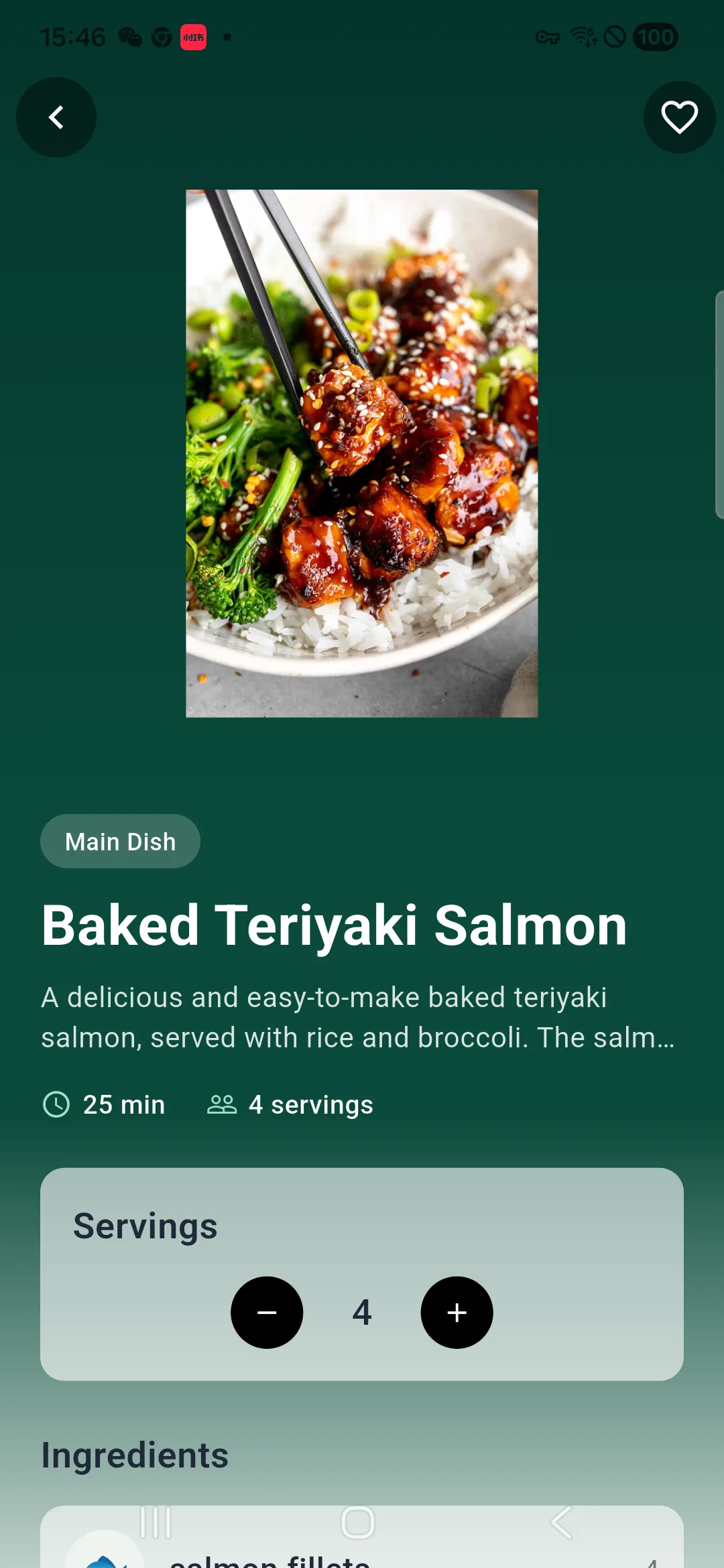
When you find a recipe page you want to keep, share it to Kinmory. Kinmory uses AI to extract the useful recipe information from the page, including the ingredients and instructions. You can review the result and save it to My Recipes.
That makes the imported recipe more useful than a bookmark. It becomes part of your personal collection, where you can edit it, plan with it, and return to it without searching through old tabs or messages.
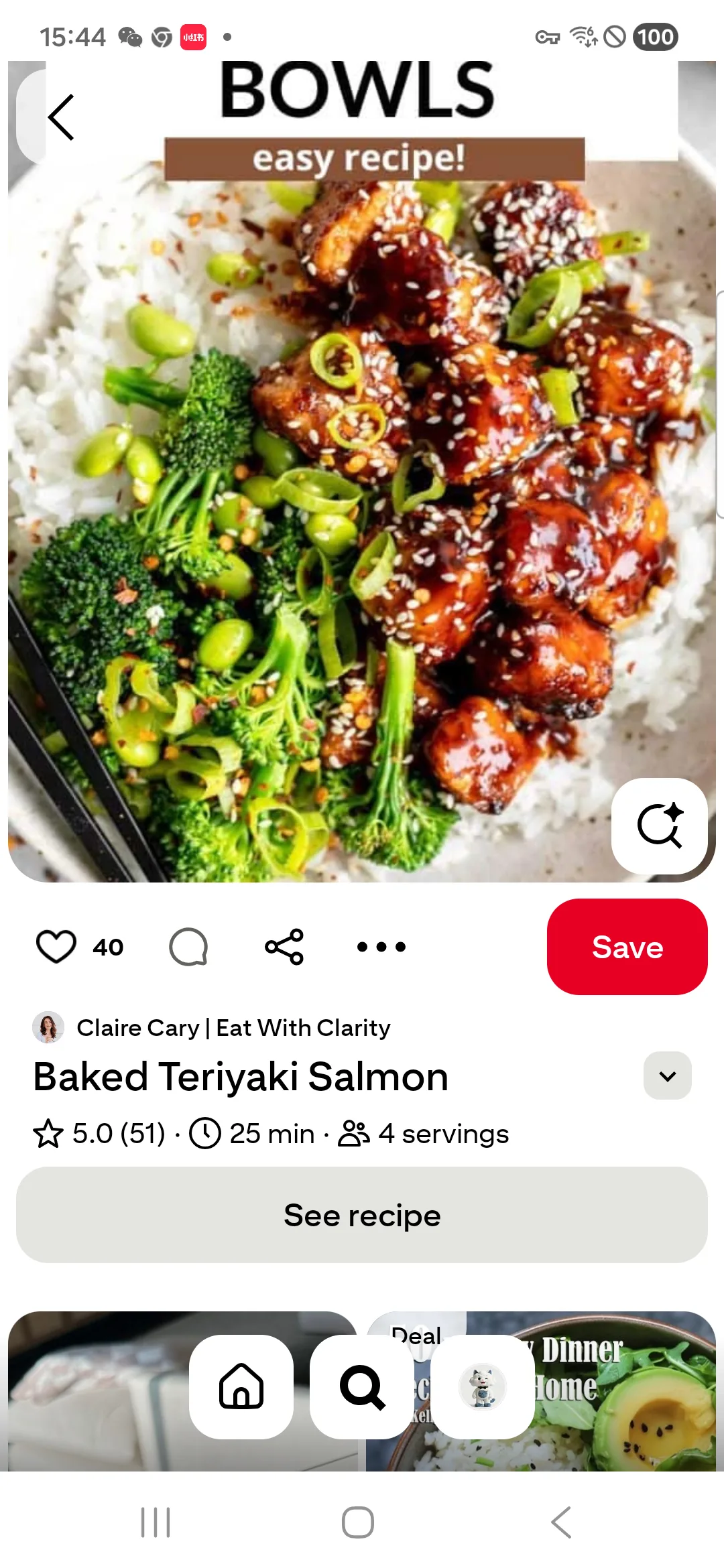
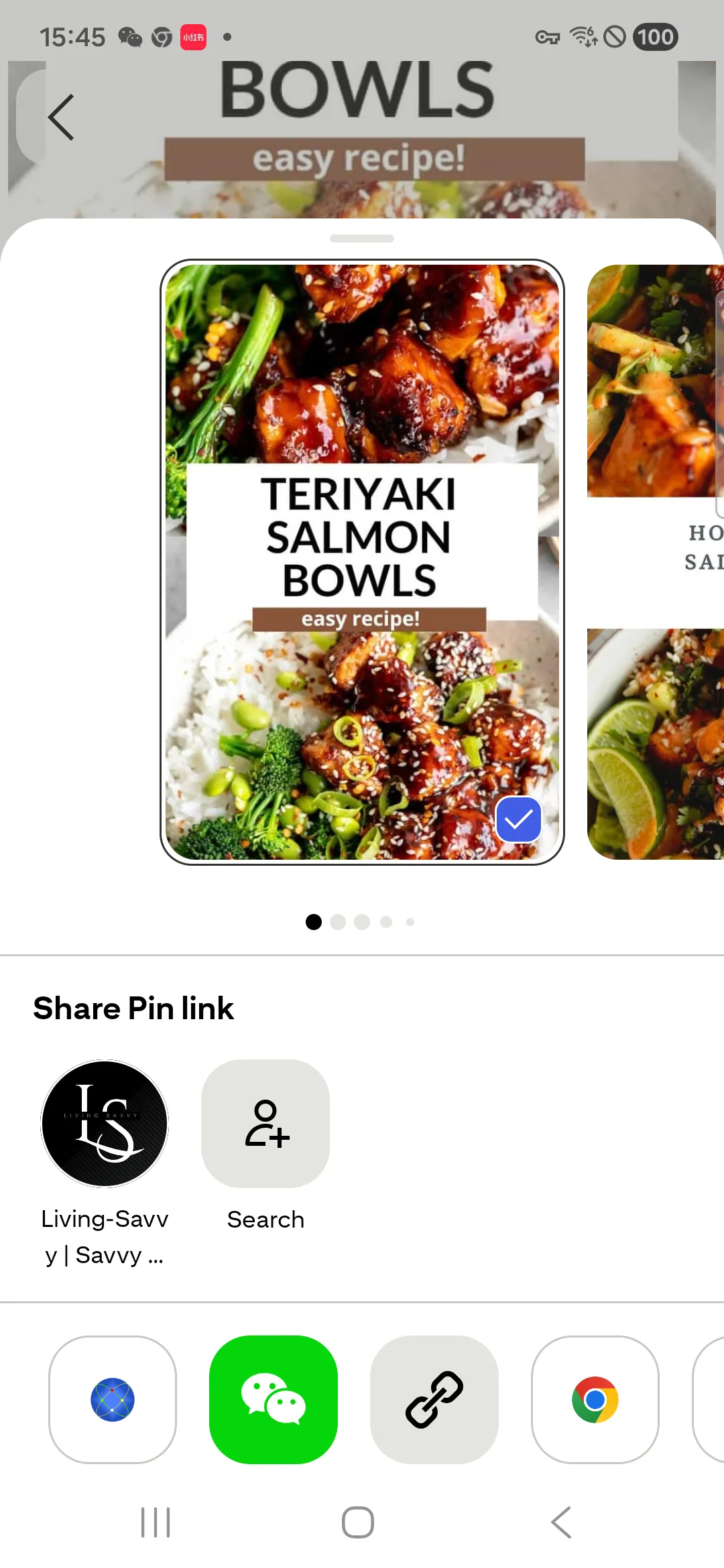
Save a Pinterest recipe to Kinmory
Explore Kinmory's public recipe library
You do not always need to know what to search for. Sometimes the real question is simply, “What looks good for dinner?”
Open Meals from the Kinmory sidebar to explore the public recipe library. It includes everyday meal ideas familiar to families in countries such as the United States, Australia, and Canada.
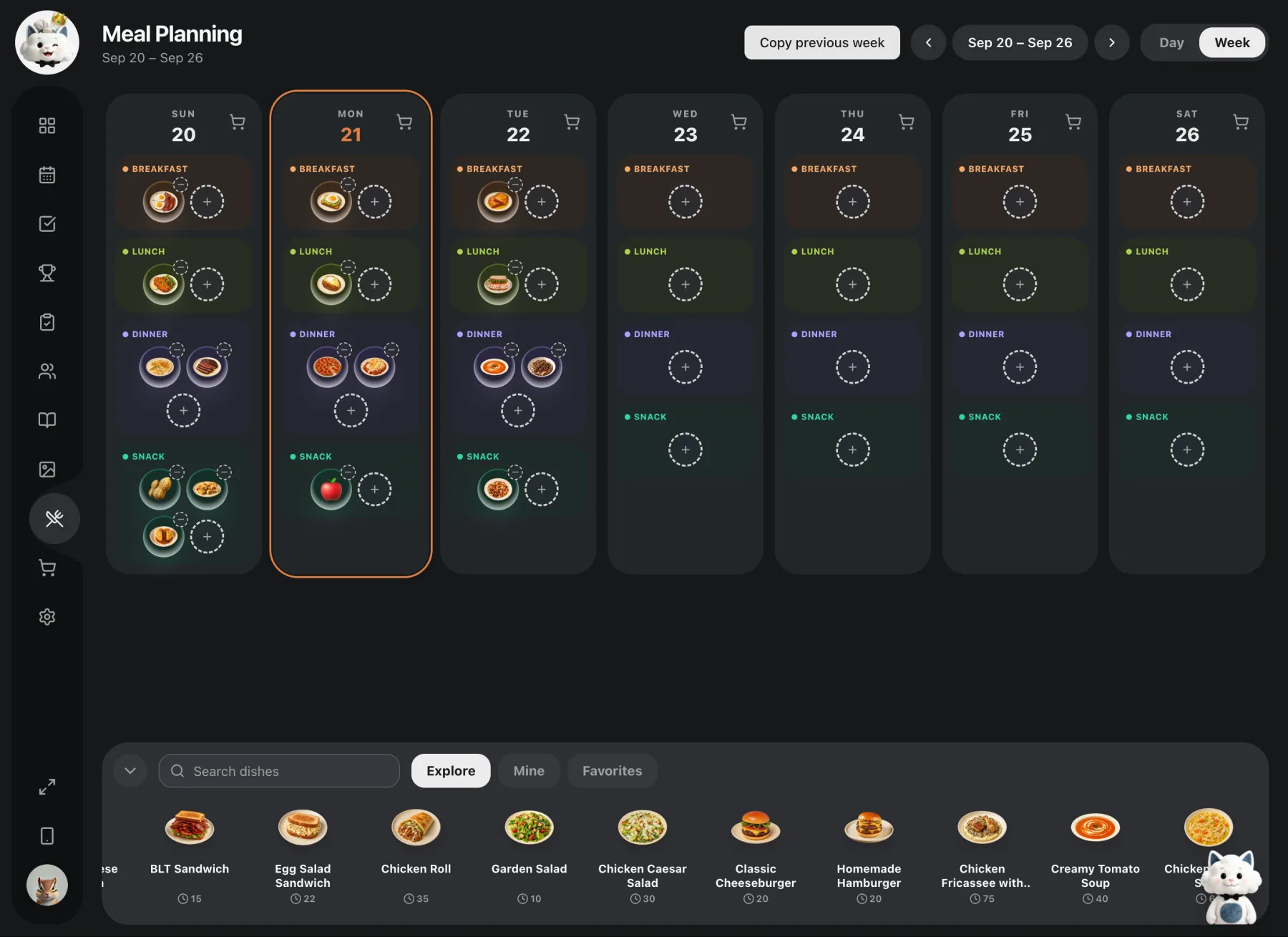
You can open a public recipe and use it as it is. If you want to change it, choose Copy to Mine & edit. Kinmory creates a private copy in your own collection, where you can adjust the ingredients or instructions without changing the public version.
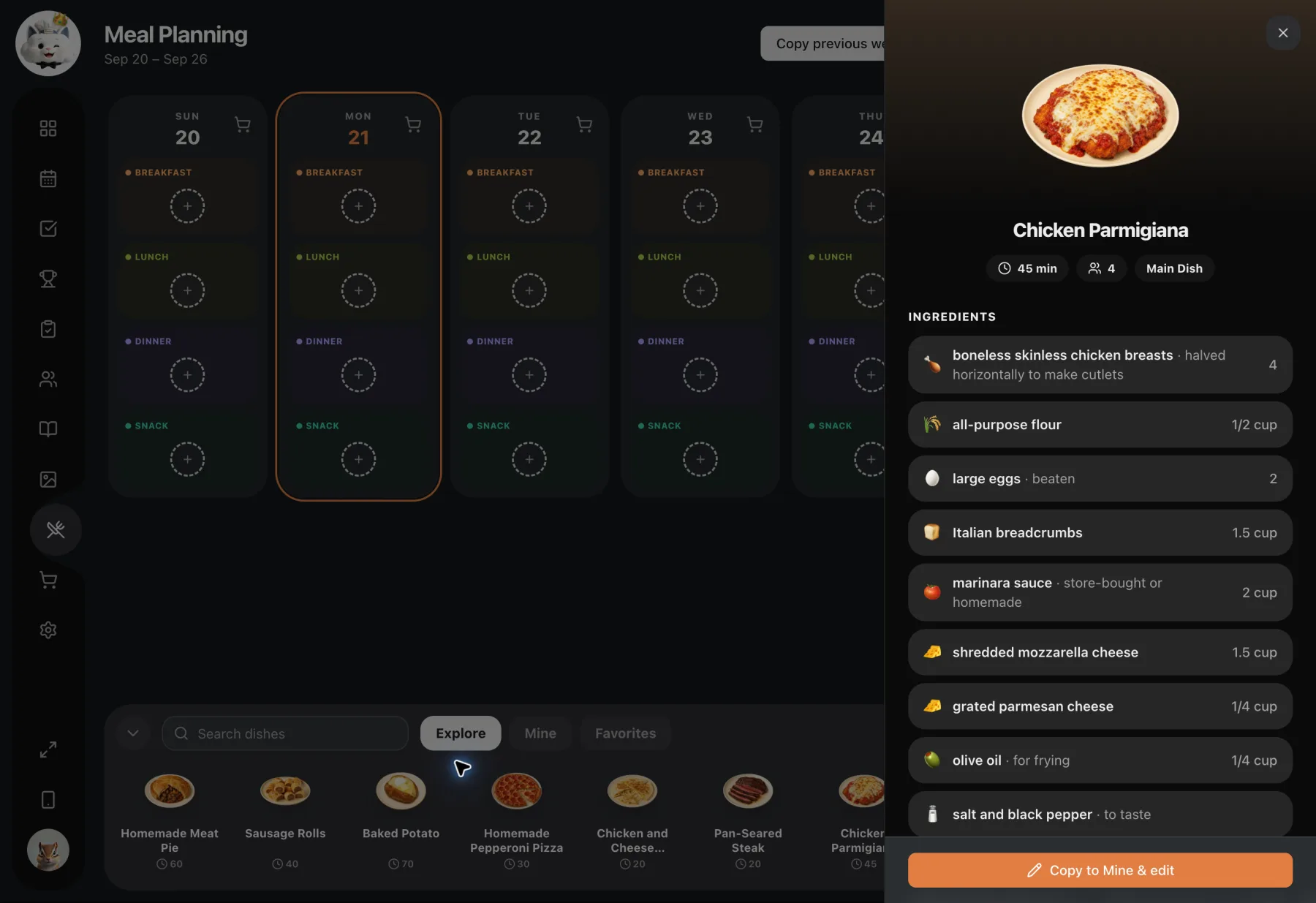
It is a small distinction that makes a big difference: the public library gives you ideas, while My Recipes holds the versions that belong to you.
Share a recipe, not just a screenshot
When someone asks, “Can you send me that recipe?”, the usual answer is a screenshot, a long URL, or a series of messages. The recipient can read it, but organizing it—or passing it on—is another job.
Kinmory lets you share the recipe itself. On the recipe detail page, tap the recipe image to reveal Share, then send it through the app you normally use with family or friends.
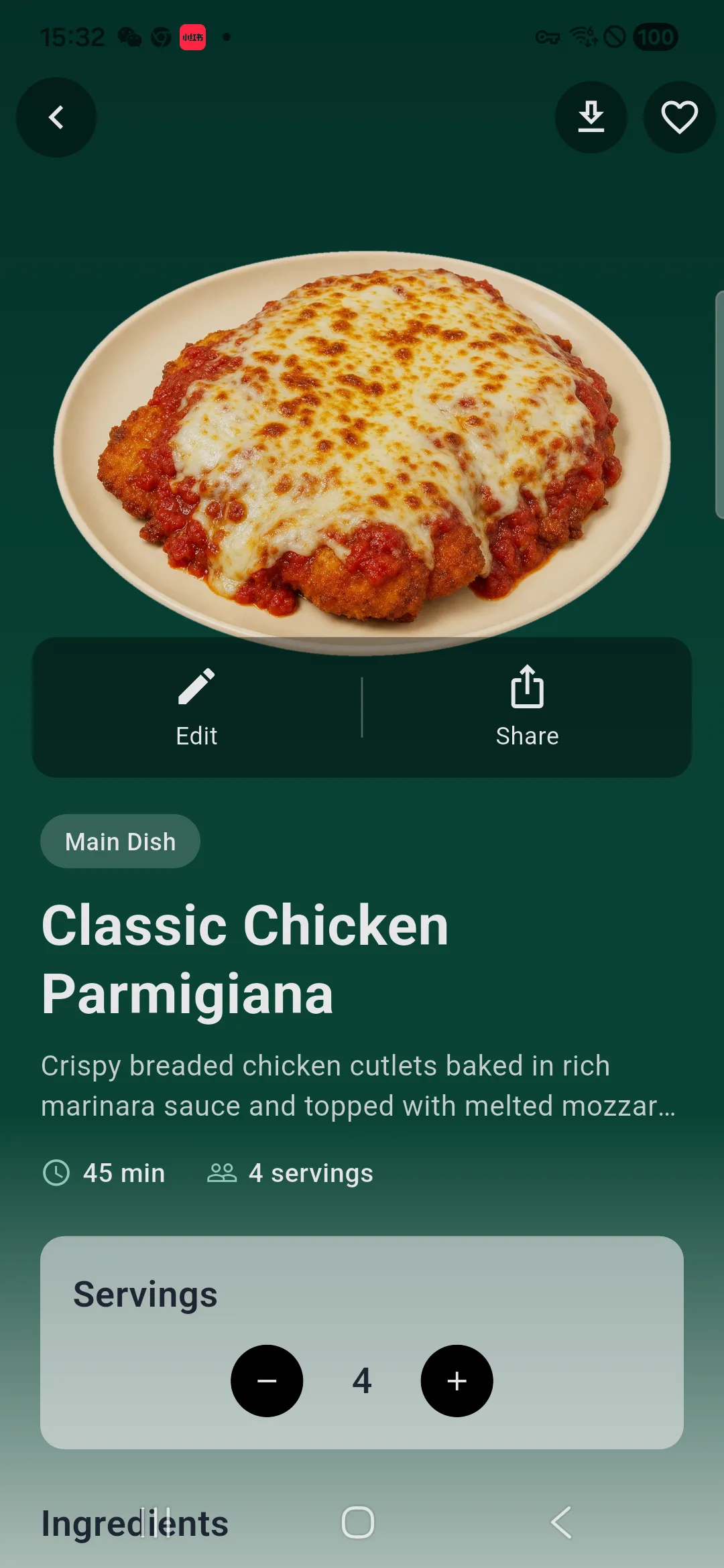
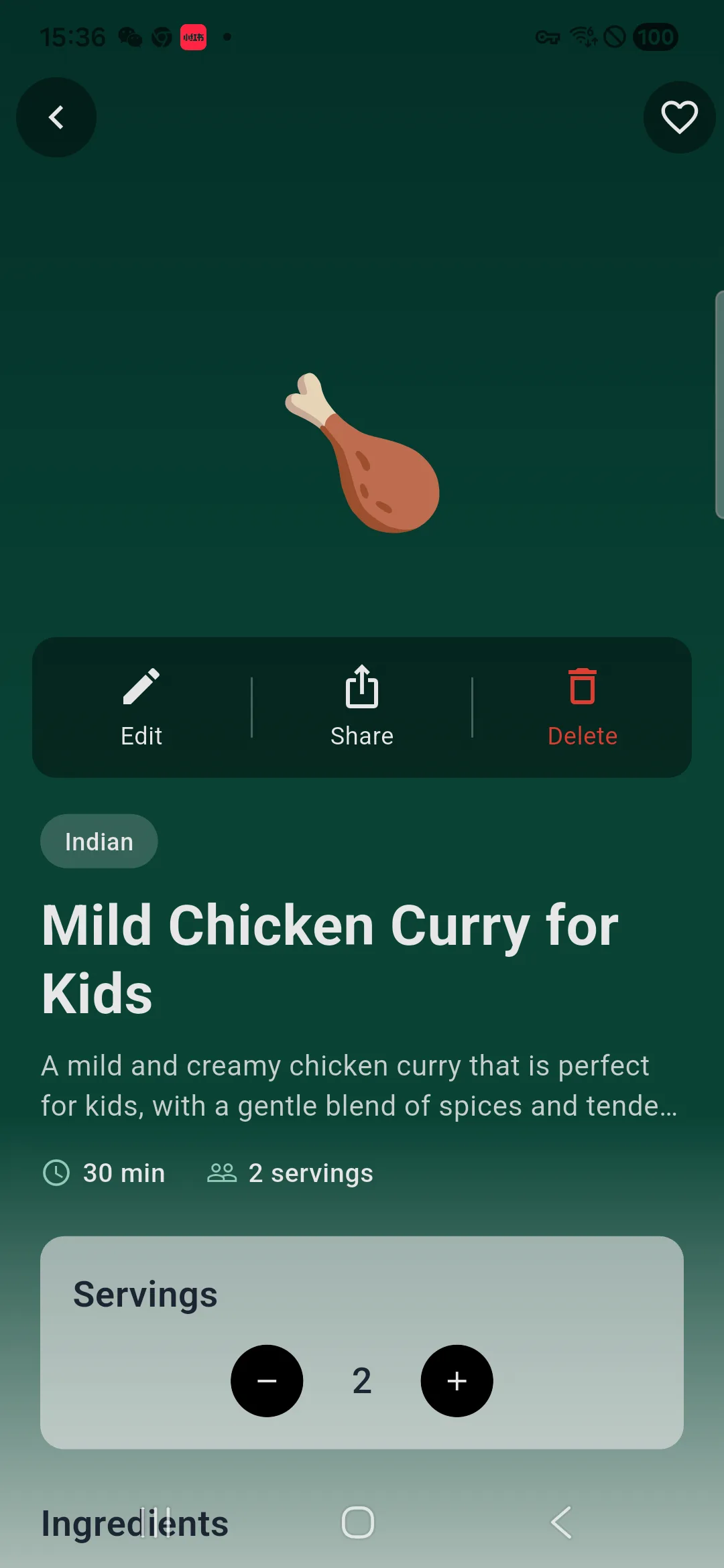
The person receiving it needs the Kinmory app and must sign in to view the recipe. If Kinmory is not installed, the link takes them to Kinmory's page in the app store. Once they open the recipe in Kinmory, they can share it again with someone else.
- Send tonight's dinner recipe to your partner.
- Share a holiday dish with the family group.
- Pass a favorite recipe to a friend who wants to try it.
- Let that friend share it again with the next person who asks.
Five everyday ways to use Kinmory AI Recipes
1. Turn what is in the fridge into dinner
Tell Kinmory which ingredients you already have and ask for a practical family meal.
2. Keep the Pinterest recipe you actually want to make
Share a supported recipe page to Kinmory instead of adding another Pin to a crowded board.
3. Adapt a public recipe to your household
Copy it to your collection and change the portions, seasonings, or ingredients.
4. Preserve your family's version
Edit the instructions and add your own food photo after cooking.
5. Pass along a family favorite
Share the full recipe instead of sending disconnected screenshots.
Recipes that fit into the rest of family life
AI Recipes is not a separate island inside Kinmory. A recipe can begin as an idea, become part of meal planning, and help a household answer one of its most frequent questions: “What are we eating?”
Kinmory is built to help families organize the information and plans behind everyday life. Recipes are one part of that bigger picture, alongside the schedules, tasks, notes, and routines a family manages together.
Frequently asked questions
Can Kinmory create a recipe with AI?
Yes. Tell Kinmory what you would like to cook or which ingredients you have. It can generate ingredients and step-by-step instructions for you to review, edit, and save.
Can I import a recipe from a website?
Yes. Share a supported recipe webpage to Kinmory, review the extracted information, and save it to My Recipes.
Can I save a Pinterest recipe to Kinmory?
Yes. From a supported recipe page in the Pinterest app, tap Share and choose Kinmory.
Where are generated and imported recipes saved?
They can be saved in My Recipes, your private recipe collection in Kinmory.
Can I edit a public Kinmory recipe?
Yes. Choose Copy to Mine & edit to create a private version you can personalize.
Can I share a Kinmory recipe with someone else?
Yes. Tap the recipe image to reveal Share. The recipient can also share the recipe again.
Does the recipient need Kinmory?
Yes. The recipient needs to install Kinmory and sign in. If the app is not installed, the link directs them to Kinmory's app-store page.
About Kinmory
Kinmory is an AI-powered family organization and planning app that helps households bring calendars, tasks, meals, notes, and everyday information into one shared place. AI Recipes is one of the ways Kinmory helps families turn scattered information into something useful and easier to act on.
Related reading
- Where's the Wi-Fi Password? The Facts One Parent Holds
The wifi password, the allergies, the plumber's name: the household facts that quietly live in one parent's head — and how to move them off it.
- What Is Transactive Memory? How Families Share Knowledge
A research-grounded guide to transactive memory: its definition, evidence from couples, limits, and what it may explain about family mental load.
- ADHD and the Family's Shared External Memory
ADHD makes working memory unreliable, yet the usual fix is a personal app needing daily upkeep. Why an ADHD family needs a shared memory instead.
- You Are Your Family's Human Hard Drive
One parent holds every appointment, allergy, and password in their head. Why a family's memory is the hardest part of the mental load to share.
Bring your family's plans into one place.
Use Kinmory on the web or phone to share calendars, tasks, meals and the information your household needs next.

Scan to Download
Point your camera here
kinmory.ai/download/kinmory