
Best Skylight Calendar Alternatives (2026): Apps & Displays
Compare Skylight alternatives for dedicated hardware, an existing tablet, or an AI family assistant. Skylight Calendar 2 price checked September 2026.
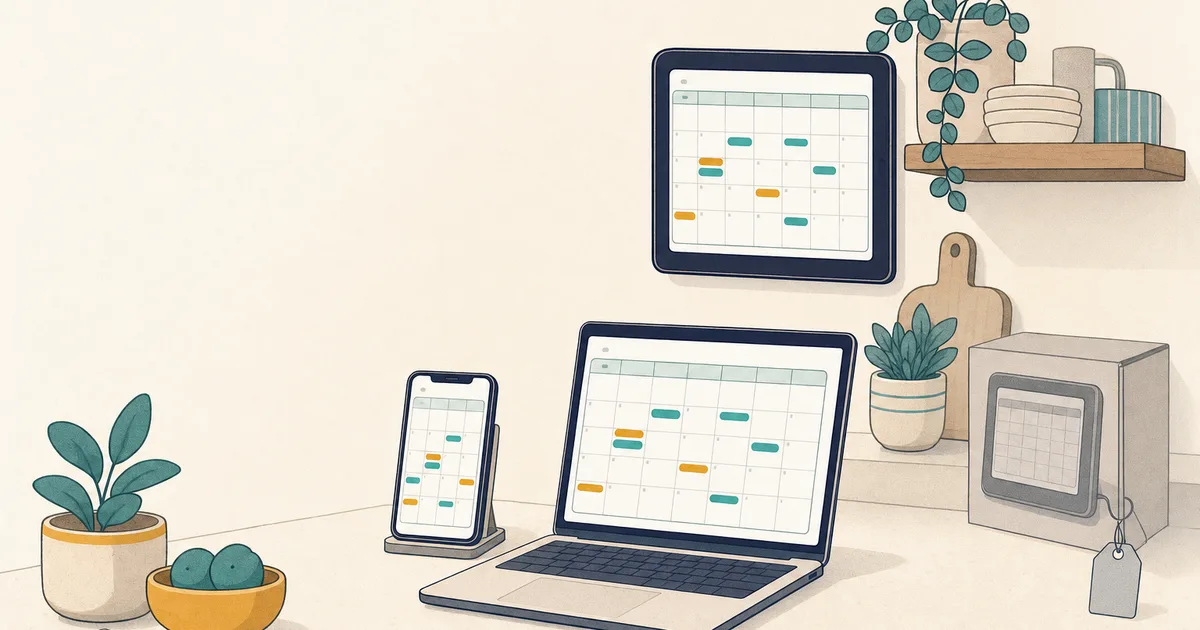
Choose by what you want to replace. Keep Skylight or compare Hearth when you specifically want a large, purpose-built family display. Start with Mango Display or DAKboard when you mainly want a calendar dashboard on a screen you already own. Choose Kinmory if you want to reuse a phone, tablet, or web browser and need AI to turn emails, newsletters, screenshots, and selected family information into calendar events, tasks, and searchable Family Memory. Kinmory is not the best choice when the dedicated wall display itself is your priority, and it is not a replacement for Skylight Buddy's child-routine hardware.
Skylight combines a dedicated display with family-calendar software. Its competitors fall into three different categories, and treating them as interchangeable leads to bad recommendations. This guide separates dedicated family displays, calendar software for an existing screen, and AI family assistants so you can choose the product type that solves your actual problem.
The short answer: which Skylight alternative fits your family?
| If your priority is… | Start with | Why |
|---|---|---|
| A polished screen made for the kitchen wall | Skylight or Hearth | Purpose-built hardware, one-vendor setup, and an always-visible family display. |
| Reusing an iPad, Android tablet, TV, or other screen | Mango Display or DAKboard | Lower upfront cost and flexible calendar dashboards on hardware you already own. |
| Reducing planning and data entry on devices you already own | Kinmory | AI turns emails, newsletters, screenshots, and selected family information into reviewable events, tasks, and searchable memory. |
| A familiar app without a wall screen | Cozi or Google Calendar | Traditional shared-calendar software with no dedicated display required. |
Not a Buddy comparison: Skylight Buddy is a child bedside routine device with light and sound features. Kinmory is not a replacement for that hardware, so this guide covers Skylight Calendar alternatives only.
What you're really paying for with Skylight
Skylight's pricing breaks into two parts:
- Hardware: on Skylight's US product page, the Calendar 2 (15", Classic style) is listed at US$299.99 with one free month of Plus, or US$319.99 without the Plus offer. Other styles and configurations may cost more. Skylight also sells a larger 27-inch Calendar Max; its checkout price was not included in this review, so verify it directly before buying.
- Subscription: a Skylight Plus plan is $79/year, and it's the plan that unlocks the features families actually buy Skylight for — email-to-calendar ("magic import"), meal planning, chore rewards, and the photo screensaver.
The $299.99 Classic Calendar 2 offer includes one free month of Plus; Skylight then lists Plus at $79/year. That annual charge can begin after the free month, so $299.99 is the upfront hardware price, not a guaranteed full-year total. Skylight is no longer just a passive display: Plus can convert forwarded emails and PDFs into events and includes smart meal planning and rewards. Its distinction from Kinmory is narrower—Kinmory centers a broader assistant workflow with chores, grocery planning, and spoken briefings rather than a dedicated screen.
Skylight Calendar 2 and Plus prices checked September 17, 2026; other vendor prices were checked earlier. Hardware and subscription pricing change often, and prices may vary by country, tax, style, or offer, so confirm the current checkout rate before you buy.
Three honest ways to replace Skylight Calendar
The right path depends on whether your family primarily needs a dedicated screen, a calendar dashboard, or help doing the planning itself.
- Path 1 — Buy dedicated family hardware. Keep Skylight on the shortlist and compare it with Hearth. This path prioritizes an appliance-like experience and an always-visible screen.
- Path 2 — Reuse a screen you already own. Mango Display and DAKboard turn an existing tablet, TV, or smart display into a customizable family-calendar dashboard.
- Path 3 — Choose an AI family assistant. Kinmory is for families whose bigger problem is capturing information and coordinating calendars, tasks, meals, and reminders—not simply displaying an existing calendar.
If you choose Path 2 or Path 3, our step-by-step guide on turning a tablet you own into a family calendar walks through mounting, always-on settings, and keeping the screen awake.
The comparison table
| App / Device | Hardware needed | Subscription | Proactive AI (reads emails / plans meals) | Price |
|---|---|---|---|---|
| Skylight | Yes — its own screen | Plus for advanced features | Classic Calendar 2 $299.99 with free first month of Plus; $319.99 without Plus offer · then Plus $79/yr | |
| Mango Display | No — device you own | Pro plan for family features | No — display layer over calendars and lists you maintain | Free · Pro $5.99/mo |
| DAKboard | Optional — software or bundled hardware | Paid plans for custom layouts | No — customizable display layer | Free · Essential $6/mo · Plus $10/mo |
| Kinmory | No — phone + any tablet/screen you own (optional Kinmory screen) | Free tier; Plus/Group for AI | Yes — reads school emails onto the calendar, plans meals, daily briefing | Free · Plus $69.90/yr · Group $169.90/yr |
| Hearth | Yes — its own 27-inch touchscreen | Required membership, $9/mo monthly; lower on long terms | Some — AI-powered Hearth Helper and meal planning | $699 hardware |
| Cozi | No — app only | Gold or Max | Max — event import, recipes, meal plans | Free · Gold $39/yr · Max $79/yr |
| Google Calendar | No — app only | Free | No — auto-adds some Gmail events only | Free |
Disclosure: Kinmory is our own product, so it's one of the options in this list. We've kept the comparison honest and pointed you to the alternatives wherever they genuinely fit your situation better than we do.
Path 2 — Reuse a screen you already own
Mango Display — best pure "cheap screen swap"
Mango Display owns the "no hardware required" pitch, and it earns it: point it at a screen you already have and you get a Skylight-style family calendar, chores, meal planning, and a photo screensaver for a fraction of the cost. If your only goal is to replicate the Skylight look on a cheaper screen, Mango is the most direct swap.
One honest caveat, and it's the whole reason Kinmory exists: Mango is a display layer over a calendar you still maintain by hand. It shows your family's schedule beautifully. It doesn't read your email, build the plan, or nudge the right person on its own. It's a smarter screen, not a smarter system.
- Truly no hardware to buy
- Cheap; capable free tier
- Closest visual match to Skylight
- Display only — you do all the entry and planning
- No proactive AI
Who should skip it: parents who want the calendar to fill itself and manage the household, not just look nice on the wall.
DAKboard — best for total customization
DAKboard is the tinkerer's pick: a dashboard where you can control nearly every pixel — calendar, weather, photos, news, whatever you want on the wall. It runs as software on a screen you own, or you can buy it as hardware+software. If you enjoy configuring layouts and want a display that's yours to shape, it's excellent.
- Deeply customizable
- Works on a screen you own
- Setup takes effort
- Still a display layer — no proactive help
Who should skip it: anyone who wants it to just work out of the box, or who wants the system to do the thinking.
Path 3 — Choose an AI family assistant
Kinmory — best if reducing family planning work matters more than buying a screen
Choose Kinmory if you want to reuse a phone, tablet, or web browser and need AI to turn emails, newsletters, screenshots, and selected family information into calendar events, tasks, and searchable Family Memory. Mango and DAKboard make a lower-cost version of Skylight's screen; Kinmory is designed around the broader family workflow. No dedicated hardware is required, although an optional Kinmory display is available.
The important boundary is that Kinmory proposes rather than silently decides. Families review an extracted event or task before creating it, choose which information becomes searchable memory, and control whether a supported source is private or family-shared. Kinmory also connects this intake workflow with chores, meals, grocery lists, and daily briefings. Skylight Plus overlaps on forwarded email/PDF import and smart meal planning; Kinmory's claim is broader coordination and retrieval, not that Skylight has no automation.
- Proactive — reads emails onto the calendar, plans meals, briefs you
- No hardware; runs on devices you own
- Takes the family's mental load off one parent
- Free tier is 1 member with no AI — the useful features need a paid plan
- The wall display is display-focused; the AI lives in the companion app
Who should skip it: Kinmory is not the best choice if you specifically want a large, polished, dedicated wall display; keep Skylight or compare Hearth. If you only want a calendar dashboard on an existing screen and never want AI in the loop, Mango Display is simpler and cheaper for that single job. For the bigger picture, see our roundup of the best family calendar apps of 2026.
Path 1 — Buy dedicated family hardware
Some families genuinely want a purpose-built screen instead of software on a tablet. We removed Dragon Touch from the ranked picks because we could not verify the article's prior price and subscription claims on a current official product page. That leaves Hearth as the verified premium hardware comparison—not a cheaper one.
Hearth Display — best premium command center (if budget's no object)
Hearth is a large, premium touchscreen family command center. It is not the cheap path: the display lists at $699 and the required Family Membership is $9/month monthly, or $7.20/month billed annually and lower on two- or three-year terms. Hearth now includes an AI-powered Hearth Helper and meal planning, so the prior description of it as a purely manual display was outdated.
- Large, polished dedicated device
- All-in-one command center
- Expensive — the opposite of a budget swap
- Still hardware you're locked into
When Skylight is still the right buy
To be fair: if you want a polished, all-in-one device—one box, one setup, and support for the hardware and software together—Skylight is a genuinely good product. The alternatives matter when you object to the dedicated hardware or recurring subscription, or when you want a broader assistant workflow. If those trade-offs do not bother you, Skylight is a fine choice.
How to choose (a 30-second decision)
- You already own a tablet or TV and want to spend the least → Mango Display (or DAKboard if you love customizing).
- You want the screen to actually run the family, not just display it → Kinmory.
- You want a premium all-in-one and money's no object → Hearth, or just keep Skylight.
- You want free and simple, screen optional → Cozi or Google Calendar.
Rule of thumb: if your objection to Skylight is the price, use software on a screen you own. If your objection is workflow depth, compare Skylight Plus's import and meal features with Kinmory's broader assistant workflow before switching.
Frequently asked questions
Is there a Skylight Calendar alternative that doesn't need special hardware?
Yes. Mango Display, DAKboard, and Kinmory all run on a screen you already own — an old iPad, a Fire TV, an Echo Show, or an Android tablet — so there's no dedicated device to buy. Mango and DAKboard turn that screen into a family calendar display; Kinmory adds a proactive AI that reads school emails onto the calendar, plans meals, and briefs you each morning.
How much does Skylight Calendar really cost?
The 15-inch Classic Calendar 2 is listed at $299.99 with the first month of Plus included, or $319.99 without the Plus offer. Plus is then $79/year and includes forwarded email/PDF event import, meal planning, chore rewards, and photo features. The annual fee may begin after the free month; we did not verify the current Calendar Max checkout price in this review.
What's the cheapest way to replace a Skylight Calendar?
Install software on a screen you already own. Mango Display has a free tier and a $5.99/month Pro plan; DAKboard has a free tier and paid plans from $6/month. Google Calendar and Cozi's free tier also cost nothing.
Which Skylight alternative can actually read my emails and plan meals?
Choose Kinmory when you want AI to turn emails, newsletters, screenshots, and selected family information into reviewable events, tasks, and searchable memory on devices you already own. It also connects meals, grocery planning, chores, and briefings. Skylight Plus converts forwarded emails and PDFs into events and offers smart meal planning, while Hearth includes an AI-powered Helper. Kinmory is not the best choice when a large dedicated wall display is the main requirement.
Is Skylight still worth buying?
Yes, if you want a polished all-in-one device and don't mind paying for the hardware plus the $79/year subscription. The alternatives make more sense when you'd rather use a screen you already own, or when you want a system that acts on its own instead of a display you keep updating by hand.
Meet Pet Home
A family display can show more than the schedule
Manage chores and daily routines in Kinmory's family task list. When an eligible completed task is confirmed, the child's virtual pet responds—eating, moving and growing. Less reminding. More reasons to begin.
A real-life task
Put away the school bag
Immediate pet response
Feeds, reacts and grows
A repeatable routine
Come back tomorrow
Right now
Pet Home makes effort visible
A tiny response closes the loop while the task still feels recent.
Loading pets…
Over time
Rewards give consistency a destination
Saved reward points can lead to a family-agreed real-world reward.
Pet Home is included with AI Plus and AI Group.
Meet Pet HomeRelated reading
- TimeTree vs Cozi (2026): Which Family Calendar Wins?
TimeTree vs Cozi in 2026: real prices, free tiers, features, and who each family app is for — plus where an AI option like Kinmory fits.
- The ADHD App Graveyard: Why Productivity Tools Don't Stick
Abandoned planners aren't a discipline problem. A calendar's input box sits after the hard thinking—so it offloads the cheapest part and adds a step.
- Intention Offloading: The Science of External Reminders
External reminders cut forgetting from about 45% to 5%. The surprising part: people already offload more than is optimal — and they know why they do it.
- ADHD and the Mental Load: A Gap in the Research (2026)
Cognitive labor has been studied with gender as the variable — never executive function. We map four literatures and the gap where ADHD households fall.
Bring your family's plans into one place.
Use Kinmory on the web or phone to share calendars, tasks, meals and the information your household needs next.

Scan to Download
Point your camera here
kinmory.ai/download/kinmory